
Builderall advertises a free plan that includes website building, email marketing, landing pages, and a handful of other tools. On paper, that sounds like a solid deal for anyone starting out. In practice, the free tier is more limited than you might expect.
I reviewed Builderall's major features and compared it to Systeme.io's free plan (which I covered in a separate post). Here is what you actually get, what is missing, and whether the free plan is worth your time.
What You Get on the Free Plan
Builderall splits its tools across a central dashboard. The free plan gives you access to more tools than most people expect, but each one comes with limits. Here is a breakdown of every major feature.
Dashboard & Getting Started
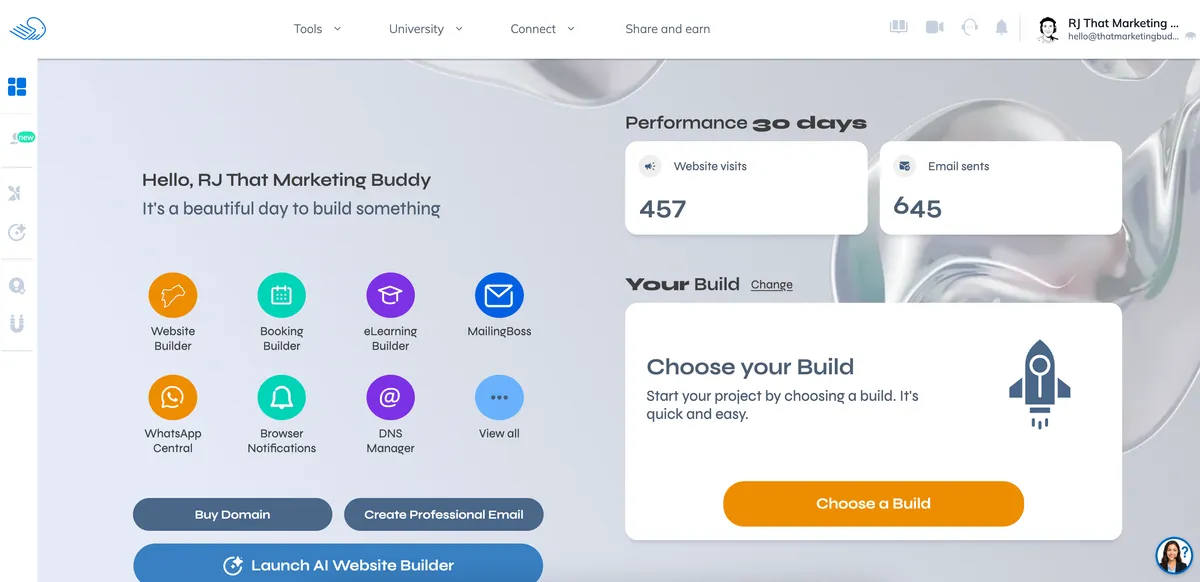
The dashboard is clean and organizes everything into categories: sites, emails, engagement tools, and analytics. You get a 30-day snapshot of basic metrics like page views and contacts. Nothing fancy, but functional enough to keep track of your progress.
One thing that surprised me: Builderall gives free users access to quite a few tool categories. The catch is in the details of each one.
Website Builder & Templates
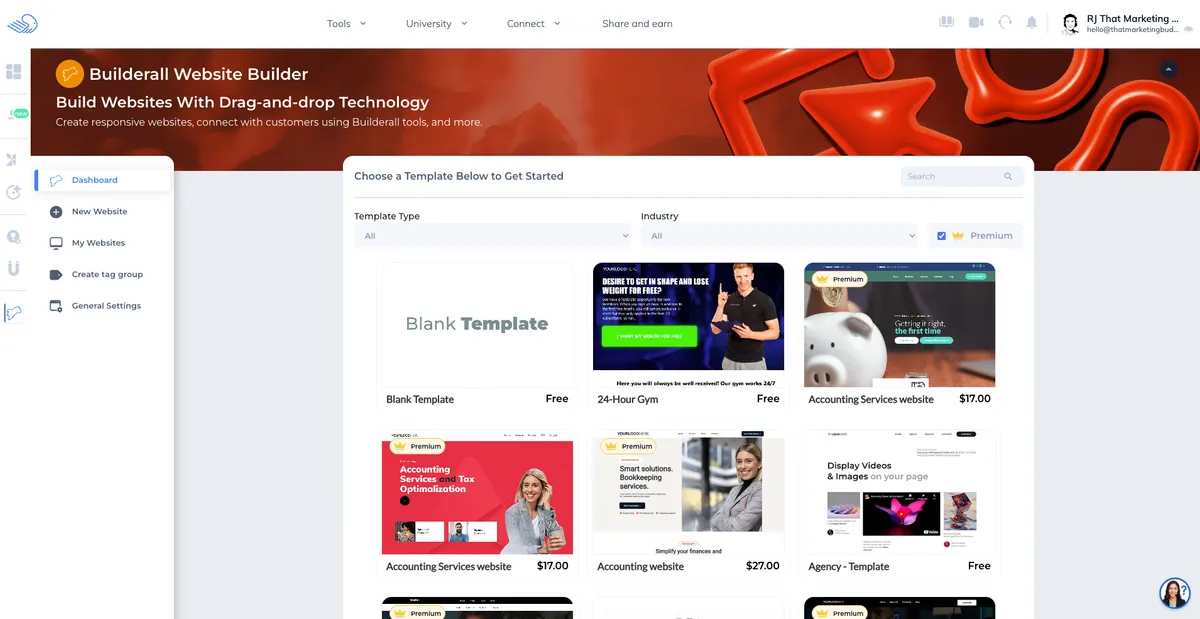
The drag-and-drop website builder (called Cheetah Builder) is the core of Builderall. On the free plan, you get 1 website on a Builderall subdomain. No custom domain.
The template library is mixed. Some templates are included free, others require a paid plan. The free ones cover basic niches like coaching, fitness, and small business. Design quality varies, but the better templates look professional enough for a first website.
The builder itself is responsive and gives you control over layouts, fonts, colors, and sections. It is not as intuitive as something like Squarespace, but it is more flexible once you learn the interface.
Pre-Built Setups ("Builds")
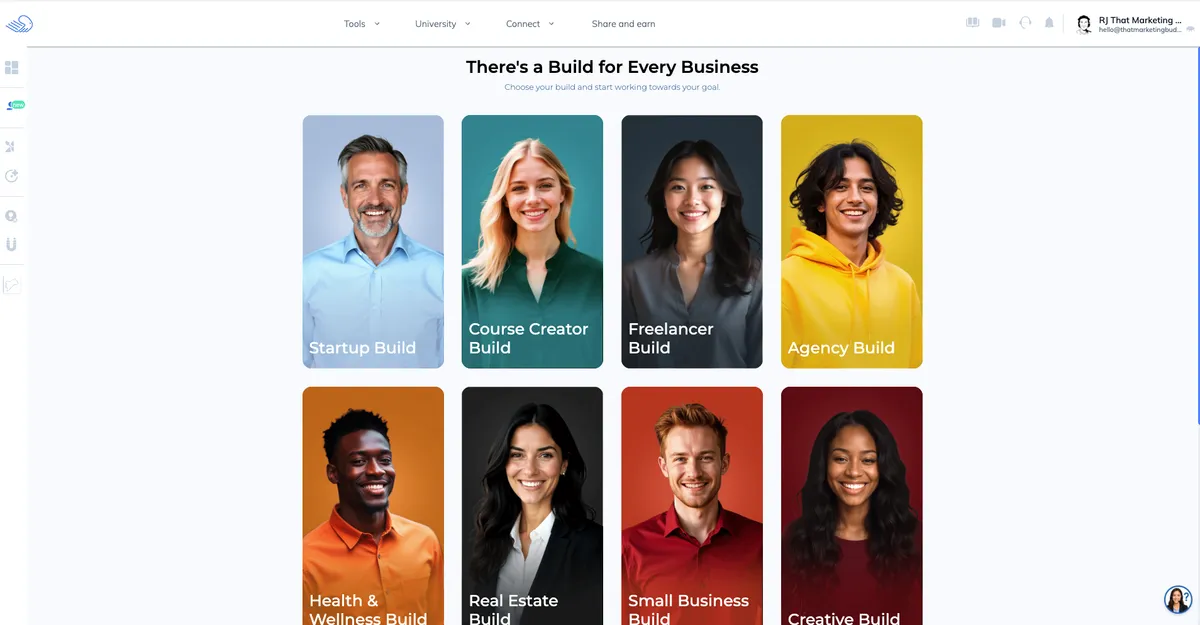
This is a feature I had not seen in other free plans. Builderall offers "Builds," which are pre-configured setups combining a website, landing pages, and email sequences for specific business types.
On the free plan, you can browse and preview these setups but deploying them fully may require features from paid tiers (like sales funnels or automation). Still, it gives you a useful starting framework to understand how the pieces fit together.
Landing Page Builder
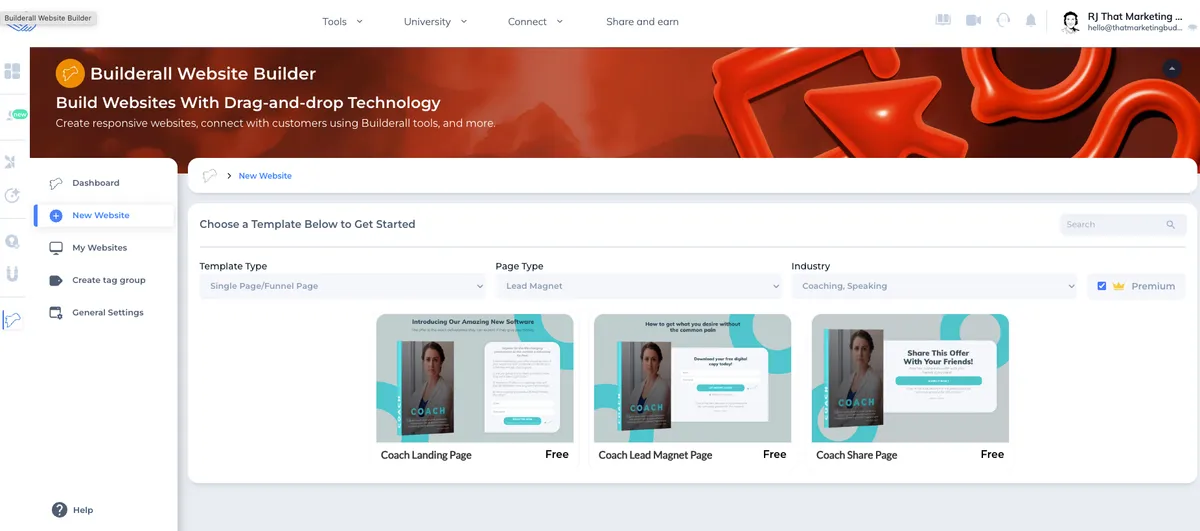
You get access to dedicated landing page templates separate from the website builder. The templates cover common use cases: lead magnets, webinar registrations, coaching offers. If you are looking specifically for landing page tools, I covered more options in my best landing page builders roundup.
The landing page builder uses the same Cheetah drag-and-drop editor. For basic lead capture pages, the free plan handles the job. You just cannot connect a custom domain to them. Not sure if you need a landing page or a full website? I broke down the differences.
Email Marketing (MailingBoss)
Builderall includes its own email marketing tool called MailingBoss. On the free plan, you can send emails to up to 2,000 subscribers. That matches what most standalone email tools offer for free.
The email builder is basic. You get standard templates, a drag-and-drop editor, and subscriber management. It is not as polished as dedicated email platforms like Moosend or Sender, but having email built into the same platform saves you from juggling multiple tools.
Deliverability data is harder to verify since MailingBoss does not publish independent benchmarks. If email is your primary marketing channel, a dedicated tool will serve you better. If email is one piece of a broader setup, MailingBoss covers the basics.
Social Proof Tool
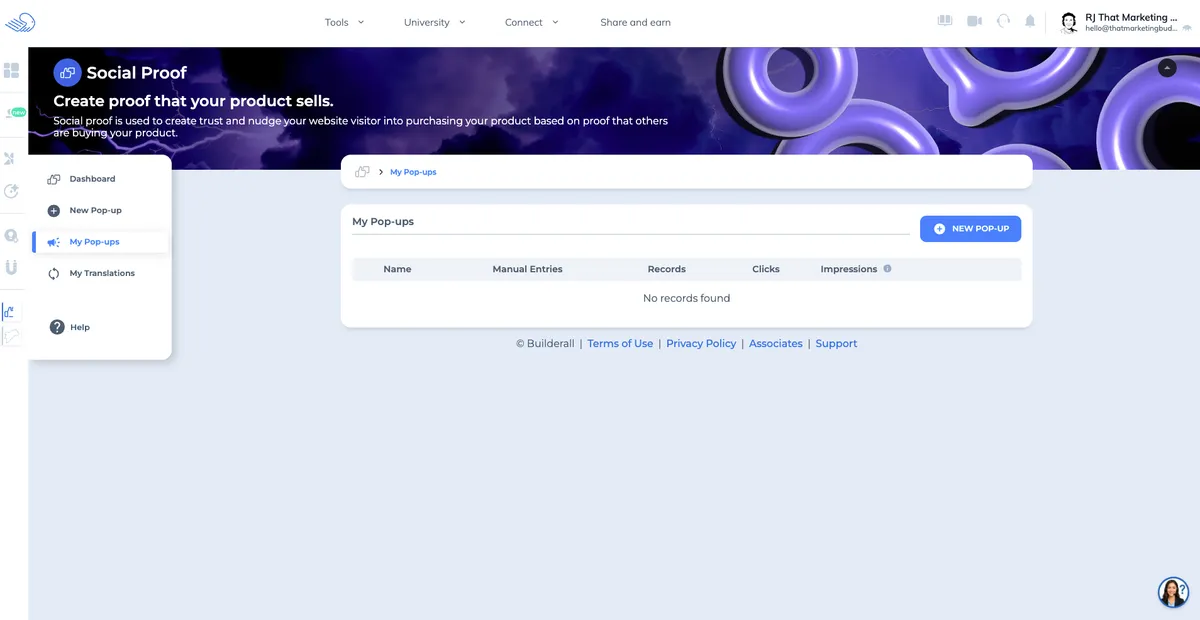
This caught my attention. Builderall includes a social proof notification tool on the free plan. You can create those "Someone just purchased..." or "12 people are viewing this" pop-ups that display on your site.
Most platforms charge extra for social proof tools (or you need a third-party service like Proof or FOMO). Getting it free is a nice touch, even if the customization options are limited.
Other Free Features
- Chatbot builder for basic website chat widgets
- App builder for simple mobile-friendly pages
- Browser notifications tool
- Basic analytics and visitor tracking
- SSL certificate (included with subdomain)
The free plan packs in more tools than most competitors offer at this tier. The question is whether any of them work well enough to replace dedicated alternatives.
What Is Limited on the Free Plan
Here is where reality sets in. The free plan has significant restrictions that affect how useful it is for a real business.
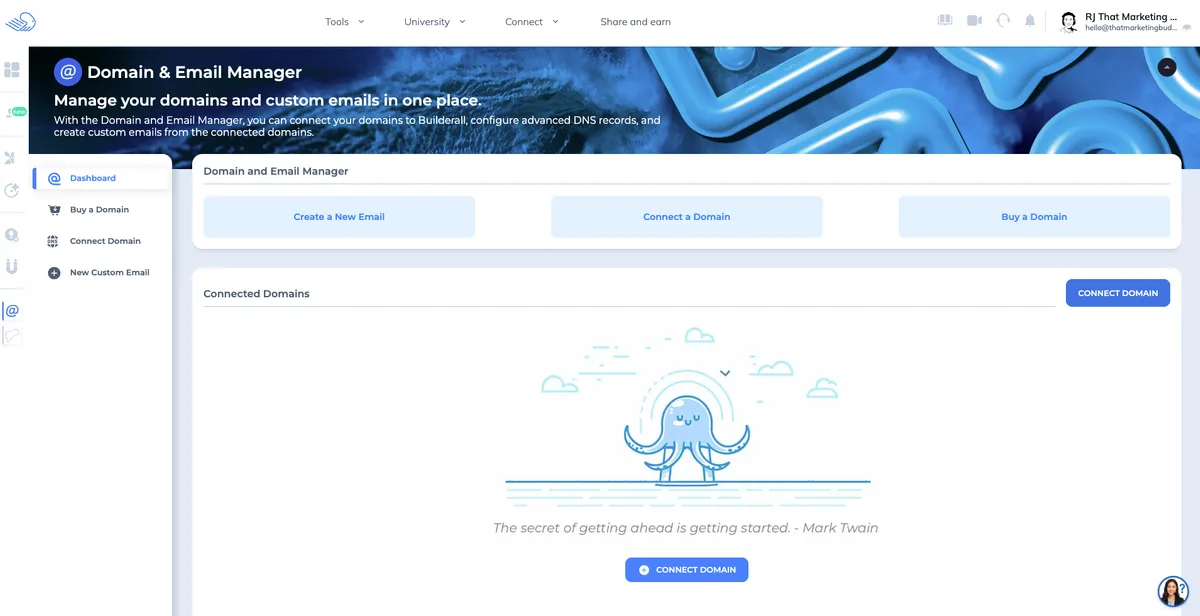
No custom domain. This is the biggest limitation. Your site lives on a builderall.com subdomain (yoursite.builderall.com). For anything beyond testing, this looks unprofessional and hurts SEO. Every paid plan unlocks custom domains.
2,000 email subscriber cap. Fair for getting started, but you will hit this ceiling fast if email marketing is a core part of your strategy. If you are still building your email list, 2,000 contacts gives you a decent runway. Systeme.io also caps at 2,000 on its free plan, so this is industry standard.
Builderall branding. The "Powered by Builderall" badge shows on your pages. Removing it requires a paid plan. Minor for testing, but a dealbreaker for client work or professional sites.
No sales funnels. Unlike Systeme.io, which gives you 3 funnels on the free plan, Builderall reserves funnel building for paid tiers. This is a significant gap if you need lead generation flows. Check my best sales funnel software roundup for alternatives.
Limited template access. Some of the better templates are locked behind paid plans. You can build from scratch, but having access to more polished starting points speeds things up considerably.
No phone or chat support. Free users get email support only. Response times vary. The knowledge base and community forums fill some of the gap, but do not expect priority help.
One website only. If you need multiple sites (common for agencies or multi-brand businesses), you will need to upgrade from day one.
Who the Free Plan Is Perfect For
The Builderall free plan makes sense for a narrow set of use cases:
- Testing the platform. You want to explore the builder, email tools, and dashboard before committing money. The free plan gives you enough room to evaluate whether Builderall fits your workflow.
- Learning to build landing pages. If you are new to online marketing, the combination of landing page builder, email tool, and basic analytics provides a sandbox for learning without financial risk.
- Small side projects. A personal portfolio, event page, or hobby site that does not need a custom domain works fine on the free tier.
- Freelance web designers evaluating tools for client projects. You can test the builder speed, template quality, and responsiveness before recommending it to clients.
Where it falls short: anyone who needs a custom domain, sales funnels, or a professional-looking site for an actual business. A food truck owner building their first online presence, for example, would outgrow this plan within a week once they realize the subdomain limitation.
When You'll Need to Upgrade
You will hit the limits of the free plan quickly if any of these apply:
- You need a custom domain (this alone forces the upgrade for most people)
- Your email list passes 2,000 contacts
- You want to build sales funnels or multi-step lead generation flows
- You need to remove Builderall branding from your pages
- You want access to premium templates and priority support
Builderall's paid plans start at $14.90/month for the Marketer plan. I broke down every tier, hidden costs, and what you actually get in my full Builderall pricing analysis.
How It Compares to Other Free Plans
Builderall vs Systeme.io Free
This is the most relevant comparison. Both are all-in-one marketing platforms with free tiers, but Systeme.io's free plan is more generous in almost every category.
- Systeme.io gives you 3 sales funnels for free. Builderall gives you zero.
- Both cap email subscribers at 2,000.
- Systeme.io includes 1 online course, 1 community, and affiliate management. Builderall focuses more on website building and landing pages.
- Systeme.io lets you use a custom domain on paid plans starting at $27/month. Builderall starts at $14.90/month.
- Both include branding on the free plan.
If your priority is funnels and selling digital products, Systeme.io wins the free tier comparison. If you care more about website building and design flexibility, Builderall has the edge. I compared both platforms in detail in my Systeme.io vs Builderall comparison.
Builderall vs Free Website Builders
Platforms like Webflow (free tier) and Wix (free plan) focus purely on website building. They offer better design tools and more polished templates than Builderall, but none include email marketing, social proof tools, or landing page builders.
Builderall trades design polish for breadth. If you want a beautiful standalone website, Webflow or Squarespace are better choices. If you want multiple marketing tools under one login, Builderall packs more into the free tier.
Builderall vs Free Email Tools
Dedicated email platforms like Moosend and Sender offer more email-specific features: better template editors, detailed deliverability stats, advanced segmentation. MailingBoss covers the basics, but it is not the reason to choose Builderall. See my best free email marketing tools for dedicated options.
Pick Builderall if you want email as part of a larger toolkit. Pick a dedicated email platform if email is your primary channel.
My Verdict: Is the Free Plan Enough?
For testing the platform: yes, absolutely. The free plan gives you enough access to evaluate the website builder, explore the template library, set up a basic landing page, and send your first emails. That is exactly what a free plan should do.
For running an actual business: no. The subdomain-only restriction and missing funnel builder make it impractical for anything beyond a trial run. You will either upgrade to a paid Builderall plan or switch to a competitor with a more capable free tier.
If you need a free all-in-one platform that can actually serve as your primary business tool, Systeme.io's free plan is the stronger option. It includes funnels, course hosting, and affiliate management that Builderall reserves for paid tiers.
If you like Builderall's website builder and want the full experience, the paid plans are where the platform shines. Read my full Builderall review for a deeper look at what you get when you upgrade.
And if you are still exploring your options, my best all-in-one marketing platforms roundup covers 20 tools ranked by features, pricing, and who each one fits best.
Want to test it yourself? Builderall's free plan includes the website builder, email marketing, and landing pages with no credit card required.
Try Builderall For Free →Mentioned in this post


Read next



Joonas Rotko
Author & founder of That Marketing Buddy
I score marketing software for AI-stack fit (MCP, API, agent-readiness), backed by 10+ years in digital marketing.