
This page may contain affiliate links.
Some links on this page are affiliate links, meaning I may earn a commission if you sign up (at no extra cost to you). This never influences my ratings or recommendations.
The Verdict
Is Ontraport right for you?
Ontraport positions itself as the enterprise CRM alternative for growing businesses tired of paying enterprise prices. With G2 ratings showing it beats HubSpot in 73% of categories, the question isn't whether it's powerful enough, it's whether you can navigate the complexity without a dedicated admin.
Ontraport delivers enterprise-grade CRM functionality at prices that won't break your budget. It's built for businesses that have outgrown simple email tools but can't justify HubSpot's cost. The learning curve is steep, but the feature depth is impressive.
If you need serious automation and can invest time in setup, Ontraport delivers enterprise functionality for half the price of alternatives.
Why I'm covering this
Ontraport consistently beats HubSpot in G2 comparisons while costing significantly less, making it a compelling alternative for growing businesses. The custom object functionality and tool consolidation potential deserve attention from companies paying for multiple separate platforms.
Who It's For
Who Ontraport is for (and who it isn't)
✓Best for
- +Growing B2B Companies Teams scaling from 20-200 people who need advanced automation but can't afford Salesforce pricing.
- +Course Creators & Coaches Online educators managing complex customer journeys from lead capture to course delivery and support.
- +SaaS Startups Software companies needing custom objects, pipelines, and automated onboarding sequences.
- +Agencies Managing Clients Marketing agencies requiring white-label portals and complex project management workflows.
- +Ecommerce with Complex Funnels Online stores with sophisticated customer segmentation and multi-channel automation needs.
- +Mid-market B2B companies with complex sales processes requiring custom CRM workflows Custom objects and smart pipelines can model any business process, while the visual automation builder handles complex multi-touch sequences without developer resources.
- +Course creators and membership sites needing integrated payment, delivery, and member management Built-in CMS, payment processing, and customer portals eliminate the need to stitch together multiple platforms for online course delivery.
- +Service businesses with multi-stage client onboarding and project management needs Custom pipelines can track clients through consultation, approval, onboarding, and delivery while automating communications and handoffs.
- +Companies currently using 5+ separate tools for CRM, email, payments, and project management The 'tech stack replacement' positioning directly addresses tool sprawl, with case studies showing businesses eliminating 12+ platforms.
✗Skip this if
- −Simple Email Senders If you just need newsletters, Ontraport is overkill. MailerLite or Moosend will save you money.
- −Enterprise Teams Large corporations needing advanced integrations and dedicated support should stick with Salesforce or HubSpot.
- −Complete Beginners First-time CRM users will find the interface overwhelming. Start with ActiveCampaign instead.
- −Teams Without Technical Skills Custom objects and automation builders require technical thinking. Consider Kit for creator-friendly simplicity.
- −Solo entrepreneurs or very small businesses sending basic email newsletters Massive overkill for simple email marketing. The complexity and likely high cost don't justify the capabilities.Try MailerLite →
- −E-commerce stores primarily needing email marketing with product recommendations Lacks e-commerce specific features like product feeds, abandoned cart recovery, and deep Shopify integration.Try Klaviyo →
- −Agencies managing multiple client accounts with separate billing and permissions Single-tenant architecture isn't designed for multi-client agency workflows and white-label requirements.Try GoHighLevel →
Consider instead
 ActiveCampaign
 Kartra
 Brevo
BrevoFeatures
What can Ontraport do?
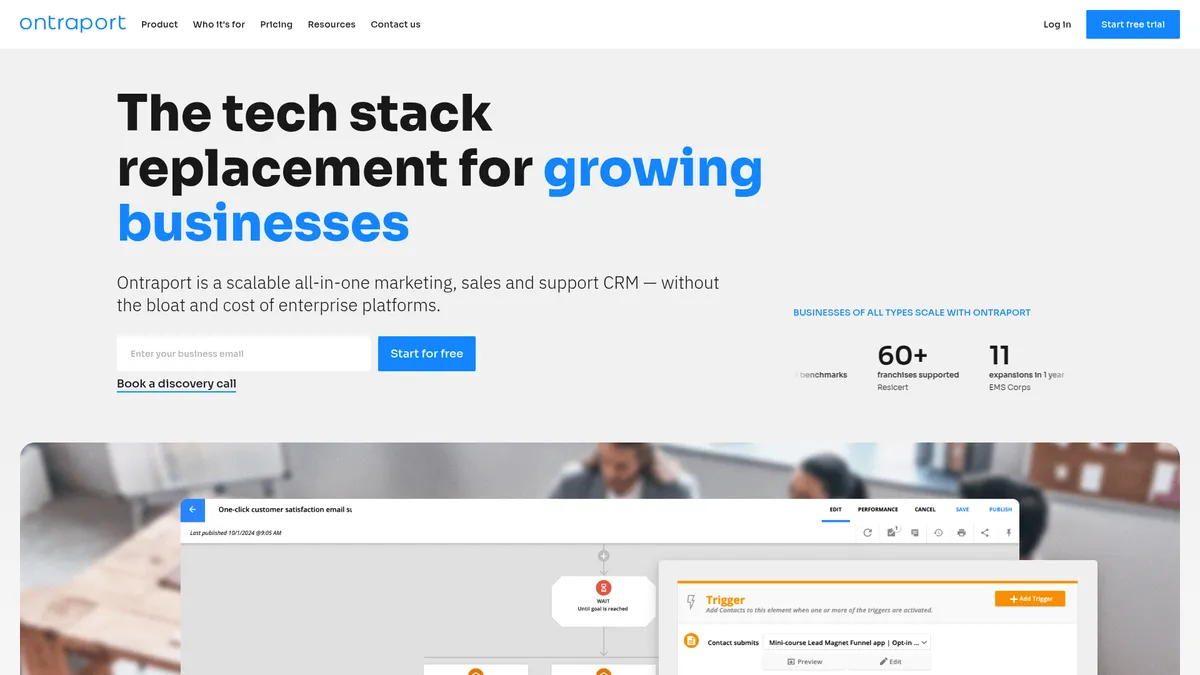
The visual campaign builder stands out as Ontraport's strongest feature. You can create complex automation workflows that respond to customer behavior across multiple channels, email, SMS, website visits, purchase history. The builder handles conditional logic, wait timers, and goal tracking in an interface that's more intuitive than most enterprise platforms.
OntraportDB is the foundation that makes everything else possible. This relational database lets you create custom objects to track anything your business needs, projects, events, inventory, course progress. Unlike rigid CRM structures, you can model your exact business processes. The trade-off is setup complexity that requires technical thinking.
The Dynamic CMS deserves recognition for letting you build interactive websites and customer portals without code. You can create membership sites, course delivery systems, or client portals that pull data directly from your CRM. This level of integration typically requires expensive custom development.
Sales pipeline management includes drag-and-drop deal tracking, automated follow-up sequences, and revenue forecasting. The shared inbox consolidates all customer communications, though some users report the interface feels dated compared to modern tools like HubSpot or Pipedrive.
Marketing Automation
Sales Management
Content & Web
Data & Analytics
Communication
UX & Support
Is Ontraport easy to use?
Based on G2 reviews, Ontraport's learning curve is consistently mentioned as steep but worthwhile. New users report feeling overwhelmed by the feature breadth initially, but those who invest time in training find the platform becomes intuitive. The interface design feels more functional than modern, lacking the polish of newer competitors.
Onboarding includes guided setup wizards and template libraries, though several Capterra reviewers note that complex features require significant time investment to master. The platform assumes familiarity with marketing automation concepts, complete beginners struggle more than users migrating from other CRM systems.
Support quality receives mixed reviews. Phone and email support are available, but response times vary. The knowledge base is comprehensive, and the community forum provides good peer support. However, enterprise-level support options are limited compared to Salesforce or HubSpot, which some larger teams find frustrating.
Pricing
How much does Ontraport cost?
Ontraport starts at $83/mo (billed annually). That's 151% above median for Marketing CRM tools. No free plan, but there’s a 14-day free trial.
Ontraport publishes transparent, contact-scaled pricing. At the base tier (up to 500 contacts), the three plans are Plus at $99/month, Pro at $149/month, and Enterprise at $299/month on monthly billing, or $83, $124, and $249 per month billed annually (two months free). Prices rise as your contact count grows, extra users are $49/month each, and every plan includes a 14-day free trial with no credit card required.
That puts Ontraport well below HubSpot's comparable tiers while covering CRM, automation, email, SMS, and payments in one platform.
The value proposition becomes clearer when considering tool consolidation. Companies report eliminating 5-12 separate platforms after implementing Ontraport, which can justify higher monthly costs. One case study mentioned saving $30,000 annually by replacing Salesforce and multiple other tools.
Because pricing scales with your contact count, your real monthly cost depends on how fast your list grows, so project your 12-month contact volume before committing. If you want lower, flatter entry pricing, ActiveCampaign and GetResponse start cheaper and scale more gradually.
| Plan | Monthly |
|---|---|
| Plus | $99/mo |
| Pro | $149/mo |
| Enterprise | $299/mo |
External Ratings
What reviewers say about Ontraport
0"Equivalent to HubSpot in functionality for less money."
G2"To build our custom system that integrates last-mile operations, marketing and business processes would have cost a fortune without Ontraport."
Official case study"Ontraport played a critical role in supporting and driving our growth."
Official case study"What would have taken months and a six-figure budget with other solutions, Ontraport delivered in weeks, at a fraction of the cost."
Official case study"We've dramatically streamlined our content creation, saved countless hours, and launched complex, dynamic web experiences in days rather than weeks."
Official case studyAI & Tech Stack
Does Ontraport fit your AI stack?
API & Integrations
Ontraport has a REST API authenticated with an App ID plus API key, covering contacts, automations, transactions, products, forms, messages, pages, offers, rules, and tasks. It ships webhooks for pushing events to other apps and an official PHP SDK. Solid for syncing CRM and commerce data, though it uses App-ID and key auth rather than OAuth.
MCP & CLI
Ontraport runs an MCP server at mcp.ontraport.com (streamable HTTP) that connects to Claude Desktop, ChatGPT, and Cursor. It exposes four tool groups: CRUD across contacts, companies, deals, and custom objects; query and reporting; management like tags, automation enrollment, and tasks; and commerce, including invoicing, payments, and subscriptions.
Agents work on a bounded set of records at a time, so it is built for targeted actions rather than whole-database sweeps. There is no CLI.
Connects with
Security
Downsides
What's wrong with Ontraport
Steep Learning Curve
Complex feature set requires significant time investment to master, especially custom objects and automation logic.
Interface Design
Functional but dated UI lacks the modern polish of HubSpot or newer competitors.
Pricing Transparency
Custom pricing makes budgeting difficult and comparison shopping nearly impossible.
Limited Integrations
Smaller ecosystem compared to HubSpot or Salesforce, potentially requiring custom development.
Overkill for Simple Needs
Basic email marketing or simple CRM needs are better served by specialized, affordable tools.
Support Limitations
Enterprise-level support options are limited compared to major competitors.
Buddy's Take
These limitations don't disqualify Ontraport for its target market, but they're important considerations. The learning curve is real, and the dated interface might frustrate teams used to modern software design. However, businesses that need the customization depth often find these trade-offs worthwhile for the cost savings over enterprise alternatives.
FAQ
Frequently asked questions about Ontraport
Pricing isn't public, but industry reports suggest plans start around $79-99 monthly. Contact sales for accurate quotes based on your contact volume and feature needs.
G2 data shows Ontraport winning in 73% of comparison categories, primarily in automation depth and value. HubSpot leads in interface design and integrations.
With training, yes, but expect a learning curve. The platform assumes familiarity with CRM concepts and requires logical thinking for complex setups.
Yes, the Dynamic CMS lets you build websites, landing pages, and customer portals. It's more powerful than basic page builders but less polished than dedicated tools.
Competitive with built-in reputation monitoring, but high-volume senders should verify rates with their specific use case during trials.
Yes, though complex migrations may require professional services. The platform includes import tools for standard data formats.
Ontraport offers broader business process management and custom objects. ActiveCampaign excels specifically in email marketing automation with easier setup.
Yes, a 14-day free trial is available without requiring credit card information.
Pricing is public and clear at the headline (Plus $83, Pro $124, Enterprise $249 on annual billing), so this is not a contact-sales black box. The catch is that prices scale with your contact count and add per-user fees, so you have to model your own numbers, but you can.
Ontraport is best for: Mid-market B2B companies with complex sales processes requiring custom CRM workflows; Course creators and membership sites needing integrated payment, delivery, and member management; Service businesses with multi-stage client onboarding and project management needs; Companies currently using 5+ separate tools for CRM, email, payments, and project management.
Genuinely agent-ready. Ontraport runs an MCP server (mcp.ontraport.com) that works with Claude Desktop, ChatGPT, and Cursor, exposing CRUD, query, management, and commerce tools, and a REST API with webhooks and a PHP SDK adds a second automation path.
Strong import capabilities and custom database structure suggest good migration support, but the full nature means you're building significant infrastructure that's harder to leave.
Ready to try Ontraport?
See if enterprise CRM features fit your mid-market budget
 Start Free Trial →
More on Ontraport
Read Next



Joonas Rotko
Author & founder of That Marketing Buddy
I score marketing software for AI-stack fit (MCP, API, agent-readiness), backed by 10+ years in digital marketing.
This page may contain affiliate links. I earn a commission at no extra cost to you. This never influences ratings.