This page may contain affiliate links.
Some links on this page are affiliate links, meaning I may earn a commission if you sign up (at no extra cost to you). This never influences my ratings or recommendations.
It's since added prompt templates and an MCP server so it plugs into ChatGPT, Claude, and Cursor too. But the credit-based pricing model and extension-only format don't fit every workflow, especially if you want a full SEO platform with rank tracking or a genuinely free tool that needs zero setup.

Why Switch
Why people look for Keywords Everywhere alternatives
The credit-based pricing means you buy API credits upfront rather than paying a flat monthly fee, which can feel less predictable if your keyword research volume varies month to month.
It's a browser extension first, not a standalone platform, so there's no built-in dashboard for tracking rankings over time or managing multiple client projects.
You get raw keyword and volume data, but no automatic clustering into content strategies or topic clusters, so you're doing that organization work yourself.
Backlink and domain authority data comes from third-party integrations like Moz, rather than a proprietary index the way Ahrefs or Semrush run their own.
There's no white-label reporting or multi-client management built in, which matters if you're running an agency and need to hand off branded reports.
Alternatives
Best Keywords Everywhere alternatives
8 alternatives ranked. 14 offer free plans.

Answer Socrates
Content teams building topical authority and tracking visibility in AI search engines
AI-powered keyword research platform that finds real customer search questions and clusters them into content strategies for SEO and content marketing.

Why consider Answer Socrates
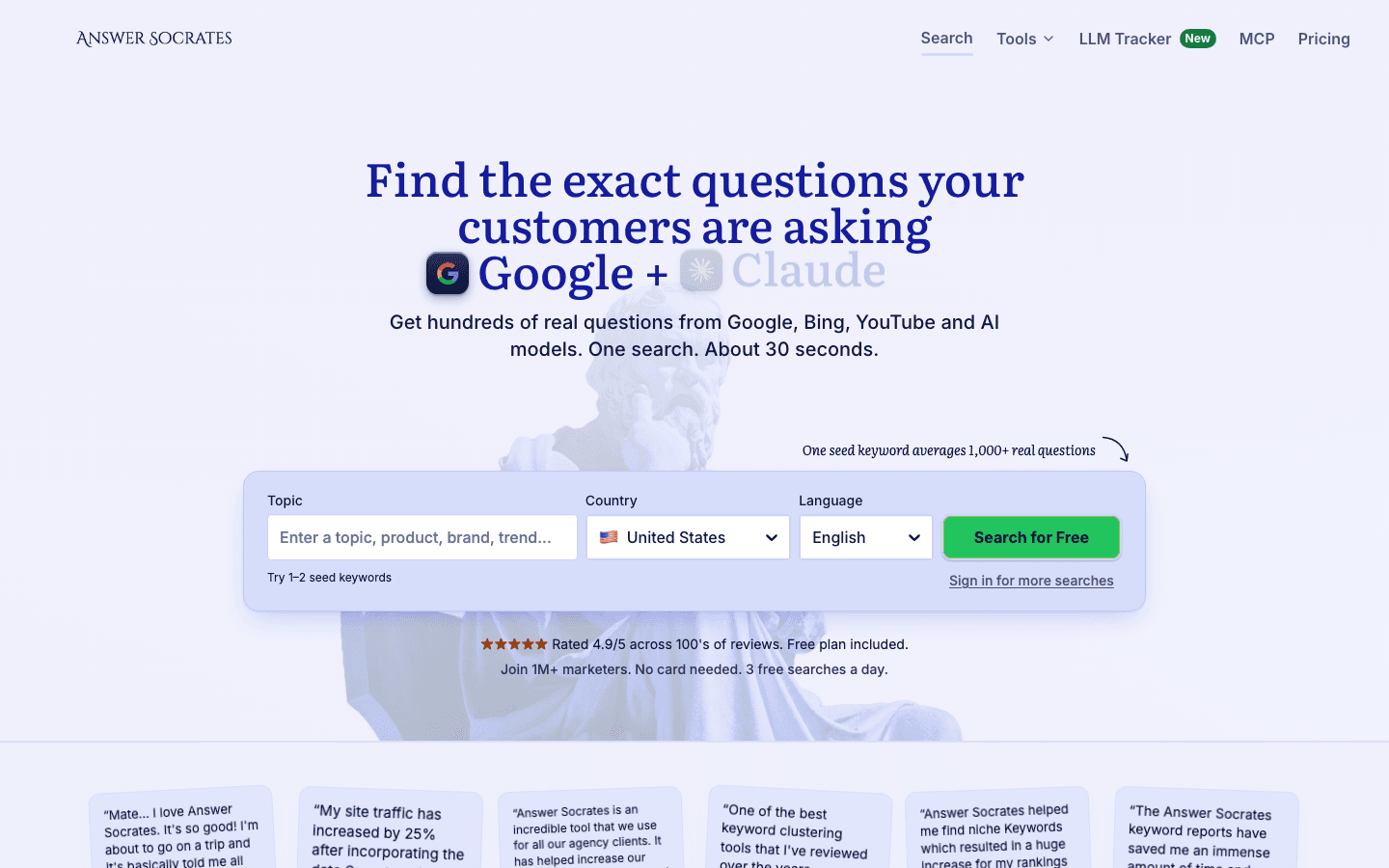
Answer Socrates leans into a different problem than Keywords Everywhere solves. Instead of overlaying metrics in your browser, it pulls real customer search questions from Google and automatically clusters them into content strategies, and it adds an LLM Brand Tracker for watching how you show up in ChatGPT, Perplexity, and Claude.
Pros
- +Generates hundreds of long-tail keywords and customer questions from actual Google search data
- +Automatic clustering builds content strategies and topical authority without manual sorting
- +LLM Brand Tracker monitors your visibility across AI search engines, which Keywords Everywhere doesn't do
Cons
- −Pricing isn't public, so you'll need to contact sales to know what you're signing up for
- −No free browser extension for quick, on-the-fly lookups the way Keywords Everywhere offers
Keyword Surfer
Top PickAnyone who wants a free, no-frills volume overlay directly in Google search results
Free Chrome extension that overlays search volume and related keyword suggestions directly in Google search results.

Why consider Keyword Surfer
Keyword Surfer strips things down to search volume and related keyword suggestions right in Google's SERP, free, no API key or credit purchase required. It's a lighter tool than Keywords Everywhere but that's kind of the point.
Pros
- +Completely free with no credit-based pricing to manage
- +Works instantly inside Google search with no extra setup
Cons
- −Limited to Google, no YouTube, Amazon, or Etsy data like Keywords Everywhere covers
- −Pricing and plan details beyond the free version aren't clearly documented

Ahrefs
SEOs already inside the Ahrefs ecosystem who want backlink depth alongside SERP data
Browser extension that displays keyword volumes, CPC, backlink metrics, and domain authority directly within search results and webpages.

Why consider Ahrefs
Ahrefs SEO Toolbar overlays keyword volume, CPC, backlink metrics, and domain authority right in your search results, similar territory to Keywords Everywhere, but backed by Ahrefs' own backlink index rather than a third-party integration. It has a free plan, which softens the jump if you're just testing it out.
Pros
- +Backlink metrics come from Ahrefs' proprietary index, not a bolted-on integration
- +Free plan available, so you can try it before committing to a paid tier
- +Domain authority and CPC data appear directly on the page as you browse
Cons
- −Paid plans climb fast, from $29/mo Starter to $1,499/mo Enterprise, well beyond Keywords Everywhere's cost if you only need keyword volume
- −You're paying for a much broader SEO suite even if you only use the toolbar piece

Moz
Anyone who wants a free domain authority checker without touching a paid plan
Free browser extension showing domain authority, page authority, keyword difficulty, and on-page SEO metrics in SERPs.

Why consider Moz
Moz MozBar shows domain authority, page authority, keyword difficulty, and on-page SEO metrics in your search results, and it's free. If your main use of Keywords Everywhere is checking site authority before you pitch a guest post or build a link, MozBar covers that specific job without the credit system.
Pros
- +Free to use, no credit purchases or API keys involved
- +Domain Authority and Page Authority remain widely recognized industry benchmarks
Cons
- −Doesn't match Keywords Everywhere's breadth of search volume and CPC data across 15+ platforms
- −Keyword research depth is thinner than dedicated tools built specifically for that job

Ubersuggest (with Chrome extension)
Solo marketers who want keyword suggestions and competitive intelligence in one extension
SEO and keyword research tool with Chrome extension for discovering search insights and optimizing content.

Why consider Ubersuggest (with Chrome extension)
Ubersuggest's Chrome extension bundles keyword suggestions, search volume, and competitive analysis into a single quick-access tool, covering similar ground to Keywords Everywhere but with more emphasis on competitor research baked into the same interface.
Pros
- +Chrome extension gives fast access to keyword data without leaving your browser
- +Competitive intelligence and SEO analysis are built into the same tool rather than a separate module
Cons
- −Pricing isn't posted publicly, so you'll need to contact sales to get a real number
- −No documented MCP server or public API for plugging into an AI workflow the way Keywords Everywhere does

Semrush
Agencies and teams that need a full SEO platform, not just a browser overlay
Enterprise SEO platform providing keyword research, search volume, CPC, competitive analysis, and rank tracking with browser integration.

Why consider Semrush
Semrush goes well beyond what Keywords Everywhere does, combining keyword research, CPC data, competitive analysis, and rank tracking into one platform with browser integration on top. It's a bigger commitment, but if you're managing ongoing SEO work rather than one-off lookups, the dashboard does more of the heavy lifting.
Pros
- +Rank tracking and competitive analysis live in one place instead of scattered across tools
- +Comes with a 7-day trial so you can test the platform before paying
- +Has an MCP server for connecting Semrush data directly into Claude or ChatGPT workflows
Cons
- −No specific plan pricing is published outside the trial, so budgeting ahead of time takes extra digging (check the pricing breakdown or the API cost guide)
- −Far more platform than you need if all you want is a quick SERP overlay like Keywords Everywhere provides
Serpstat
Budget-conscious teams who want a full SEO suite bundled with a browser extension
Budget-friendly SEO platform offering keyword volume, CPC, rank tracking, backlinks, and a Chrome extension for SERP metrics.

Why consider Serpstat
Serpstat covers keyword volume, CPC, rank tracking, and backlinks, and it includes a Chrome extension for pulling SERP metrics on the fly. Its annual pricing tiers land well under Semrush and Ahrefs, which makes it a reasonable middle ground between a lightweight extension and an enterprise suite.
Pros
- +Rank tracking, backlinks, and keyword data all live in one platform
- +Chrome extension is included rather than sold separately
- +Has a Serpstat MCP server for connecting to AI assistants
Cons
- −Pricing is billed annually across all tiers, from $50/mo Individual to $410/mo Agency, with no monthly-only option listed
- −Costs more upfront than a free or credit-based extension if you only need occasional keyword checks

Keyword Tool
Anyone who wants free long-tail keyword lists without creating an account
Free keyword research tool using Google Autocomplete to find long-tail keywords for SEO, content marketing, and PPC advertising.

Why consider Keyword Tool
Keyword Tool pulls suggestions straight from Google Autocomplete and generates over 750 long-tail keywords per search, no sign-up required. It covers 190+ Google domains and 120+ languages, which is a wider net than most free tools cast, and it's pulling from real search behavior rather than ad-platform estimates.
Pros
- +Generates 750+ long-tail keyword suggestions per search, entirely free
- +No account needed, and the tool reportedly works 99.99% of the time without one
- +Covers 190+ Google domains and 120+ languages for international keyword research
Cons
- −No browser extension for passive overlay data the way Keywords Everywhere works while you browse
- −No mention of backlink or competitor research features, so it's narrowly focused on keyword suggestions
Price Chart
How Keywords Everywhere compares on price
Keywords Everywhere uses custom pricing. Here's how the 32 alternatives compare by starting price. 14 offer a free plan.


Checklist
What to look for in an alternative
Start with how you actually want to consume keyword data. If you like working inside your browser while you research, an extension-based tool like Keywords Everywhere or Ahrefs SEO Toolbar keeps things fast and low-friction.
If you'd rather have a dashboard for tracking rankings, managing projects, and pulling reports, you want a full platform like Semrush or Serpstat instead. Pricing structure matters more than the headline number. Keywords Everywhere's credit system rewards light, occasional users but can get expensive if you're pulling data daily.
Flat monthly plans, like Serpstat's Individual tier at $50/mo billed annually, are easier to budget against if your usage is consistent. If you're building an AI-assisted workflow, check whether the tool has a public API or MCP server before you commit.
Keywords Everywhere covers both: a REST API for scheduled jobs and dashboards, plus a community-built MCP server for pulling live data into Claude or ChatGPT. Not every alternative on this list offers the same, so it's worth checking each one's automation story against your actual stack.
FAQ
Frequently Asked Questions
The browser extension itself installs free with no sign-up, and features like prompt templates, traffic and backlink data, and social engagement metrics work right away. Full search volume, CPC, and competition metrics across 15+ sites require an API key tied to a paid credit purchase.
Ahrefs SEO Toolbar is the closest match in format: a browser extension overlaying keyword volume, CPC, and backlink metrics directly in your search results, plus a free plan to test it out.
Yes, there's a community-built MCP server that connects Claude, ChatGPT, Gemini, and Cursor directly to Keywords Everywhere's data. It's self-hosted and community-maintained rather than officially run by the company, so it can lag behind product updates.
Moz MozBar, Keyword Tool, and Keyword Surfer are all free options. MozBar focuses on domain authority and on-page metrics, Keyword Tool generates 750+ long-tail suggestions per search, and Keyword Surfer overlays volume data directly in Google.
Yes, Keywords Everywhere covers ecommerce search volume across Amazon, eBay, and Etsy alongside Google, YouTube, and Bing, which is broader ecommerce coverage than most alternatives on this list offer.
Serpstat and Semrush both offer platform-level features like rank tracking and reporting that suit ongoing agency work better than a browser-extension-only tool. Serpstat's tiered annual pricing (from $50/mo to $410/mo) scales more predictably for teams than a credit-based system.
Yes, it offers a REST API with documented authentication, though there's no official SDK, so you'll be working with plain HTTP calls for scheduled jobs, custom dashboards, or data warehouse syncs.
Still considering Keywords Everywhere?
Check it out before committing to an alternative.
More on Keywords Everywhere

Joonas Rotko
Author & founder of That Marketing Buddy
I score marketing software for AI-stack fit (MCP, API, agent-readiness), backed by 10+ years in digital marketing. I track 54 tools so you can find the right fit.
This page may contain affiliate links. I earn a commission at no extra cost to you. This never influences the recommendations.