
This page may contain affiliate links.
Some links on this page are affiliate links, meaning I may earn a commission if you sign up (at no extra cost to you). This never influences my ratings or recommendations.
The Verdict
Is Typebot right for you?
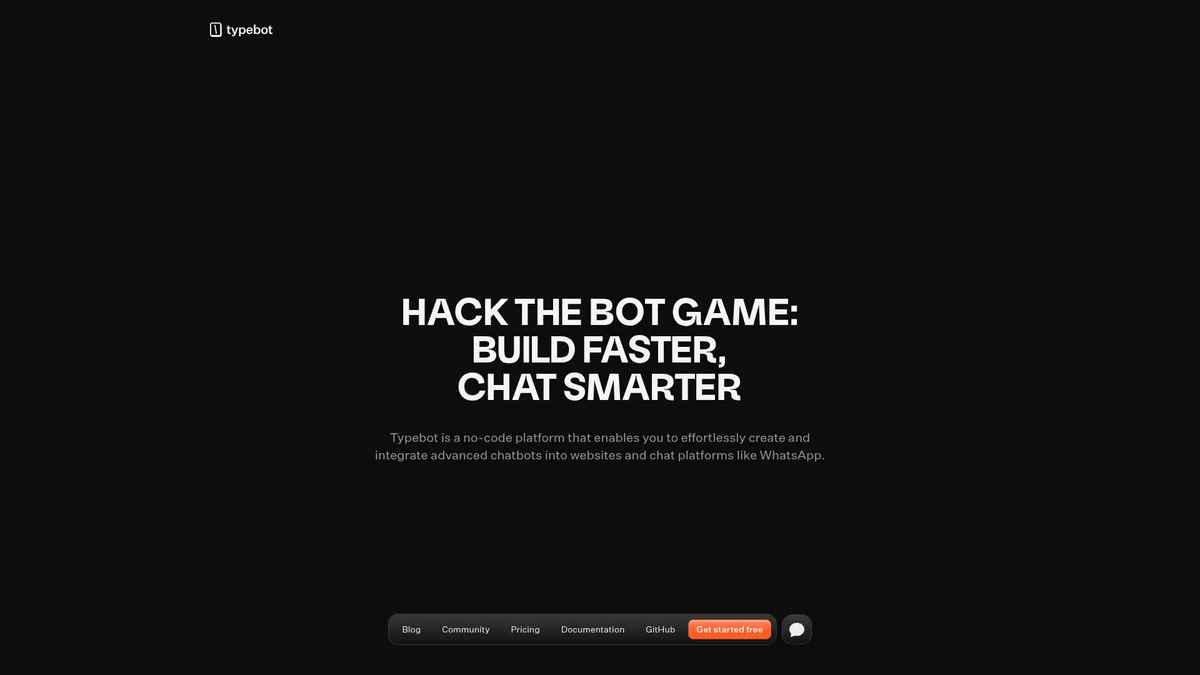
Typebot builds conversational forms and chatbots with a visual flow editor and 45+ blocks, then lets you deploy the same bot on your website, WhatsApp, or via API. It's open source, which is rare in this category, and that changes who it makes sense for.
Typebot is a visual chatbot and conversational form builder that you can run on its cloud plans or self-host from the GitHub repo. It fits teams that want more control and flexibility than a typical SaaS chatbot gives them, especially ones already comfortable connecting their own AI provider.
Whether it's worth it comes down to how much you value open-source flexibility versus the convenience of an all-in-one support platform.
It's one of the few chatbot tools that won't lock you into its own AI stack, which matters more than it sounds like once you've been burned by vendor lock-in once.
Why I'm covering this
Typebot is one of the few chatbot builders that's fully open source and lets you pick your own AI provider, which matters for anyone weighing vendor lock-in against tools like Intercom or Drift.
Who It's For
Who Typebot is for (and who it isn't)
✓Best for
- +No-code builders replacing static forms Swapping a Typeform-style form for a conversational one is Typebot's clearest use case, and the reported conversion lift from users doing exactly this backs it up.
- +Developers who want to self-host The GitHub repo, Docker/Vercel deploy options, and REST API mean technical teams can run Typebot on their own infrastructure without paying per-chat fees.
- +Marketers running lead-gen landing pages Conditional logic, hidden fields for UTM tracking, and native Google Sheets and Zapier integrations make it usable for capturing and routing leads without extra tooling.
- +Teams wanting AI-provider flexibility Since Typebot connects to OpenAI, Anthropic, Mistral, and others through blocks rather than a proprietary AI layer, you control which model runs your bot and what it costs.
- +Growth marketers replacing static web forms with conversational lead-capture flows Testimonials cite conversion jumps (14% to 43% in one case) from swapping Typeform-style forms for Typebot's chat interface, and the block system supports hidden fields, UTM capture, and CRM webhooks out of the box.
- +Developers and agencies who want a white-label, self-hostable chatbot builder 100% open source with Docker, Vercel, and manual self-hosting options means agencies can run it under their own infrastructure and remove Typebot branding entirely on paid plans.
- +Support teams wanting a WhatsApp and web FAQ bot without building NLP from scratch Native WhatsApp integration (Pro plan) plus button/card inputs let support teams build structured FAQ flows that cut repetitive tickets, as described by the Beefii testimonial.
- +Product teams building in-app onboarding or survey flows tied to Google Sheets or Notion Native integrations with Google Sheets, Notion, Webflow, and Framer make it straightforward to route onboarding answers into existing workspace tools without middleware.
✗Skip this if
- −Support teams needing a full helpdesk There's no built-in ticketing or live-agent handoff system described in Typebot's feature set, so support-heavy teams will likely still need Zendesk, Intercom, or similar alongside it.
- −High-volume bots on a tight budget Pricing is chat-based (200 free, then $39/month for 2,000 chats, $89/month for 10,000), and extra chats cost $10 per 500 on Starter, so volume can get expensive fast.
- −Non-technical teams that don't want to touch code Self-hosting requires Docker or manual server deployment, and getting the most out of custom JavaScript/CSS blocks assumes some comfort with code.
- −Teams needing full email drip campaigns with list segmentation Typebot's Send Email block can trigger single emails but has no native campaign scheduling, segmentation, or multi-day nurture sequences.Try ActiveCampaign →
- −Solo creators who just want to send a simple monthly newsletter There's no newsletter editor or subscriber list management here at all; Typebot is built around conversational chat flows, not broadcast email.Try MailerLite →
- −Businesses wanting a dedicated social-DM automation tool for Instagram and Messenger at scale Typebot's multichannel focus is web and WhatsApp; it doesn't offer the deep Instagram/Messenger automation and comment-triggered flows built specifically for social platforms.Try ManyChat →
Features
What can Typebot do?
The flow editor is where Typebot earns its reputation among no-code builders. You're not filling in form fields one after another; you're designing a branching conversation with conditions, jumps, and A/B tests, and each block from text bubbles to payment inputs comes with sensible defaults you can override.
The AI-provider-agnostic approach is worth calling out specifically, because it's rare in this category. Instead of baking in one AI vendor and marking up the tokens, Typebot gives you blocks for OpenAI, Anthropic, and Mistral AI directly, so you decide which model runs your bot and what you pay for it. For anyone thinking about their AI stack rather than just their chatbot, that's a meaningfully different setup than tools that keep you inside a closed ecosystem.
Deployment flexibility is the other real strength. The same bot can live on a custom domain, sit in an embedded container, pop up as a widget, or run on WhatsApp, and the HTTP API means you can trigger it from any backend regardless of language. That's more portable than most chatbot builders, which tend to assume you're only ever embedding a widget on a webpage.
Where the feature set gets thinner is anything adjacent to full customer support operations. There's no mention of built-in ticketing, agent handoff queues, or a shared inbox in Typebot's documented feature list. It's a bot and conversation builder, not a helpdesk replacement, and that distinction matters if support is your primary use case.
Visual Bot Builder
Multichannel Deployment
AI & Automation Integrations
Analytics & Results
Team & Workspace
Developer & Open Source
UX & Support
Is Typebot easy to use?
Community feedback on Typebot leans heavily toward ease of setup. Several users on the vendor's own testimonials, including one who described building a working lead-capture bot within a couple of hours of signing up, point to a builder that doesn't require much of a learning curve for basic flows. Kurnia Kwik, founder at DigitalPointer.ID, described it as simple to construct despite having tried other chatbot builders.
Support is tiered by plan. Free users get community support and documentation, while Starter and Pro subscribers get a direct support channel through the in-app chat widget, with Pro adding priority handling. There's also an active Discord community (3,000+ members reported) where the founder reportedly responds to feature requests quickly, based on comments from users like Igor T., who praised turnaround time on requested changes.
One thing worth flagging: much of the available praise comes from testimonials hosted on Typebot's own site rather than independent review platforms, so it's worth treating it as a starting point rather than the full picture.
Pricing
How much does Typebot cost?
Typebot starts at $39/month. A free plan is available.
Typebot's Free plan includes unlimited typebots and 200 chats/month with native integrations, webhooks, and custom JavaScript & CSS. Starter is $39/month (monthly billing only) for 2,000 chats/month, 2 seats, branding removal, file uploads, and folders, with extra chats billed at $10 per 500. Pro runs $89/month for 10,000 chats/month, 5 seats, WhatsApp integration, custom domains, and in-depth analytics, and Enterprise is custom-quoted for larger teams needing SLAs, SSO, and dedicated infrastructure.
One detail that's easy to miss: Typebot doesn't offer annual billing at all. Its own FAQ explains that because pricing is usage-based (tied to chat volume), it only offers monthly subscriptions. That's a fair rationale, but it also means there's no annual discount to chase, unlike most SaaS tools in this space.
Whether this is good value depends heavily on your chat volume. A low-traffic lead-gen bot on the free 200 chats/month tier costs nothing. But a bot doing real support or sales volume can blow through Starter's 2,000 chats quickly, and at $10 per 500 extra chats, costs scale with usage in a way that's predictable but not necessarily cheap once you're past a few thousand conversations a month.
| Plan | Monthly |
|---|---|
| Free | Free |
| Starter | $39/mo |
| Pro | $89/mo |
| Enterprise | Custom |
External Ratings
What reviewers say about Typebot
0"I upgraded my typeforms to typebots and saw a conversion rate increase from 14% to 43% on my marketing campaigns. I noticed the improvement on day one."
Joshua Lim, Growth Strategist @ Socialhackrs Media (Typebot testimonials)"I have several chatbot builders, but Typebot is the one I use the most. It is simple to construct and very intuitive."
Kurnia Kwik, Founder at DigitalPointer.ID (Typebot testimonials)"I run Google ads all year long on our landing page that contains a typebot. I saw a 2x increase on our conversation rate compared to our old WordPress form."
Julien Muratot, Growth Manager @ Hornetwork (Typebot testimonials)"This is the sickest open-source project I've ever seen and demoed. Unbelievable that this was built by one person."
_Invictuz, developer community (Typebot testimonials)"Nice work. The developer promptly makes changes, which is quite rare."
Igor T., CTO (Typebot testimonials)Downsides
What's wrong with Typebot
No annual billing option
Typebot explicitly only offers monthly subscriptions because pricing is chat-usage based, so there's no annual discount to lock in savings, unlike most competitors.
Chat-based overage costs
Going over your plan's included chats costs $10 per 500 extra on Starter, which can add up fast for bots handling real support or sales volume.
Low free-plan ceiling
The free plan caps out at 200 chats/month, fine for testing but tight for anything beyond a small side project.
Key features gated behind Pro
WhatsApp integration, custom domains, and in-depth analytics all require the $89/month Pro plan, which is a jump from Starter's $39/month.
No documented ticketing or helpdesk layer
There's no built-in shared inbox or agent handoff described in the feature set, so support-heavy teams likely still need a separate helpdesk tool.
Self-hosting requires technical setup
Running Typebot yourself via Docker or manual deployment assumes comfort with server management, which cuts against the pure no-code pitch.
Buddy's Take
None of these are dealbreakers if your use case is lead-gen bots, conversational forms, or a self-hosted project where you control the AI provider. But if you need a full support inbox with ticketing, or you're expecting unlimited chats on the free tier, you'll hit walls fast.
FAQ
Frequently asked questions about Typebot
Typebot is used to build conversational chatbots and forms for websites and WhatsApp, covering marketing lead capture, customer support FAQs, and sales qualification, according to Typebot's own site.
Yes. Typebot's Free plan includes unlimited typebots and 200 chats/month with native integrations, webhooks, and custom JavaScript & CSS, no credit card required to start.
Yes, but only on the Pro plan ($89/month). Free and Starter plans don't include WhatsApp integration based on the plan comparison table.
Yes. Typebot is 100% open source and documented deployment options include Docker, Vercel, manual server setup, and Alibaba Cloud.
A chat is counted once per user session, regardless of how many messages they send. If a user returns later and their session is remembered, it doesn't count as a new chat, according to Typebot's pricing FAQ.
No. Typebot only offers monthly billing because its pricing is based on chat usage, which the company says makes annual plans impractical.
Typebot includes blocks for OpenAI, Anthropic, and Mistral AI, and describes itself as AI-provider agnostic, meaning you can connect other providers rather than being locked into one.
It can handle FAQ-style support bots, but there's no documented ticketing or shared inbox feature, so teams needing full helpdesk functionality will likely need to pair it with a tool like Zendesk or Intercom.
Usage-based chat pricing is easy to understand but the free-to-paid jump is steep, and there's no annual discount to soften it.
Typebot is best for: Growth marketers replacing static web forms with conversational lead-capture flows; Developers and agencies who want a white-label, self-hostable chatbot builder; Support teams wanting a WhatsApp and web FAQ bot without building NLP from scratch; Product teams building in-app onboarding or survey flows tied to Google Sheets or Notion.
Being AI-provider agnostic with native blocks for OpenAI, Anthropic, Mistral, and Dify.AI is unusually flexible for a tool at this price point.
Being 100% open source with self-hosting options is the strongest lock-in mitigator in this whole evaluation.
Typebot starts from $39/month. A free plan is available.
Ready to try Typebot?
Start on the free plan with 200 chats/month and no credit card required.
 Start Building Free →
More on Typebot

Joonas Rotko
Author & founder of That Marketing Buddy
I score marketing software for AI-stack fit (MCP, API, agent-readiness), backed by 10+ years in digital marketing.
This page may contain affiliate links. I earn a commission at no extra cost to you. This never influences ratings.