


Joonas Rotko · Founder, That Marketing Buddy
I assess marketing software through 10+ years of agency work, current product research, buyer needs, competing tools and total cost.
How this review was prepared
This is a research-based review built from Crawly's pricing, features, download and MCP pages, its API page and its Screaming Frog comparison, checked on 28 September 2026.
This page may include affiliate links, meaning I may earn a commission if you sign up (at no extra cost to you).
The Verdict
Is Crawly right for you?
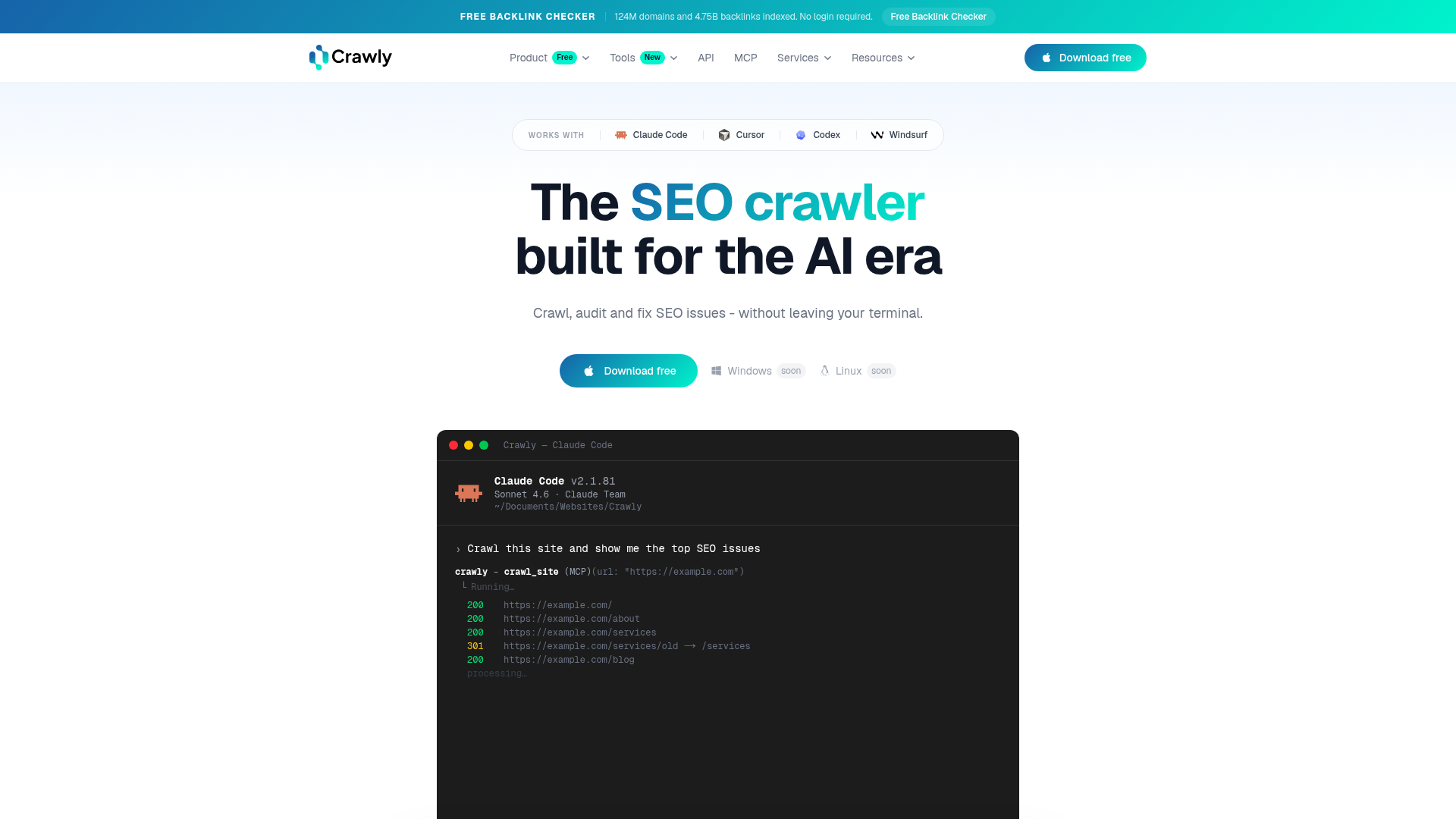
Crawly is a free macOS crawler with no page cap, and its main hook is a built-in MCP server that lets Claude Code or Cursor query a finished crawl in plain English.
It detects 19 issue types, compares two crawls and runs on Apple Silicon and Intel, with no licence, no Java and no paid tier today. The limits are practical: macOS only for now, single-user, and the site says optional paid features for teams and agencies may come later.
It fits a Mac-based SEO or freelancer who audits sites weekly and wants crawl data an assistant can read. It fits poorly for Windows teams or for shared client reporting from one tool.
Who It's For
Who Crawly is for (and who it isn't)
✓ Best for
- +Freelance SEOs auditing several client sites. Unlimited URLs per crawl, saved crawl history and multi-tab crawling let a consultant keep earlier crawls open and reopen them without crawling again.
- +Teams running post-deploy checks. Crawl comparison diffs two crawls field by field, including title, H1, status code and indexability, which is the check to run after a release or migration.
- +SEOs who already work in Claude Code or Cursor. The MCP integration reads crawl data stored locally on the Mac, so the assistant can call tools such as get_pages, get_issues and get_summary instead of working from CSV exports.
× Consider something else if
- −You work on Windows or Linux. Screaming Frog runs on Windows, Mac and Linux, while Crawly is macOS only and lists other platforms as coming soon.Try Screaming Frog →
- −You send clients visual audit reports. Sitebulb is known for visual audit reports, which even Crawly's own comparison page acknowledges, and Crawly offers no client-report templates.Try Sitebulb →
- −You want scheduled cloud audits with shared team access. SE Ranking runs audits in the cloud with shared logins and reporting, while Crawly is a single-user desktop app.Try SE Ranking →
What You Can Do
What can Crawly do?
First audit of a new client site
Enter the domain, crawl with the Googlebot user agent, and sort the 19 issue types by count. Open a page to see its inbound links and full on-page detail before deciding what to fix first.
Post-deploy comparison
Save the crawl before a release, crawl again after it, and diff the two to catch changed titles, status codes and indexability without checking pages by hand.
Ask the crawl a question
In Claude Code, ask for the top issues or the pages missing meta descriptions and let the assistant call Crawly's tools against the local database, then check any surprising answer in the app.
Backlink spot-check
Use the free backlink checker or the hosted API to look at a domain's authority, referring domains and spam score, keeping in mind it runs on Crawly's own index of about 124 million domains.
AI, API & MCP
AI, API and assistant workflows
Crawly gives an agent read-only access to a site's crawl data (meta tags, status codes, broken links) and to hosted domain-authority and backlink lookups, with nothing for it to write or publish.
AI agent workflow
Site health and backlink checks from existing crawl data
After a user crawls a site with the desktop app, an agent queries the local crawl database through Crawly's MCP layer to surface pages missing meta descriptions or returning broken status codes. Separately, it can call the hosted API to pull a domain's authority score and backlink profile and flag a sudden drop in referring domains for a client site.
Approval boundary: None needed. Crawly has no write, publish, or send actions, so there is nothing an agent could do that requires sign-off.
MCP
officialLocal MCP server over your own crawl database
Crawly's MCP server sits on top of a local SQLite database that stores results from the desktop crawler (URLs, titles, meta tags, H1s, status codes, images, hreflang, security headers), and it authenticates with an API key passed as a query parameter or bearer token. It's read-only by design, no write or publish actions exist since Crawly is an audit tool. The separate hosted API (domain authority, backlinks) is free but capped at 100 requests a day on the free key.
Crawl any website with Claude Code guide →API
officialFree hosted API for authority and backlink data
Crawly's hosted API returns domain authority scores (harmonic rank, pagerank rank, host count) and backlink data (referring domains, individual links with quality ratings, outbound links), authenticated by API key. It's free with no credit card required, but limited to 100 requests a day, and there's no confirmed way to raise that on a paid tier. There are no write endpoints.
Crawly API documentation →Pricing
How much does Crawly cost?
Crawly starts at Free. A free plan is available.
| Plan | Monthly |
|---|---|
| CrawlyPopular | Free |
Crawly costs nothing. Its pricing page lists one tier at £0 with unlimited URLs per crawl, all issue types, crawl comparison, Claude Code MCP integration, XML sitemap generation, custom CSS extraction, hreflang auditing, structured data extraction and a security headers audit. Crawly says the core crawler will stay free and that optional paid features for teams and agencies may arrive later. The hosted API and cloud MCP server use a free key limited to 100 requests a day.
The cost is the platform, not the licence
The download page requires macOS 12 or later and lists Windows and Linux as coming soon, so a mixed team may need a second crawler.
Plan around the 100-request API limit
The free API key allows 100 requests a day, which suits spot checks but not bulk backlink audits across a client roster.
Paid features may follow
Crawly says the core crawler stays free but hints at optional team and agency features later, so do not build a client process that depends on any single feature staying unpaid.
Alternatives
When I'd choose something else
Three different buying priorities, and what I'd pick instead for each one.
Windows, Mac and Linux crawling

Screaming Frog
Screaming Frog suits teams that need one crawler across operating systems, with a long-standing feature set and a paid licence for large crawls.
Trade-off: It is Java-based and its free version limits crawls, which is the gap Crawly targets.
Explore Screaming Frog for this use case →Visual audit reports

Sitebulb
Sitebulb turns crawl data into visual, client-ready audit reports, which suits consultants who present findings rather than only fix them.
Trade-off: It is a paid product, and it does not give the assistant-readable local database that Crawly's MCP does.
Explore Sitebulb for this use case →Cloud audits with a team

SE Ranking
SE Ranking runs site audits in the cloud with shared access and reporting inside a broader SEO platform.
Trade-off: It is a subscription platform, not a free unlimited crawler on your own machine.
Explore SE Ranking for this use case →Cloud crawling and log analysis

JetOctopus
JetOctopus crawls and analyzes server logs in the cloud, which handles very large sites that a desktop app struggles with.
Trade-off: Crawly's own comparison lists JetOctopus from $49 a month, so it costs money where Crawly does not.
Explore JetOctopus for this use case →Keep going
- Compare Crawly against the field: Best Free SEO Tools for a Small Business
- Compare Crawly against the field: Best Technical SEO Audit Tools for a Small Site
Downsides
Limitations to consider before subscribing
macOS only for now
Windows and Linux builds are listed as coming soon, which rules Crawly out for teams on other systems.
JavaScript rendering is not documented
The feature pages I read do not mention rendering JavaScript, so test a script-heavy site before relying on it for single-page apps.
Single-user with no client reporting
There are no team logins or report templates, and the site hints that team features may become paid.
A young product from one agency
Crawly is built by Limely, a UK web agency, at version 1.5.9, so roadmap and support depend on a small team.
My Recommendation
Run it beside your current crawler before you switch
Shortlist Crawly when you work on a Mac, want unlimited crawling at no cost and would use an assistant to read the results.
Choose Screaming Frog for cross-platform crawling, Sitebulb for visual client reports or SE Ranking for cloud audits with a team.
What to check during the trial
- –Crawl a site you already know well and compare the issue counts with your current crawler
- –Test one JavaScript-heavy page to see whether the rendered content appears
- –Connect Claude Code and ask for the top issues, then verify two answers in the app
- –Keep the MCP config out of version control because the API key sits in the URL
FAQ
Frequently asked questions about Crawly
Yes. Its pricing page lists a single £0 tier with no URL cap, and says the core crawler will stay free.
Not yet. Crawly is a native macOS app for Apple Silicon and Intel, with Windows and Linux marked as coming soon.
Yes. The desktop app has a built-in MCP server for Claude Code, Cursor and Codex, and a separate cloud MCP server serves authority and backlink data with a free API key.
Yes, a free REST API with domain-authority, backlinks and spam-score endpoints, limited to 100 requests a day on the free key.
Sources & References (5)
Spot something out of date?Vendors and readers, send me the correct fact.
Software sites change almost every week, and I want every claim on this page to be factually correct. If you are a vendor or a reader, send me the correct fact and a link to the official page. I will check it and update the page. The opinions and rankings stay mine.