

Joonas Rotko · Founder, That Marketing Buddy
I spent 10+ years buying marketing software for my own agency and its clients, so I know which tools earn their monthly fee and which ones quietly drain it. Now I check the prices and the claims on this site myself.
This page may contain affiliate links.
Some links on this page are affiliate links, meaning I may earn a commission if you sign up (at no extra cost to you). This never influences my ratings or recommendations.
The Verdict
Is Post for Me right for you?
Post for Me is a REST API for posting, scheduling, and pulling analytics across 9 social platforms, built for developers who'd rather ship a feature than maintain nine separate OAuth flows. Entry pricing starts at $10/mo for 1,000 posts, with unlimited accounts and team seats on every tier.
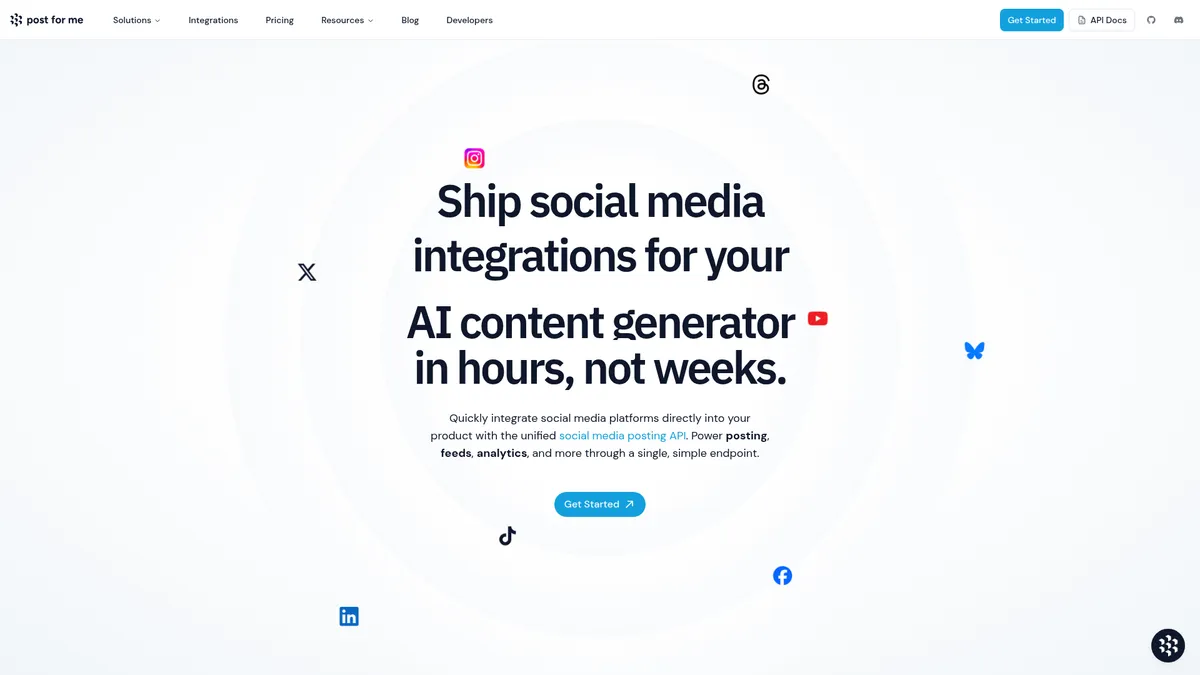
Post for Me is a unified REST API that lets you post, read feeds, and pull analytics across 9 social networks including TikTok, Instagram, and YouTube. It's built for developers embedding social publishing into their own product, not marketers looking for a scheduling dashboard.
At $10/mo for 1,000 posts with unlimited accounts and team seats, it's a reasonable option if you need the infrastructure and don't mind writing code.
If you're a developer tired of maintaining nine separate OAuth integrations, this is infrastructure worth paying for. If you just want to schedule your own posts, you need a dashboard, not an API key.
Why I'm covering this
I'm covering Post for Me because it undercuts Ayrshare's $149/month entry price by a wide margin at $10/mo, and its open-source, unlimited-seats pricing model is unusual enough in social APIs to be worth a closer look.
Who It's For
Who Post for Me is for (and who it isn't)
✓Best for
- +SaaS Founders Adding Social Publishing You're building a product that needs to let your own users post to their social accounts, and you'd rather ship that in days than spend weeks maintaining nine platform SDKs.
- +AI Content Tools Auto-Publishing Output Your app generates videos, images, or captions and needs to push them live automatically. A single endpoint for posts across nine platforms handles the publishing half of that pipeline.
- +Agencies Building Internal Client Dashboards You want a custom-branded posting tool for clients without licensing an off-the-shelf scheduler. The White Label Project option lets clients see your agency's name in the OAuth flow instead of a vendor's.
- +Teams That Want to Audit the Code Because the codebase is public on GitHub, technical teams that need to verify exactly how their data is handled before adopting a third-party API have something to actually inspect.
✗Skip this if
- −
- −Teams Needing Built-In Content Creation Post for Me posts what you send it. It doesn't generate captions, images, or video, so you still need a separate content pipeline before this API becomes useful.
- −Non-Technical Small Businesses Every feature here is delivered through code: REST calls, SDKs, webhooks. If nobody on your team can write an API request, this isn't the tool, no matter how attractive the $10/mo entry price looks.
- −Solo social media managers who just want a calendar and a 'schedule post' button There's no end-user dashboard here, only a developer API. You'd need to build your own UI on top of it, which is overkill if you just want to post content yourself.Try Publer →
 Zernio
 Buffer
 Postiz
Features
What can Post for Me do?
The core of Post for Me is the Social Media Posts endpoint: one API call with a caption, a list of connected social account IDs, and media URLs, and it publishes across whichever platforms you specify among TikTok, Facebook, Instagram, X, LinkedIn, Pinterest, Bluesky, Threads, and YouTube. That's the entire value proposition condensed into a single POST request, and it's why the site leads with a code snippet instead of a screenshot.
Beyond publishing, there's Social Media Feeds for pulling and displaying content from connected accounts, and Post Analytics for tracking views, likes, shares, and engagement across every platform from one place. Neither is groundbreaking on its own, but bundling read-access and analytics into the same API you use for posting saves a second integration project.
On the developer experience side, Post for Me ships SDKs for JavaScript, TypeScript, Python, Ruby, and Go, plus webhooks for real-time account connection and post-status updates. That's a reasonable spread of language coverage for a young API product. What's notably absent from the documentation is any mention of an MCP server, so if you're trying to hand this off to an AI agent directly rather than through your own code, you're building that bridge yourself.
My guide to using MCP with marketing tools is a useful reference if that distinction matters to your stack.
The Quickstart versus White Label split is a practical piece of design worth noting. Quickstart gets you live immediately using Post for Me's own developer credentials, no platform approval needed, which suits testing or internal tools. White Label requires you to bring your own credentials and go through each platform's approval process, but it means your end users see your brand, not a third-party vendor, in the OAuth screen.
Publishing & Scheduling
Data & Analytics
Developer Tooling
Account & Branding Options
UX & Support
Is Post for Me easy to use?
Post for Me's documentation lives at api.postforme.dev/docs and covers the REST endpoints, client libraries, and webhooks in a fairly standard developer-docs format. Because the product is open source on GitHub, anyone evaluating it can read the actual implementation rather than taking marketing claims at face value, which is a level of transparency most closed-source social APIs don't offer.
That means judging the actual support experience, response times, how issues get triaged, comes down to the GitHub repo's activity and the vendor's own claims rather than a large base of independent reviews.
The stated value proposition, that Post for Me 'reduces integration time by weeks' compared to wiring up nine platforms yourself, is a vendor claim from their own FAQ rather than an independently verified benchmark. It's a plausible claim given how tedious per-platform OAuth and media handling tends to be, but treat it as a directional estimate, not a guarantee.
Pricing
How much does Post for Me cost?
Post for Me starts at $10/mo. That's 49% below median for Social Media Automation.
Post for Me starts at $10/mo for 1,000 posts and scales through $25/mo (2,500 posts), $50/mo (5,000 posts), $75/mo (10,000 posts), $150/mo (20,000 posts), $300/mo (40,000 posts), $500/mo (100,000 posts), and $1,000/mo (200,000 posts), with an Enterprise tier above that for custom needs. Every tier, including the cheapest one, includes unlimited social accounts, unlimited projects, unlimited team members, and unlimited API keys.
That pricing structure is a volume ladder rather than a per-seat or per-account model, which matters a lot if you're building a multi-tenant product where dozens of your own users each connect several accounts. You're not paying more because you added team members or connected accounts, only because you're posting more. Compare that to Ayrshare's pricing, which starts at $149/month, and Post for Me's entry tier looks considerably cheaper for anyone whose volume fits in the lower brackets.
Where the ladder gets less friendly is the jump between tiers: going from 10,000 posts at $75/mo to 20,000 posts at $150/mo exactly doubles the price for double the volume, so there's no visible economy of scale built into the middle of the ladder. If your volume sits awkwardly between two tiers, you're paying for headroom you might not use.
| Plan | Monthly |
|---|---|
| 1,000 Posts | $10/mo |
| 2,500 Posts | $25/mo |
| 5,000 Posts | $50/mo |
| 10,000 Posts | $75/mo |
| 20,000 Posts | $150/mo |
| 40,000 Posts | $300/mo |
| 100,000 Posts | $500/mo |
| 200,000 Posts | $1000/mo |
| Enterprise | Custom |
AI, API & MCP
How Post for Me fits an agent workflow
Post for Me's official MCP server hands an agent a code-execution sandbox against a pre-authenticated client rather than a fixed set of tools, a more open pattern than the confirm-before-send design most other social tools here use.
AI agent workflow
Write and run code against the SDK in one call
An agent searches the SDK documentation through the docs tool, then writes and runs TypeScript code that uploads media and creates a scheduled post across Instagram, TikTok, X, and LinkedIn, returning the result in one round trip.
Approval boundary: There is no confirmation step built into the protocol itself, so the real control point is upstream: which social accounts are connected and what the API key's account scope allows, since inside a single execute call an agent can do anything that scope permits.
MCP
officialCode-execution MCP with no built-in confirmation
Post for Me's MCP server at mcp.postforme.dev responds to an initialize handshake with no authentication required, then exposes just two tools, a docs search and an execute tool that runs TypeScript against a pre-authenticated SDK client. It is included from the lowest paid plan at $10 a month for 1,000 posts, with no per-action confirmation prompt described in the documentation.
Post for Me MCP integration guide →API
officialUnified posting API across nine platforms
Post for Me's REST API authenticates with an API key and unifies posting, scheduling, and media upload across nine platforms behind one endpoint. Pricing scales by volume from $10 a month for 1,000 posts up to $1,000 a month for 200,000, with no unlimited tier.
Post for Me API documentation →Downsides
What's wrong with Post for Me
No Visual Dashboard for Scheduling
Everything here happens through API calls. If you want a calendar view to plan and click-schedule posts, you'd need to build that yourself or use a different tool.
No Built-In Content Creation
Post for Me publishes what you send it. Captions, images, and video all need to come from somewhere else, so this only solves the distribution half of a content pipeline.
No Confirmed MCP Server
Documentation confirms a REST API, SDKs, and webhooks, but nothing about an MCP server. Competitors like WoopSocial, Outstand, and bundle.social ship one, which matters if you're wiring this into an AI agent's tool-use flow directly.
White Label Requires Platform Approval
Getting your own branded OAuth experience means going through each platform's developer approval process individually, which can take time and isn't guaranteed to be quick.
Uneven Pricing Jumps at Higher Volumes
The tier from 10,000 posts at $75/mo to 20,000 posts at $150/mo doubles the price for double the volume, so there's no visible bulk discount kicking in through the middle of the ladder.
Overage Handling Requires a Human Touch
Post for Me says it will reach out about upgrading if you consistently exceed your plan rather than auto-charging, which is friendlier than a hard cutoff but not a self-serve fix for a sudden traffic spike.
Are these dealbreakers?
None of this is a dealbreaker if you're a developer who just needs reliable posting infrastructure. But if you were hoping for a content calendar, an AI writer, or agent-native tooling out of the box, you'll be building or buying those pieces separately.
Ready to try Post for Me?
Get API access to post across 9 social platforms from a single endpoint, starting at $10/mo.
 Start Building →
FAQ
Frequently asked questions about Post for Me
Nine platforms: TikTok, Facebook, Instagram, X (Twitter), LinkedIn, Pinterest, Bluesky, Threads, and YouTube, all through a single API.
Not that's confirmed in the public documentation. The app.postforme.dev portal is for account and API key management. Actual posting, scheduling, and analytics happen through API calls, so you'd need to build or connect your own front end.
Yes. Every commit, pull request, and roadmap decision is public on the project's GitHub repository, built by Day Moon Development.
Quickstart uses Post for Me's own developer credentials so you're live immediately, but users see 'Post for Me' during OAuth. White Label uses your own developer credentials from each platform so users see your brand instead, though it requires going through each platform's approval process first.
No, not automatically. Per its pricing page, if you exceed your plan's limits it won't shut off access or auto-charge; instead it says it will reach out about upgrading your account if usage stays consistently over the limit.
Yes. Post for Me runs an MCP server at mcp.postforme.dev, and it needs no authentication to connect, so an assistant can start talking to it immediately. It takes an unusual shape: rather than one tool per action, it exposes a single execute tool that runs JavaScript against the Post For Me API, so an agent writes short scripts instead of picking from a menu. Alongside it the public documentation confirms a REST API, SDKs for JavaScript, TypeScript, Python, Ruby and Go, and webhooks.
Plans run from $10/mo for 1,000 posts up to $1,000/mo for 200,000 posts, with an Enterprise tier above that. Every tier includes unlimited social accounts, projects, team members, and API keys.
Developers embedding social media posting into their own product, whether that's a SaaS tool, an AI content generator, a game, or an internal marketing dashboard, rather than individual marketers looking for a point-and-click scheduler.
Usage-based tiers by post volume are simple to model, and the per-post rate actually drops as you scale, from $0.01/post on the entry tier to $0.005/post at 100K+ posts.
Post for Me is best for: SaaS Founders Adding Social Publishing; AI Content Tools Auto-Publishing Output; Agencies Building Internal Client Dashboards; Teams That Want to Audit the Code.
The API-first, webhook-driven design makes it straightforward to plug into an AI agent pipeline, even though the company doesn't ship native AI writing or MCP support of its own.
Being open source and API-first gives you more exit options than most SaaS tools, since the codebase itself is public on GitHub and you control where post data and analytics get stored.
Sources & References (5)
More on Post for Me
This page may contain affiliate links. I earn a commission at no extra cost to you. This never influences ratings.