
This page may contain affiliate links.
Some links on this page are affiliate links, meaning I may earn a commission if you sign up (at no extra cost to you). This never influences my ratings or recommendations.
The Verdict
Is Buffer right for you?
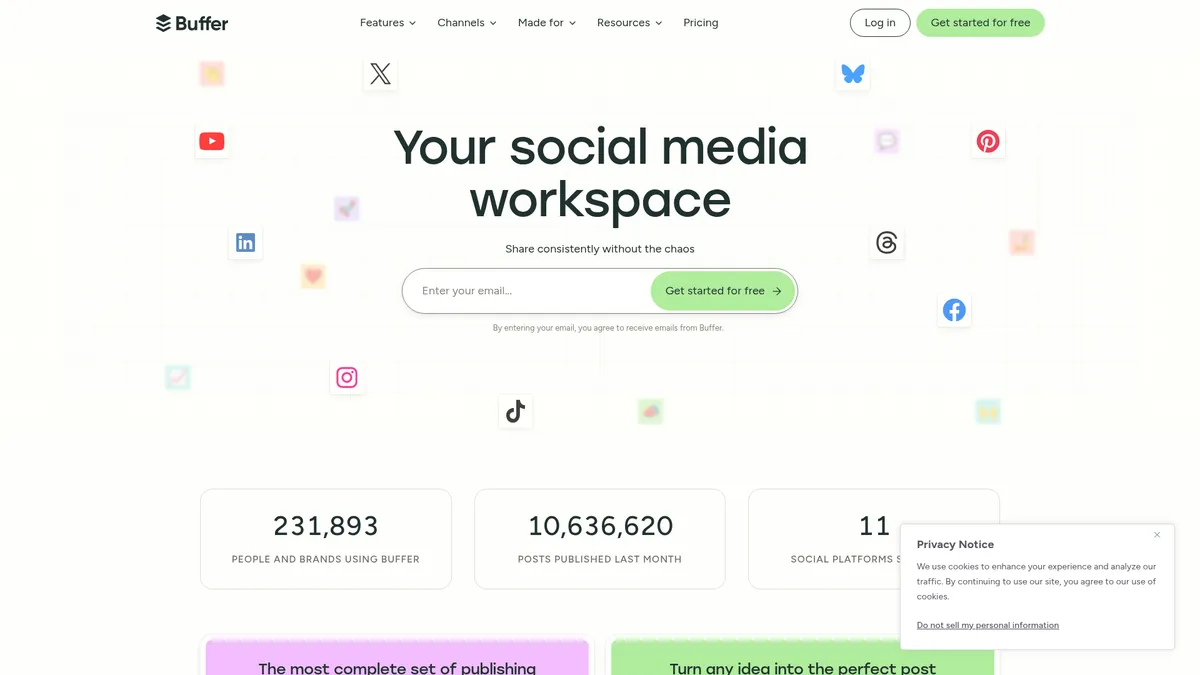
Buffer has been the go-to social media scheduler for over a decade, but newer tools are catching up fast. With 11 supported platforms and a free plan that actually works, it's still solid for basic scheduling.
Buffer remains a reliable choice for straightforward social media scheduling across 11 platforms. The $5/month pricing is fair for unlimited posts, but newer competitors offer more advanced features at similar prices.
Buffer does exactly what it promises without unnecessary complexity, but innovation has slowed compared to AI-first alternatives.
Why I'm covering this
Buffer deserves coverage as the category pioneer that's maintained relevance for over a decade. While newer tools offer flashier features, Buffer's combination of platform coverage, team functionality, and reliable performance keeps it competitive in the crowded social media management space.
Who It's For
Who Buffer is for (and who it isn't)
✓Best for
- +Solo creators Need simple scheduling across multiple platforms without team features or complex automation
- +Small businesses Want reliable posting to Facebook, Instagram, and LinkedIn without learning a complex system
- +Agencies starting out Need unlimited team members and approval workflows at predictable pricing
- +Content repurposers Create once and distribute across all major social platforms from one dashboard
- +Solo creators managing 3-5 social accounts who need consistent posting without complexity The free plan covers basic needs, and upgrading scales cleanly with channel growth
- +Small marketing teams at local businesses posting to Facebook, Instagram, and Google Business Team plan collaboration features and approval workflows prevent posting mishaps
- +Social media managers at agencies juggling 10+ client accounts Unlimited team members and custom access levels let you manage clients efficiently
- +Content creators who batch-create posts and need reliable scheduling across multiple platforms Visual calendar and queue management make it easy to plan weeks ahead
✗Skip this if
- −Advanced marketers Need automation, A/B testing, or detailed audience segmentation beyond basic analytics
- −Video-first creators TikTok and YouTube Shorts support is basic compared to native video editing tools
- −Data-driven teams Analytics are limited compared to dedicated social listening and reporting platforms
- −Budget-conscious users Free alternatives like Postiz offer more features, and paid plans lack advanced automation
- −E-commerce businesses needing product-based social ads and shopping integrations Buffer focuses on organic posting, not shopping campaigns or product catalogsTry HubSpot →
- −Brands needing advanced social listening and competitor analysis Limited to basic analytics and community management without monitoring mentions or hashtagsTry Semrush →
- −Enterprises requiring advanced compliance, custom integrations, or white-label solutions Buffer targets small to medium teams without enterprise security or customization featuresTry HubSpot →
Consider instead
 BlogToPin
 Supapin
 PosterMyWall
Features
What can Buffer do?
Buffer's strength lies in its comprehensive platform coverage and straightforward scheduling tools. The visual calendar gives you a clear overview of your content pipeline, while the queue system automatically spaces out your posts at optimal times. The platform handles 11 social networks, including newer additions like Threads and Bluesky, making it one of the most complete options for cross-platform publishing.
The AI Assistant helps generate post ideas and rewrite content for different platforms, though it's fairly basic compared to specialized AI writing tools. More useful is the Ideas board, where you can collect inspiration and turn saved content into scheduled posts. The browser extension lets you quickly save articles or images while browsing, streamlining your content collection process.
Team features are solid without being overwhelming. Unlimited team members on the Team plan, approval workflows, and custom access levels cover most agency and business needs. The community inbox aggregates comments and messages across platforms, with AI-suggested replies to speed up engagement. While these features work well, they lack the sophistication of dedicated social listening tools.
Analytics provide the essentials but stop short of advanced insights. You get engagement metrics, audience demographics, and optimal posting times, plus the ability to create branded reports for clients. However, Buffer doesn't offer competitor analysis, hashtag performance tracking, or the deep audience insights found in premium social media suites.
Content Publishing
Content Creation
Analytics & Insights
Team Collaboration
Community Management
UX & Support
Is Buffer easy to use?
Buffer's interface prioritizes clarity over flashy design, which users consistently praise in G2 and Capterra reviews. The dashboard layout is logical, with publishing, analytics, and community management in separate tabs. New users report being able to schedule their first posts within minutes of signing up, thanks to clear onboarding flows and intuitive navigation.
Customer support receives high marks across review platforms, with users noting quick response times and helpful solutions. Buffer offers support through multiple channels including email, live chat, and their Discord community. The help center includes comprehensive guides and video tutorials, though some users note that advanced features could use more detailed documentation.
The mobile app maintains the same clean design principles as the web platform, allowing full account management on the go. Users appreciate being able to schedule posts, respond to comments, and check analytics from their phones without losing functionality. However, some advanced features like detailed analytics and team management work better on desktop.
Pricing
How much does Buffer cost?
Buffer starts at from $6/month per channel. That's 68% below median for Social Media Automation tools. A free plan is available.
Buffer starts at $5/month billed annually for the Essentials plan, which includes unlimited scheduled posts and advanced analytics for one social media channel. The Team plan costs $10/month billed annually and adds unlimited team members, approval workflows, and branded reports. Both paid plans offer significant savings with annual billing compared to monthly payments.
The free planis useful, allowing 10 scheduled posts per channel across up to 3 channels. This is enough for individual creators or small businesses just getting started with social media scheduling. However, the 10-post limit per channel refills over time, so you can't bank up a large queue of content.
Value-wise, Buffer sits in the middle of the market. It's more expensive than budget options like Publer ($12/month) but less than premium platforms like Hootsuite or Sprout Social. The pricing becomes more competitive as you add more channels, with volume discounts for channels beyond the first 10. For agencies managing multiple client accounts, the unlimited team members on the Team plan provides good value compared to per-user pricing models.
| Plan | Monthly |
|---|---|
| Free | $0/mo |
| Essentials | $6/mo |
| Team | $12/mo |
External Ratings
What reviewers say about Buffer
0"With Buffer I'm able to save approximately 4-5 hours every week, granting me the freedom to dedicate more of my valuable hours to other important tasks and projects."
Official testimonial"Buffer has been helping freelancers, consultants, and agencies grow their client accounts for more than a decade."
Official website"Whether you're just getting started on your creator journey or scaling your audience to new heights, Buffer will get your content in front of more people."
Official websiteDownsides
What's wrong with Buffer
Basic analytics
Limited to engagement metrics and demographics without competitive analysis or advanced audience insights
Simple AI features
AI assistant is basic compared to specialized AI content tools, more for rewriting than strategic content creation
No advanced automation
Lacks advanced triggers, conditional posting, or behavioral-based content delivery
Limited video features
Basic video posting without editing capabilities or optimized workflows for video-first platforms
Per-channel pricing
Costs add up quickly when managing multiple client accounts or brand channels compared to flat-rate competitors
Buddy's Take
Buffer's limitations stem from its focus on simplicity over advanced features. These constraints won't matter if you need reliable, straightforward social media scheduling, but they become apparent when your requirements grow beyond basic posting.
European & GDPR
Not sure Buffer fits EU data rules? See GDPR-compliant Buffer alternatives built in Europe on EuropeanMartech.
FAQ
Frequently asked questions about Buffer
Yes, you get 10 scheduled posts per channel across 3 channels, which refill over time. Perfect for testing the platform or managing light social media activity.
Buffer supports 11 platforms: Facebook, Instagram, TikTok, LinkedIn, X, YouTube, Pinterest, Threads, Bluesky, Google Business Profile, and Mastodon.
Yes, the Team plan includes unlimited users and approval workflows. You'll need separate Buffer accounts for each client or use their agency pricing for multiple workspaces.
The AI assistant helps with basic content creation and rewriting posts for different platforms. It's useful but not as capable as dedicated AI writing tools.
At $5/month per channel, Buffer sits in the middle range. Cheaper than premium tools like Hootsuite but more expensive than budget options like Publer.
Buffer provides basic link tracking and engagement metrics but doesn't offer advanced attribution or revenue tracking. You'll need integration with analytics tools for detailed ROI analysis.
Basic video posting works fine, but Buffer lacks video editing features or optimized workflows for platforms like TikTok or YouTube Shorts.
Buffer reports 99% post reliability on their transparency dashboard. Posts generally publish as scheduled with occasional delays during platform outages.
Buffer's pricing is refreshingly transparent with clear per-channel scaling that makes costs predictable as you grow.
Buffer is best for: Solo creators managing 3-5 social accounts who need consistent posting without complexity; Small marketing teams at local businesses posting to Facebook, Instagram, and Google Business; Social media managers at agencies juggling 10+ client accounts; Content creators who batch-create posts and need reliable scheduling across multiple platforms.
Buffer is shipping AI features actively with their AI Assistant for content creation and community management.
Getting into Buffer is straightforward, but leaving means rebuilding your content calendar and losing scheduled posts.
Buffer starts from from $6/month per channel. A free plan is available. There is a 14-day free trial.
Ready to try Buffer?
Start scheduling across 11 platforms with their generous free plan
 Start Free Trial →
More on Buffer
Read Next


Joonas Rotko
Author & founder of That Marketing Buddy
I score marketing software for AI-stack fit (MCP, API, agent-readiness), backed by 10+ years in digital marketing.
This page may contain affiliate links. I earn a commission at no extra cost to you. This never influences ratings.