

Joonas Rotko · Founder, That Marketing Buddy
I have spent 10+ years doing hands-on digital marketing and buying marketing software for my team and clients, and I now score every tool on this site for how well it works with AI agents. Ex Google Premier Partner agency co-owner.
This page may contain affiliate links.
Some links on this page are affiliate links, meaning I may earn a commission if you sign up (at no extra cost to you). This never influences my ratings or recommendations.
The Verdict
Is Supapin right for you?
Supapin takes your blog posts and product pages and turns them into scheduled, SEO-optimized Pinterest pins with almost no manual design work. It does one thing: Pinterest. The question is whether that focus is a feature or a dealbreaker for your workflow.
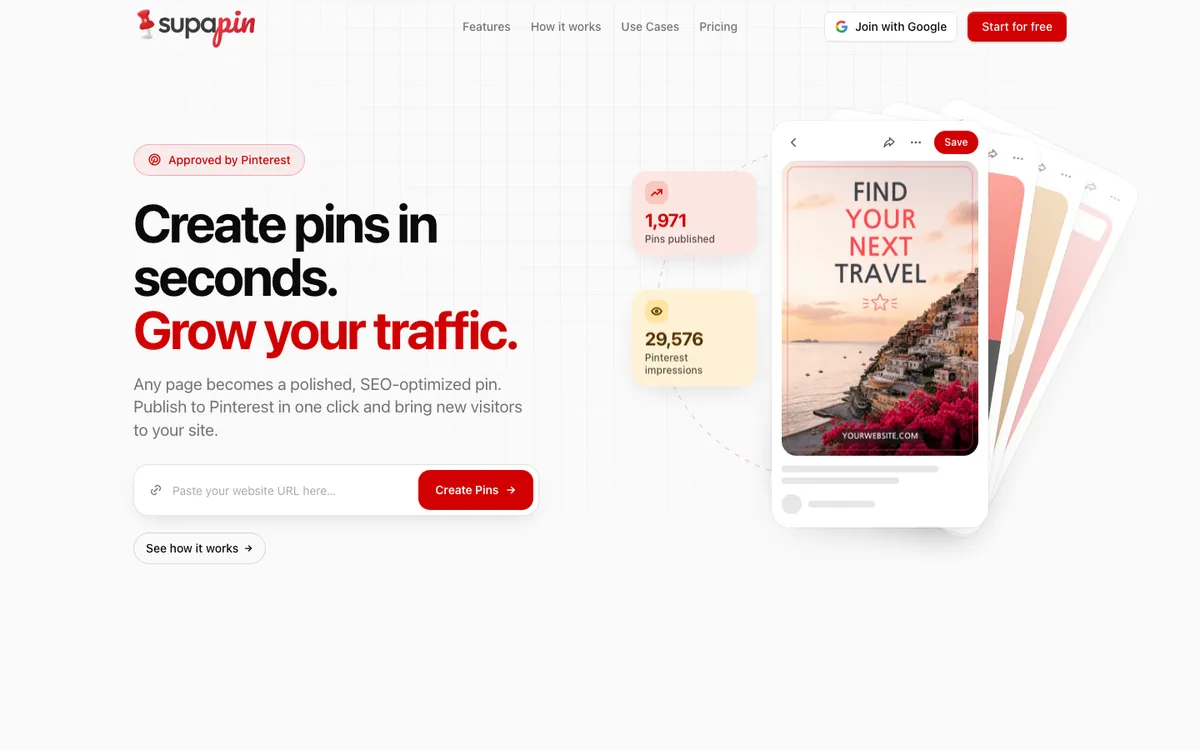
Supapin scans your website's sitemap, writes AI-generated pin titles and descriptions, renders branded pin images from templates, and publishes them to Pinterest on a schedule. It's built for bloggers, ecommerce stores, and agencies who already know Pinterest drives traffic but don't want to hand-design every pin.
If you need Pinterest and only Pinterest, it's a tight, purpose-built tool; if you need one dashboard for five platforms, it isn't that.
It's a well-built single-purpose tool. Just know the pricing page opens on the yearly toggle, so the $17/mo you see first is the annual rate. Switch it to Monthly before you budget: that's $29/mo for Starter.
Why I'm covering this
Supapin is one of the few tools built specifically around turning existing website content into Pinterest pins automatically, which makes it worth flagging even with pricing documentation that needs a second look.
Who It's For
Who Supapin is for (and who it isn't)
✓Best for
- +Bloggers with a large content backlog Supapin scans your sitemap and can generate pins for your entire archive in one batch, which matters if you have hundreds of old posts sitting untapped for Pinterest traffic.
- +Ecommerce and Etsy sellers Product pages convert well into pins, and Supapin's brand design settings keep every pin visually consistent with your store without you touching a design tool.
- +Agencies managing multiple client Pinterest accounts One customer testimonial mentioned turning a full day of manual pin work into a 15-minute setup per client, which is the kind of time saving agencies actually bill for.
- +Content creators who post consistently but hate Pinterest SEO The AI writes Pinterest-optimized titles and descriptions per pin, which removes the guesswork around keyword-heavy pin copy that most creators skip entirely.
✗Skip this if
- −Brands running Instagram, TikTok, and Facebook alongside Pinterest Supapin doesn't touch any platform besides Pinterest, so you'll still need a separate scheduler for everything else.
- −Teams that want a single API or MCP server for their whole social stack There is no public API on any plan and no MCP server, so there is nothing for your stack to call.
- −Anyone testing on a tight budget without committing annually Month-to-month pricing on the Starter plan runs noticeably higher than the annualized rate, which stings if you're not ready to commit for a year.
- −Sites without a public sitemap.xml Supapin's page discovery depends entirely on your sitemap, so sites without one need to fix that first before anything works.
 Zernio
 Buffer
 Postiz
Features
What can Supapin do?
The core loop is content-in, pin-out, and it's the reason this tool exists. Supapin scans your sitemap, pulls the title, meta description, and featured image off each page, and hands that off to its AI text generator to write Pinterest-specific copy. According to Supapin's documentation, the AI is instructed to avoid keyword stuffing and write naturally, which matters because clunky, obviously-stuffed pin descriptions tend to get buried in Pinterest search anyway.
The design side runs on a template library in the standard 1000x1500 pixel Pinterest format, with your brand colors and fonts applied automatically to whichever template gets assigned. Templates rotate round-robin across your pages, so a batch of 50 pins won't look like the same design copy-pasted 50 times. You still approve every pin before it goes live, which is a sensible guardrail given the whole point is to skip manual design, not manual oversight.
Scheduling and publishing run through Pinterest's official API v5, connected via OAuth, not scraping or unofficial workarounds. That's worth noting because Pinterest has been known to flag accounts using unofficial automation. Supapin spaces publishing at a recommended 5-15 pins per day and retries failed publishes automatically up to three times.
Where things get more interesting for anyone thinking about AI-stack fit: Supapin publishes no public API on any plan. There's no MCP server either, so if you're trying to wire Pinterest automation into a broader agent workflow the way you might with Ayrshare's API or WoopSocial's MCP server, Supapin's building surface is thinner and gated behind the top-tier plan.
Content Discovery
AI Pin Generation
Design & Branding
Scheduling & Publishing
Analytics & Collaboration
UX & Support
Is Supapin easy to use?
Supapin has a Capterra listing but almost no review volume on it, so there's no meaningful aggregate rating to point to the way there is for more established tools. What's available comes from Supapin's own site: a handful of customer testimonials from a food blogger, an ecommerce owner, a digital marketing agency, and a few others, all describing time saved on manual pin work.
One agency testimonial specifically claimed managing 12 client accounts went from a full day of work to a 15-minute setup per client, which lines up with the batch-generation pitch. Support tiers scale with plan: email support on Starter, priority support on Pro, and dedicated support on Business, according to the documented plan features.
Without independent review-site data, I'd treat the onboarding experience as unverified until more third-party feedback exists. The documented setup flow (connect site, scan sitemap, set brand colors, connect Pinterest via OAuth, generate first batch) reads as straightforward on paper, but I can't confirm how it holds up at scale from outside sources.
Pricing
How much does Supapin cost?
Supapin starts at From $29/mo. That's 53% above median for Social Media Automation.
Supapin's plans start at $29/month (monthly billing) for Starter, $49/month for Pro (the recommended tier), and $99/month for Business, with annualized rates of roughly $17/month ($204/year), $27/month ($324/year), and $49/month ($588/year) respectively. An Enterprise tier exists for larger needs, quoted from $500/mo. One thing worth flagging: the pricing page loads with the yearly toggle already selected, so the prices you see first are the annual rates.
Click Monthly to see what you'd actually pay without committing to a year.
Credits are the core unit: one credit equals one pin published, and Supapin only spends a credit at publish time, not at generation or preview. That means you can generate and review pins for free, but publishing to Pinterest itself requires a paid plan, even though sign-up and initial pin previews don't require a credit card.
For context on plan depth: every tier already includes unlimited websites and no pin limits, so what Business really buys you is volume (1,000 credits a month) and unlimited Pinterest accounts. If you're comparing against a general-purpose scheduler like Buffer's pricing, which has a genuinely free tier for 3 channels across multiple platforms, Supapin's free tier is preview-only, not publish-capable, which is a meaningfully different kind of 'free.'
| Plan | Monthly |
|---|---|
| Starter | $29/mo |
| ProPopular | $49/mo |
| Business | $99/mo |
| Enterprise | $500/mo |
External Ratings
What reviewers say about Supapin
"Saved 40+ hours of work, and my site traffic has already started growing in the last 45 days."
Supapin website testimonial (Sarah M., Food Blogger)"The AI-generated descriptions are surprisingly good. My pins are getting way more saves and clicks than when I wrote them myself."
Supapin website testimonial (James K., E-commerce Store Owner)"We manage 12 client accounts. Supapin turned what used to be a full day of work into a 15-minute setup per client."
Supapin website testimonial (Maria L., Digital Marketing Agency)"Pinterest is now one of my top traffic sources. Supapin keeps my pins fresh without me lifting a finger."
Supapin website testimonial (Lisa T., Etsy Shop Owner)Downsides
What's wrong with Supapin
Pinterest-only
Supapin doesn't post to Instagram, TikTok, Facebook, or any other platform. Anyone managing a multi-channel social calendar will need a second tool alongside it.
The advertised price is the annual rate
The pricing page loads on the yearly toggle, so the first number you see is the annual rate. Paying month to month costs roughly 70% more than the headline figure on Starter, and you only find that out by clicking Monthly.
No public API on any plan
There is no public API on any tier and no MCP server, so Supapin cannot be driven from your own code or an AI agent. Everything it automates, it automates internally.
Free tier is preview-only
You can generate and preview pins for free, but publishing to Pinterest requires a paid plan. If your goal is actually getting pins live, the free plan alone won't get you there.
No independent review data available
Supapin has a Capterra listing but almost no third-party review volume behind it, so claims of ease-of-use and reliability rest mostly on the vendor's own testimonials.
Sitemap dependency
Page discovery depends entirely on a working sitemap.xml. Sites without one, or with a broken/nonstandard sitemap, will need to fix that before Supapin can find any content to pin.
Are these dealbreakers?
None of these are dealbreakers if Pinterest is genuinely your main growth channel and you're comfortable double-checking pricing before you sign up. But if you need one dashboard across several platforms, or any kind of programmatic access, this isn't built for that.
Ready to try Supapin?
Generate and preview pins for free before deciding if Pinterest automation is worth paying for.
 Try Supapin Free →
FAQ
Frequently asked questions about Supapin
Sign-up and pin generation previews are free with no credit card required, but publishing pins to Pinterest requires a paid plan starting at $29/month (or $17/month billed annually). The free tier lets you see what Supapin will create before you pay.
No. Supapin is built exclusively for Pinterest, using Pinterest's official API v5 for publishing. If you need multi-platform scheduling, you'll need a separate tool like Buffer or Publer alongside it.
It scans your sitemap.xml file to discover your pages, then extracts titles, descriptions, and featured images from each page when you generate pins. This works with WordPress, Shopify, Wix, Ghost, Webflow, and most custom-built sites.
One credit equals one pin published to Pinterest. Credits are spent only when a pin actually goes live, not when it's generated or previewed, and unused credits reset each billing cycle rather than rolling over.
No. Supapin has neither. There is no public API on any plan (the /api, /docs and /developers paths all return 404) and no MCP server. The 'official Pinterest API v5' mentioned in their help center is the API Supapin uses to publish your pins, not access it gives you. Some third-party directories list 'API access' on the Business plan: that is not in Supapin's own plan features.
Supapin recommends 5-15 pins per day, which the platform says keeps publishing within Pinterest's rate limits and account health best practices, rather than dumping a whole backlog live at once.
Because the billing toggle defaults to Yearly. $17/mo is the annual rate , billed as $204 up front. Flip the toggle to Monthly and Starter is $29/mo . The same gap applies to Pro ($27 vs $49) and Business ($49 vs $99), so check which toggle is active before you compare Supapin to anything else.
The credit model is easy to grasp: you only spend credits when you publish, schedule or download, and creating pins is free. What costs it points is the gap between the advertised price and the real one. The pricing page opens on the yearly toggle, so $17/mo is what you see, while paying month to month is $29/mo. Budget from the Monthly view, then decide whether the annual discount is worth a year up front.
Supapin is best for: Bloggers with a large content backlog; Ecommerce and Etsy sellers; Agencies managing multiple client Pinterest accounts; Content creators who post consistently but hate Pinterest SEO.
AI is baked into the core product (text generation and board selection), but none of it is exposed to you. No public API on any tier, no MCP server, no webhooks, no SDK. Third-party listings that show 'API access' on the Business plan are not supported by Supapin's own plan features.
Your published pins live on Pinterest itself, so that content isn't locked into Supapin. Getting the rest out is the weak part: there is no public API on any tier and no documented export, just a stated 90-day data retention window after you cancel.
Supapin starts from From $29/mo.
More on Supapin
This page may contain affiliate links. I earn a commission at no extra cost to you. This never influences ratings.