


Joonas Rotko · Founder, That Marketing Buddy
I assess marketing software through 10+ years of agency work, current product research, buyer needs, competing tools and total cost.
How this review was prepared
This is a research-based review built from Peec AI's pricing page, its documentation for the MCP server, API, agencies and Crawl Insights, and its FAQ, checked on 28 September 2026. Peec's pricing page shows euro prices.
This page may include affiliate links, meaning I may earn a commission if you sign up (at no extra cost to you).
The Verdict
Is Peec AI right for you?
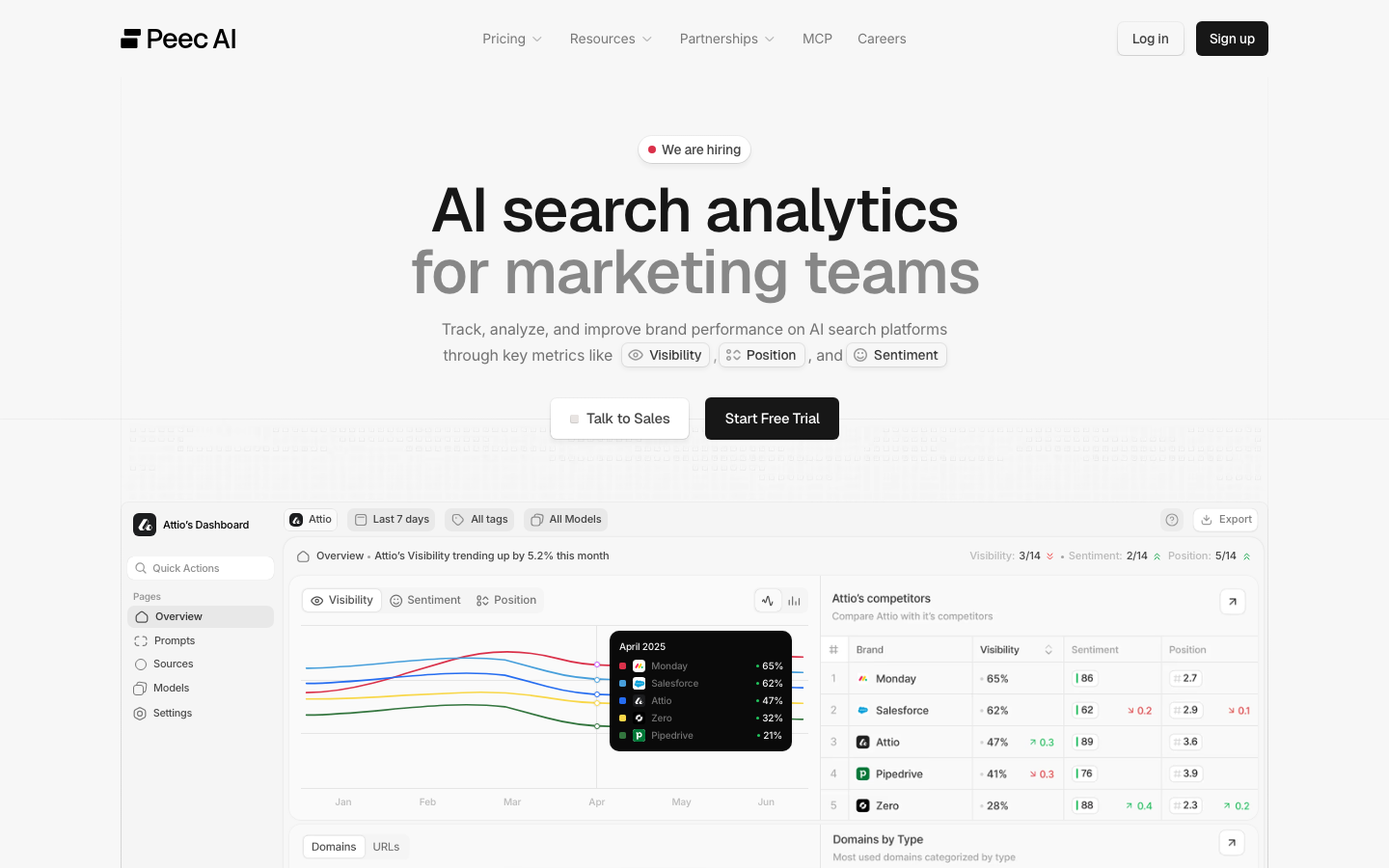
Peec AI is a daily AI-visibility tracker with published monthly prices from €85, priced by tracked prompts and models rather than by seats, users or competitors.
Starter, Pro and Advanced each track three models of your choice, with 50, 150 or 350 prompts, and only the custom Enterprise plan opens up to 13 models, the REST API and single sign-on. Peec also runs an official MCP server with 51 read tools and 44 write tools, and its Agent Analytics reads server logs for AI bot traffic.
It fits a team that knows which three AI engines matter and wants dashboards plus assistant access. It fits poorly when wide model coverage or a REST API is needed below an Enterprise contract.
Who It's For
Who Peec AI is for (and who it isn't)
✓ Best for
- +SEO and content teams tracking prompts daily. Every plan tracks daily and reports visibility, position, sentiment and share of voice against competitors, and Peec bills for prompts and models rather than users, so the whole team can log in.
- +Agencies running several client brands. Pro and Advanced allow 2 and 5 projects, prompts can be shared across projects, and separate agency plans work on a credit system where one prompt on one model for a day costs one credit.
- +Teams that want AI-visibility data in Claude or Cursor. The MCP server answers questions from the same data as the dashboard, can pull the scraped content of a cited URL and can list AI bot visits from connected server logs.
× Consider something else if
- −You need more than three tracked models below Enterprise. Starter, Pro and Advanced all let you choose three models, and the pricing page opens up to 13 only on Enterprise. Profound is built for wider coverage and larger organizations.Try Profound →
- −You want a REST API without an Enterprise contract. Peec's documentation says API access is currently limited to Enterprise customers. Otterly AI lists an API and MCP server in TMB's notes at a lower entry price.Try Otterly AI →
- −You want a lower monthly entry price. Peec's Starter is €85 a month for 50 prompts. LLM Pulse lists a Starter from €49 a month in TMB's price notes, with published tiers and an MCP server.Try LLM Pulse →
What You Can Do
What can Peec AI do?
Weekly visibility pulse from an assistant
Connect Claude or Cursor to the MCP server and run its built-in weekly pulse prompt, which reads visibility, sentiment and share of voice for the tracked brand and formats a report without opening the dashboard.
Find the sources AI cites instead of you
Open the source reports to see which domains and URLs models retrieve for your prompts, pull the scraped text of a cited page and brief content or outreach that closes that citation gap.
Check what AI bots do on your site
Connect logs from Cloudflare, Vercel, WordPress, AWS CloudFront, Google Cloud CDN, Akamai, a webhook or a CSV upload to see which AI bots visit which pages and which status codes they get.
Track products in AI shopping answers
Upload a catalog from Shopify or a CSV to see visibility, position and win rate for each product, in addition to brand-level metrics.
AI, API & MCP
AI, API and MCP access
Peec AI's official MCP server gives a connected account read access to AI-visibility and citation data, while the REST API covering the same data is still in beta and limited to Enterprise customers.
AI agent workflow
Find a content gap from a competitor citation
An agent pulls the latest visibility and citation report for a tracked brand across ChatGPT, Perplexity, Gemini, Google AI Overviews, and Claude, identifies which competitor domains are cited on a target topic, and drafts a content brief to close the gap, entirely through read-only tools.
Approval boundary: Creating, editing, or deleting tracked prompts, topics, or brands is possible through MCP write tools but requires organization-owner permission and triggers an explicit confirmation prompt, the point where a human steps in before the dashboard's tracked configuration changes.
MCP
officialHosted MCP with owner-gated write tools
Peec AI's MCP server at api.peec.ai/mcp accepts OAuth or a personal access token and requires an account with at least one project. It covers visibility, share of voice, and citation-source data for read access, while creating, editing, or deleting prompts, topics, tags, or tracked brands needs organization-owner permission.
Peec AI MCP documentation →API
officialBeta REST API, Enterprise plan only
Peec AI's REST API is in beta, meaning endpoints and payloads can still change, and access is limited to Enterprise customers even though MCP is available more broadly. It covers the same projects, brands, prompts, and visibility-report data as MCP, authenticated with a project-scoped or company-scoped API key.
Peec AI API documentation →Pricing
How much does Peec AI cost?
The published entry plan starts at €85/mo. For this review's professional buyer, the practical starting point is €205/mo before users and add-ons.
| Plan | Monthly |
|---|---|
| Starter | €85/mo |
| ProPopular | €205/mo |
| Advanced | €425/mo |
| Enterprise | Custom |
Starter is €85 a month for 50 prompts, 1 project and 1 country. Pro is €205 for 150 prompts, 2 projects and 3 countries. Advanced is €425 for 350 prompts, 5 projects, 3 countries and a Looker Studio integration. All three track three models daily with unlimited users. Enterprise is custom, billed annually, with up to 13 models, daily or weekly tracking, custom prompt setup, API access and single sign-on. Peec offers 15% off annual billing and a free trial whose length the pricing page does not state.
Prompts times models is the cost driver
Peec says pricing follows tracked prompts and models, and one prompt on one model for 30 days is 30 answers. Starter's 50 prompts across 3 models daily comes to 4,500 AI answers a month, Pro 13,500 and Advanced 31,500.
Countries: the table and the FAQ disagree
The plan table caps countries at 1, 3 and 3, while the FAQ says any supported country or language costs nothing extra. Ask support which applies before planning multi-market tracking.
Check currency and price history
TMB's June price note listed $95, $245 and $495, and the current page shows euro prices of €85, €205 and €425. Confirm the currency and the total at checkout.
Alternatives
When I'd choose something else
Three different buying priorities, and what I'd pick instead for each one.
Wider model coverage

Profound
Profound suits enterprise buyers who need many AI engines tracked across several brands, which Peec's three-model cap below Enterprise does not give.
Trade-off: Its pricing is harder to compare with Peec's published ladder, and TMB's price note lists its starter as ChatGPT only.
Explore Profound for this use case →An API below Enterprise

Otterly AI
Otterly AI lists an API and MCP server with a lower entry price in TMB's notes, which suits teams that want programmatic access early.
Trade-off: Compare its tracked prompts, engines and reporting depth with Peec's before switching on price alone.
Explore Otterly AI for this use case →A lower entry price with published tiers

LLM Pulse
LLM Pulse lists a Starter from €49 a month with published tiers and MCP and API access in TMB's notes, so a small team can start cheaper.
Trade-off: It is a smaller product, so check its model coverage and reporting against your client needs.
Explore LLM Pulse for this use case →Keep going
- Compare Peec AI against the field: Best AI Visibility and GEO Tools for One Brand
- Compare Peec AI against the field: Best AI Visibility Tools for Agencies
Downsides
Limitations to consider before subscribing
Three tracked models below Enterprise
Starter, Pro and Advanced each let you choose three models, so a brand that needs the full engine list must ask for an Enterprise quote.
REST API is Enterprise-only
Teams below Enterprise rely on the MCP server or the Looker Studio connector, which starts on Advanced.
Plan gating of the MCP server is undocumented
The MCP documentation describes tools and permissions but not which plans include the server, and some tools appear only when features are enabled for the project.
Trial length and currency need checking
The pricing page offers a free trial without a length and shows prices in euros, so confirm both before starting.
My Recommendation
Choose your three models first, then price the plan
You are an SEO team or agency that wants daily AI-visibility tracking, published prices and assistant access, and three engines cover your buyers.
You need many engines, a REST API or single sign-on, in which case ask Profound or Peec's own Enterprise team, or you want a lower entry price, in which case compare Otterly AI or LLM Pulse.
What to check during the trial
- –List the AI engines your buyers actually use and check that three cover them
- –Set up your top 50 prompts and see how many of them reach a usable sample of answers
- –Connect the MCP server with one person and confirm what write access that person has
- –Ask which plans include MCP and how the country limit works before committing
FAQ
Frequently asked questions about Peec AI
Starter is €85 a month, Pro €205 and Advanced €425, with 15% off annual billing. Enterprise is custom and billed annually.
Yes. Peec documents an official server at api.peec.ai/mcp with OAuth or personal access token sign-in, 51 read tools and 44 write tools.
Yes, but its documentation says access is currently limited to Enterprise customers.
Starter, Pro and Advanced each track three models you choose. Enterprise can track up to 13.
The site offers a free trial, but the pricing page does not state how long it lasts.
Sources & References (5)
Spot something out of date?Vendors and readers, send me the correct fact.
Software sites change almost every week, and I want every claim on this page to be factually correct. If you are a vendor or a reader, send me the correct fact and a link to the official page. I will check it and update the page. The opinions and rankings stay mine.