
This page may contain affiliate links.
Some links on this page are affiliate links, meaning I may earn a commission if you sign up (at no extra cost to you). This never influences my ratings or recommendations.
Price Snapshot
How much does BlogToPin cost?
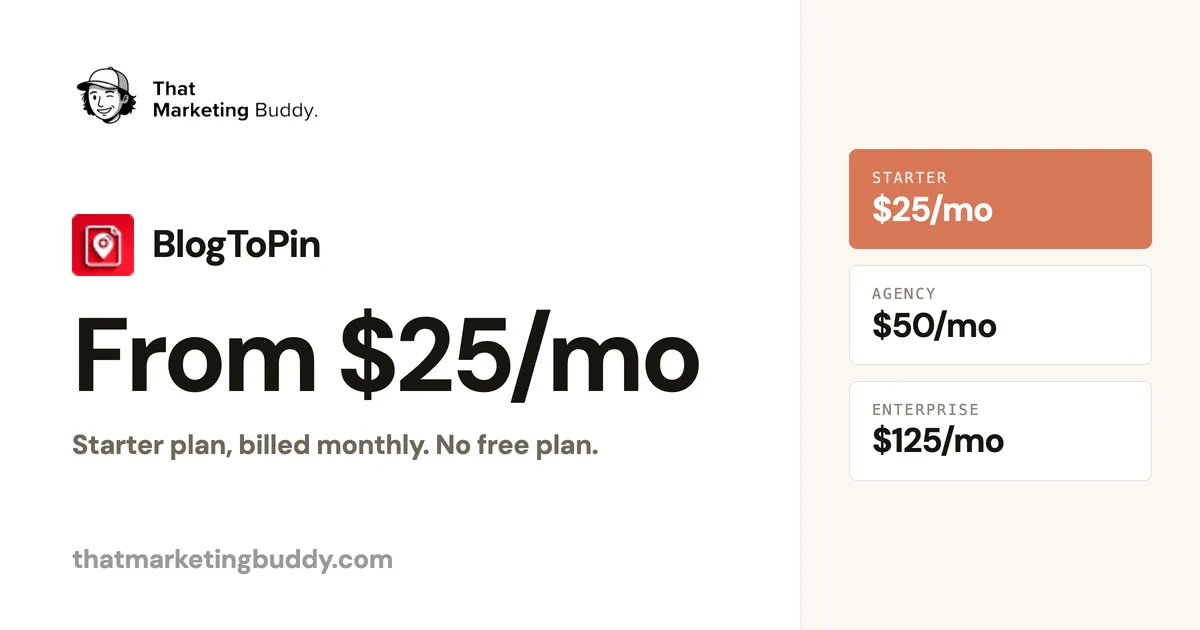
BlogToPin starts at $25/mo for a paid plan. That's 28% above median for Social Media Automation tools. Annual billing brings the per-month price down further.
Plans
BlogToPin plans and pricing
3 paid plans · Monthly rates shown, annual noted per plan · Verified Jun 21, 2026
Unlimited Pinterest accounts and websites. 35 pins/day (1,000/mo), 500 AI pins/mo. Basic analytics. $299/yr billed annually.
350 pins/day (10,000/mo), 1,000 AI pins/mo. Advanced analytics, priority support. $599/yr billed annually. Marked most popular.
1,000 pins/day (30,000/mo), 2,500 AI pins/mo. Auto-create pins daily, team members, strategy call. $1,499/yr billed annually.
Recommendation
Which plan should you choose?
35 pins a day and 500 AI pins a month cover one actively publishing blog comfortably. No reason to pay more until daily caps or multi-account needs push you up.
350 pins a day (10,000/mo), 1,000 AI pins, advanced analytics and priority support. The right pick once you run more than one site or manage a few client accounts. Unlimited accounts are included on every tier.
1,000 pins a day (30,000/mo), 2,500 AI pins, daily auto-creation, team members and a Pinterest strategy call. For shops where Pinterest volume is a core channel.
Editorial
My take on BlogToPin pricing

BlogToPin prices on volume, and that is the right instinct for a Pinterest tool. What you are really buying is daily pin throughput plus an AI-pin allowance, and the three tiers map cleanly to how much you publish. At $25 a month, Starter gives a single active blog plenty: 35 pins a day is more than most niche sites need, and 500 AI pins a month covers the generation.
The jump to Agency at $50 is the one most people will weigh. You are paying double for 10x the daily cap (350 pins) and double the AI pins, plus advanced analytics and priority support. That is worth it the moment you run more than one site or manage clients, and not before. Enterprise at $125 is squarely for high-volume operations or agencies that want daily auto-creation and a strategy call.
The honest gotcha is the missing free plan. Limited free pinning lets you test the output, but there is no ongoing free tier the way Tailwind offers one. For a single blog that is a minor friction; for someone just dabbling with Pinterest, it nudges you to commit before you have proven the channel. Every tier including unlimited Pinterest accounts and websites is the underrated win here, since most rivals charge per account.
Verdict
Is BlogToPin Worth the Price?
Yes, if pin creation is your bottleneck. At $25 a month, Starter turns a publishing habit into a steady Pinterest queue without you designing a single pin, and it is Pinterest-approved. The pricing is clean, public and volume-based, with unlimited accounts on every tier.
Just go in knowing there is no free plan to lean on long-term, and that the value is the automated creation, not the scheduling alone. If you only need to schedule pins you already make, a cheaper general scheduler will do.
FAQ
Frequently Asked Questions
BlogToPin costs $25/mo (Starter), $50/mo (Agency) or $125/mo (Enterprise) billed monthly. Annual billing is $299, $599 and $1,499, which saves roughly one month. The tiers differ mainly by daily pin caps (35, 350, 1,000) and AI-pin allowances (500, 1,000, 2,500 a month).
There is no permanent free plan . You can do limited free pinning to try it, but ongoing use requires a paid plan. If a free tier is essential, Tailwind, Metricool and Publer all offer one.
For a single active blog, Starter ($25/mo) is the sensible entry. If you publish heavily or manage multiple accounts, Agency ($50/mo) lifts the daily cap to 350 pins and adds advanced analytics. Enterprise is for high-volume operations needing 1,000 pins a day and daily auto-creation.
Yes, slightly. Annual plans ($299 / $599 / $1,499) save roughly one month compared with paying monthly across all three tiers.
See the pricing for yourself
Check the official pricing page for current rates.
 View BlogToPin Pricing
More on BlogToPin
Joonas Rotko
Author & founder of That Marketing Buddy
I score marketing software for AI-stack fit (MCP, API, agent-readiness), backed by 10+ years in digital marketing. Building the most trustworthy marketing software database so you can trust the pricing data on this site.
This page may contain affiliate links. I earn a commission at no extra cost to you. This never influences pricing data.