


Joonas Rotko · Founder, That Marketing Buddy
I assess SEO and GEO software through 10+ years of agency work, current product research, buyer needs, competing tools and total cost.
How this review was prepared
This review uses SEObot's current public product, pricing and help material, then evaluates the workflow for solopreneurs, small marketing teams and client-service businesses. Vendor claims are treated as claims until a real site, topic and approval process prove them.
This page may include affiliate links, meaning I may earn a commission if you sign up (at no extra cost to you).
The Verdict
Is SEObot right for you?
SEObot makes the most sense when your content backlog is growing faster than the team available to publish it.
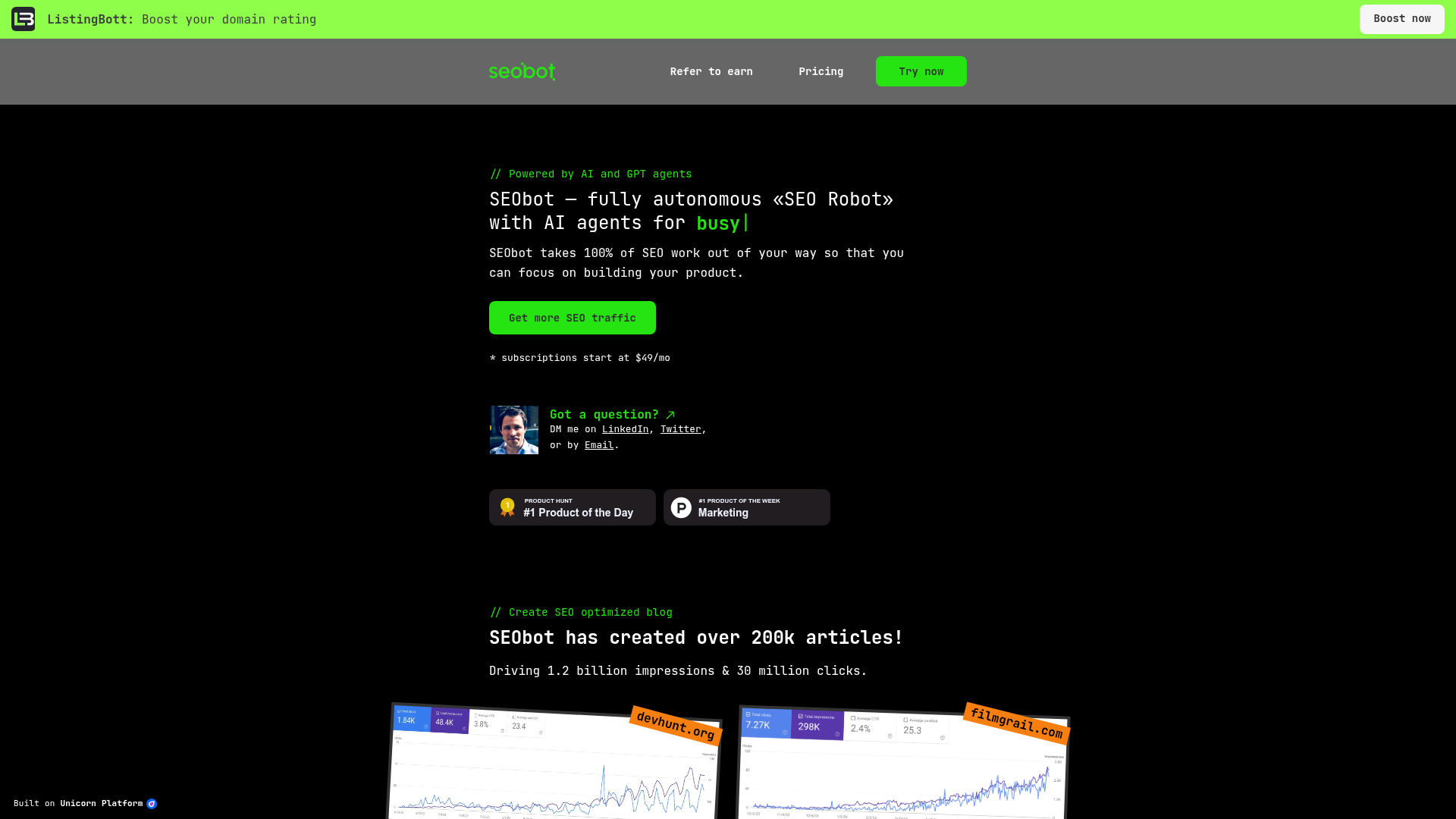
The service combines topic planning, 3,000 to 4,000-word articles, internal links, images and publishing to nine CMS options. REST API, webhooks, Next.js, Zapier and Make give technical teams several ways to fit it into an existing workflow.
The $49 plan includes nine articles, $99 includes 20 and $199 includes 50. Higher tiers reach 300 articles at $1,050, while agency pricing starts around $3.50 per article at 300-plus volume. There is no normal free trial, but the vendor offers a refund if the first article is unsatisfactory.
Who It's For
Who SEObot is for (and who it isn't)
✓ Best for
- +Solopreneurs with a defined niche. The tier ladder suits a team that can match article volume to a real backlog rather than buying a fixed daily cadence.
- +Small teams protecting a regular publishing cadence. Automation can remove planning and production gaps when one person owns approval.
- +Consultants productising content delivery. The repeatable workflow can support clients when site limits and review time are priced honestly.
× Consider something else if
- −You want a simpler 30-article public offer. BlogSEO presents one $97 monthly package.Try BlogSEO →
- −You need MCP and Search Console-led updates. RankYak adds native MCP and existing-page monitoring.Try RankYak →
- −You want optimisation before publishing. Surfer gives editors a deeper SEO and GEO optimisation workflow.Try Surfer →
What You Can Do
What can SEObot do?
Set the commercial topic boundary
Use onboarding to constrain the audience, products, claims and topics. Review the first article closely enough that a refund decision is based on publish-ready quality.
Review drafts and teach the system
Check search intent, facts, dates, citations, brand claims, internal links and the next action. Feed accepted edits, rejected claims, voice corrections and topic feedback into the product's instructions, examples or settings. Keep automatic publishing disabled until the output repeatedly passes that written standard. The quality of this loop depends more on the operator than the software.
Measure the system after publication
Calculate cost per approved article, not cost per generated article. Track the revisions, indexation and qualified traffic for each batch.
Works With
Which website platforms does SEObot work with?
SEObot publishes straight to:
 WordPress
 Shopify
 Webflow
 HubSpot CMS
 Ghost
Ghost Framer
 WordPress.com
 Next.js
 Notion
 Unicorn Platform
 API
API Webhook
Not on this list? Sends articles by webhook or REST API, or you copy them out as HTML, Markdown or rich text.
How each connection works (12)›
- WordPress
Publishes to site · Publishes via application password or an optional plugin. Source
- Shopify
Publishes to site · Uses a custom app you create in the Shopify Dev Dashboard. Source
- Webflow
Publishes to site Source
- HubSpot CMS
Publishes to site Source
- Ghost
Publishes to site Source
- Framer
App store listing · Official SEObot plugin in the Framer Marketplace. Source
- WordPress.com
Publishes to site · Connects by WordPress.com sign-in. Source
- Next.js
Official connection · Example Next.js blog built on the REST API. Source
- Notion
Publishes to site Source
- Unicorn Platform
Publishes to site Source
- API
Official connection · REST API to pull articles into a custom site. Source
- Webhook
Official connection · Fires on article created and updated. Source
Checked against SEObot's own docs and official app stores on 22 October 2026.
AI Capabilities
How SEObot helps with AI search and content
AI removes production steps, not accountability
SEObot automates long-form production and publishing across many CMSs. Very long articles still need intent discipline and factual checks.
Quality needs a named owner
A human editor must catch invented facts, generic advice, duplicated intent and links that point readers away from the business goal.
Assistant and developer access
Use the REST API, webhooks, Next.js integration, Zapier or Make for custom workflows. No public MCP server was verified, so compatible assistants need one of those routes rather than a direct MCP connection.
Pricing
How much does SEObot cost?
The published entry plan starts at $49/mo. For this review's professional buyer, the practical starting point is $99/mo before users and add-ons.
| Plan | Monthly |
|---|---|
| 9 articles | $49/mo |
| 20 articlesPopular | $99/mo |
| 50 articles | $199/mo |
| 100 articles | $499/mo |
SEObot charges $49 monthly for 9 articles, $99 for 20, $199 for 50, $499 for 100 plus 20 directory listings, $570 for 150 and $1,050 for 300. Agency orders of 300 or more can reach $3.50 per article. The complete ladder appears after site onboarding.
9 articles: $49/mo
This tier should be judged against the sites, articles, users and supporting work it includes. Confirm the renewal and cancellation terms at checkout.
20 articles: $99/mo
This tier should be judged against the sites, articles, users and supporting work it includes. Confirm the renewal and cancellation terms at checkout.
50 articles: $199/mo
This tier should be judged against the sites, articles, users and supporting work it includes. Confirm the renewal and cancellation terms at checkout.
100 articles: $499/mo
This tier should be judged against the sites, articles, users and supporting work it includes. Confirm the renewal and cancellation terms at checkout.
Alternatives
When I'd choose something else
Three different buying priorities, and what I'd pick instead for each one.
Lower-risk publishing

BlogSEO
BlogSEO presents one $97 monthly package.
Trade-off: Its current offer has fewer volume steps.
Explore BlogSEO for this use case →Different operating model

RankYak
RankYak adds native MCP and existing-page monitoring.
Trade-off: It costs $99 per site.
Explore RankYak for this use case →Better scale fit

Surfer
Surfer gives editors a deeper SEO and GEO optimisation workflow.
Trade-off: It requires more manual production.
Explore Surfer for this use case →Keep going
- Compare SEObot against the field: Best AI SEO Autopilots for a Small Business
Downsides
Limitations to consider before subscribing
The full price list is not front-loaded
Buyers must onboard a site before seeing every plan.
Long-form defaults can overshoot intent
Three thousand words are unnecessary for many queries.
No standard free trial
The first-article refund is a narrower test.
No verified MCP server
Agent integrations use API or automation tools instead.
My Recommendation
My recommendation for SEObot
Shortlist SEObot when the article-volume ladder and CMS integrations match a real production backlog.
Choose BlogSEO for one simple offer, RankYak for existing-page care, or Surfer for editor-led optimisation.
What to check during the trial
- –Generate one article for a real buying-intent query.
- –Check every fact, source, internal link and product claim.
- –Test draft approval, publishing and rollback on a non-critical page.
- –Compare the full site and article cost with a human-assisted workflow.
Use SEObot with Claude, ChatGPT or a coding assistant
Use the REST API, webhooks, Next.js integration, Zapier or Make for custom workflows. No public MCP server was verified, so compatible assistants need one of those routes rather than a direct MCP connection.
FAQ
Frequently asked questions about SEObot
SEObot charges $49 monthly for 9 articles, $99 for 20, $199 for 50, $499 for 100 plus 20 directory listings, $570 for 150 and $1,050 for 300. Agency orders of 300 or more can reach $3.50 per article. The complete ladder appears after site onboarding.
Shortlist SEObot when the article-volume ladder and CMS integrations match a real production backlog.
The product includes or supports automated publishing. Start with draft approval until factual quality, brand voice and internal links are dependable.
SEObot automates long-form production and publishing across many CMSs. Very long articles still need intent discipline and factual checks. AI-search visibility still depends on useful evidence, clear entity language, credible citations and authority beyond the generated page.
Buyers must onboard a site before seeing every plan.
Sources & References (2)
Spot something out of date?Vendors and readers, send me the correct fact.
Software sites change almost every week, and I want every claim on this page to be factually correct. If you are a vendor or a reader, send me the correct fact and a link to the official page. I will check it and update the page. The opinions and rankings stay mine.