

Joonas Rotko · Founder, That Marketing Buddy
I spent 10+ years buying marketing software for my own agency and its clients, so I know which tools earn their monthly fee and which ones quietly drain it. Now I check the prices and the claims on this site myself.
This page may contain affiliate links.
Some links on this page are affiliate links, meaning I may earn a commission if you sign up (at no extra cost to you). This never influences my ratings or recommendations.
The Verdict
Is post bridge right for you?
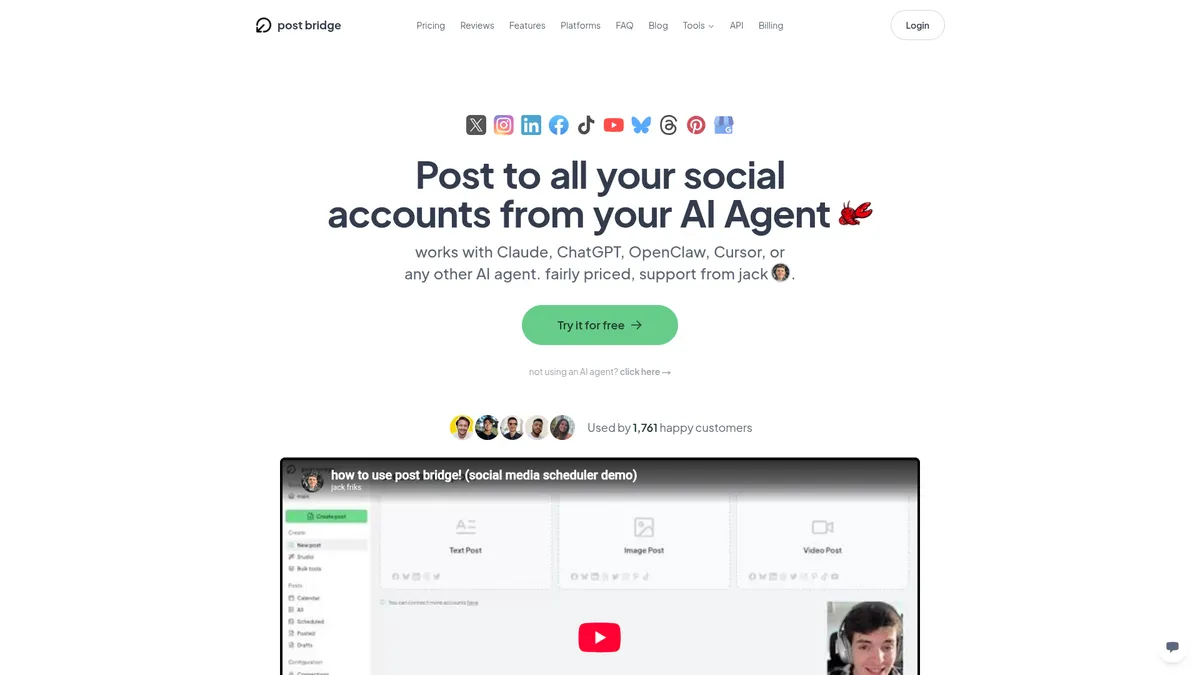
post bridge is a scheduling tool built by one founder who got tired of paying $150-300/month for bloated schedulers. It posts to nine platforms from one dashboard and ships MCP agent connect on every single plan, which is rare at this price.
post bridge is a social media scheduler for creators and small teams who want to post to Twitter/X, Instagram, LinkedIn, TikTok, YouTube, and more without juggling five different apps. It starts at $29/month with no free plan, but includes MCP agent connect on every tier, which most competitors gate behind higher pricing or don't offer at all.
Whether it's worth it depends on whether you need agent-driven posting or just want a cheap, simple scheduler.
The MCP-on-every-plan approach is the actual story here, not the scheduling itself, which is solid but not groundbreaking.
Why I'm covering this
post bridge includes MCP agent connect on its $29/month entry plan, something most competitors gate behind premium tiers, which makes it worth a look for anyone building agent-driven posting workflows on a budget.
Who It's For
Who post bridge is for (and who it isn't)
✓Best for
- +Solo founders posting daily across platforms If you're publishing the same demo video or clip to nine platforms every day, post bridge cuts that down to about two minutes per post according to the vendor's own stats.
- +Builders experimenting with AI agent workflows MCP agent connect ships on every plan, including the $29/month Creator tier, so tools like OpenClaw, Hermes, or Cursor can be wired directly into your posting pipeline without an upsell.
- +Small agencies managing a handful of client accounts The Growth plan supports 50 connected accounts and team invites, which covers a small roster of clients without jumping to enterprise pricing.
- +Creators making short-form video content Content Studio gives you templates and a drag-and-drop editor to build videos and schedule them in the same workflow, based on the founder's own use case growing his app to 100k+ downloads.
✗Skip this if
- −
- −Teams that live inside analytics dashboards Analytics is still marked beta on every plan. If reporting and performance breakdowns are your daily driver, this isn't built for that yet.
- −Developers who want API access bundled in MCP is free on every tier, but REST API and CLI keys are a separate $5/month add-on, which is an odd split if you were expecting full API access included.
- −Brands needing a large support team or SLA Support comes directly from the founder and a small team. That's a plus for responsiveness but a gap if you need enterprise-grade support guarantees.
 Zernio
 Buffer
 Postiz
Features
What can post bridge do?
The cross-posting and scheduling engine is the core of post bridge, and it's the part that shows up in nearly every user quote in the research: connect your accounts once, draft a post, and push it to nine platforms in the time it takes to write one caption. The vendor claims an average posting time of 2 minutes across all connected platforms, which lines up with the repeated theme in customer feedback about saving an hour or more a day.
The feature that actually separates post bridge from most of the schedulers in this price range is MCP agent connect, included on every single plan starting at $29/month. Most competitors either don't offer MCP support at all or gate it behind their highest tier. Here, a $29/month Creator subscriber gets the same agent connectivity as someone paying $99/month for Pro, which matters if you're building an AI-driven publishing workflow rather than clicking through a dashboard manually.
Content Studio is a smaller but notable addition: it gives you templates to build short videos and a basic editor to customize them before scheduling, all inside the same tool. It's not a replacement for a dedicated video editor, but for creators who just need to turn a clip into something postable, it removes a step from the workflow.
Where the feature set gets less generous is around API access and analytics. REST API and CLI keys sit behind a separate $5/month add-on on top of whatever plan you're on, and analytics is still labeled beta across every tier. If you need programmatic access to fire off posts from your own scripts, or you want granular reporting on what's performing, budget for that gap.
Cross-Posting and Scheduling
Content Creation
AI Agent and Developer Access
Account and Team Management
Content Management and Reporting
UX & Support
Is post bridge easy to use?
Feedback on Product Hunt and Twitter/X consistently describes post bridge's interface as simple to learn, with several reviewers mentioning they went from zero experience to a scheduled post in under five minutes. One Product Hunt reviewer, Rahul Kahani, specifically called out the low learning curve compared to similar scheduling apps.
Support is handled directly by the founder, Jack, and the site markets 'human support from Jack' as a selling point rather than a chatbot or ticket queue. Growth and Pro plans add priority human support on top of the base tier, suggesting response times may vary by plan for non-priority customers. For a small team running the product, that direct-line support model tends to work well at low volume but is worth watching as the customer base grows past 1,763 users.
post bridge publishes no onboarding walkthrough and no setup documentation beyond the MCP config snippet on its homepage. For a tool whose primary surface is an agent connection, that is a thin landing pad for a first-time setup, and the help centre covers scheduling basics rather than agent wiring.
Pricing
How much does post bridge cost?
post bridge starts at $29/mo. That's 49% above median for Social Media Automation. No free plan, but there’s a 7-day free trial.
post bridge has three plans: Creator at $29/month ($26.58/month billed annually, $319/year), Growth at $49/month ($44.92/month billed annually), and Pro at $99/month ($82.5/month billed annually). There's no free plan, but every tier comes with a 7-day free trial before you're charged.
What's included at the entry price is exceptional. Creator gets 15 connected accounts, unlimited posts, scheduling, Content Studio access, and MCP agent connect for $29/month, all features that are typically reserved for higher tiers elsewhere in the category. The jump to Growth mainly buys more connected accounts (50 vs 15), team invites, and priority support, while Pro removes the account cap entirely and adds viral growth consulting.
The one pricing quirk worth flagging is the REST API and CLI add-on: it's a flat $5/month on top of any plan, rather than bundled into Pro. For a tool that leads with agent-readiness, having MCP free everywhere but the API gated behind a small extra fee is a slightly inconsistent structure, even if $5/month is a low bar to clear.
| Plan | Monthly |
|---|---|
| Creator | $29/mo |
| Growth | $49/mo |
| Pro | $99/mo |
AI, API & MCP
How post bridge fits an agent workflow
post bridge bundles its MCP server into the base Starter plan, but the separate REST API and CLI cost extra on top, an unusual split where the AI-agent path is cheaper than the scripting path.
AI agent workflow
Schedule a post and check its analytics later
An agent schedules a post across several connected platforms, Instagram, TikTok, X, LinkedIn, Facebook, Pinterest, Threads, Bluesky, and YouTube, for a future timestamp, then checks analytics on that post in a later turn of the same session.
Approval boundary: A human has to explicitly authorize the OAuth connection before anything works, and by convention should keep confirming before a post actually goes live rather than just gets scheduled, since publishing to a real brand account is hard to take back on most platforms.
MCP
officialOAuth MCP included on the $9 Starter plan
post bridge's MCP server at post-bridge.com/api/mcp/mcp connects through a one-click OAuth authorize flow from Claude or ChatGPT custom connectors, and is included on the $9-a-month Starter plan. It can schedule posts, upload media, and check analytics across nine or more platforms.
post bridge MCP page →API
officialREST API sold as a paid add-on over MCP
post bridge's REST API authenticates with an API key and covers the same accounts, posts, media, and analytics as MCP, but it is not bundled with the base plan: reaching it costs an extra $5 a month on top of Starter, for $14 a month total.
post bridge API documentation →External Ratings
What reviewers say about post bridge
"post bridge makes me 100x more productive"
Twitter/X (Sami Hindi)"Literally no easier way to interface would multi-account posting. and for 10x cheaper. every creator should be using this"
Twitter/X (Andrei Bogdan)"The UI is clean and easy to navigate. Easy as adding an event on a calendar. Similar apps I've found have a slightly higher learning curve when all you want to do is just schedule your damn content."
Product Hunt (Rahul Kahani)"Best price/quality of all platforms of this kind by far"
Twitter/X (Yorgo Hoebeke)"super impressed by the UX. I went from 0 experience on the site to a scheduled post in less than 5 mins. very smooth."
Twitter/X (Allen)Downsides
What's wrong with post bridge
No free plan
Only a 7-day free trial is available. Anyone wanting to test long-term at zero cost will need to look elsewhere, at least at the start.
Analytics still in beta
Reporting is labeled beta on every plan, including Pro, so teams that rely on detailed performance data won't get a finished experience yet.
API and CLI cost extra on every tier
REST API and CLI keys are a $5/month add-on regardless of plan, which feels inconsistent with MCP being free everywhere.
Team features gated to higher tiers
Team member invites and priority support only show up on Growth ($49/month) and Pro ($99/month), not on the entry Creator plan.
Support model is small by design
Support comes from the founder and a small team rather than a large dedicated support organization, which may not scale the same way as bigger competitors as customer count grows.
Content Studio is basic
The video editor is described as a basic drag-and-drop tool with templates, not a full-featured video editing suite.
Are these dealbreakers?
None of these are dealbreakers if your main need is cheap, agent-ready scheduling across a handful of platforms. But if you're leaning on detailed analytics, need API access bundled in without an extra fee, or require enterprise-level support infrastructure, factor that into the decision before signing up.
Ready to try post bridge?
Start the 7-day free trial and see if $29/month scheduling with MCP agent connect fits your workflow.
 Start Free Trial →
FAQ
Frequently asked questions about post bridge
No. post bridge offers a 7-day free trial on all three plans, but there's no permanent free tier. The cheapest paid plan, Creator, starts at $29/month.
post bridge supports Twitter/X, Instagram, LinkedIn, Facebook, TikTok, YouTube, Bluesky, Threads, Pinterest, and Google Business, with the vendor citing 9 social platforms supported.
Yes. MCP agent connect is included on Creator, Growth, and Pro, meaning even the $29/month entry plan supports AI agent posting through tools like OpenClaw, Hermes, or Cursor.
Yes. REST API and CLI keys are a separate $5/month add-on on top of any plan, which is different from MCP agent connect, which comes free with every subscription.
Billed annually, Creator runs $26.58/month ($319/year), Growth runs $44.92/month, and Pro runs $82.5/month. Monthly billing is $29, $49, and $99 respectively.
It can work for small agencies. Growth supports 50 connected accounts and team invites, and Pro removes the account cap entirely, but neither plan has been tested here at large agency scale.
The vendor cites an average posting time of about 2 minutes across all connected platforms once accounts are set up.
Content Studio is a built-in video creation tool with templates and a basic drag-and-drop editor, meant to help you build short videos and schedule them without leaving the platform.
Three flat tiers with no per-post or per-follower fees, but the jump from $29 to $99 is steep and the API access sits behind a vague 'add-on' with no listed price.
post bridge is best for: Solo founders posting daily across platforms; Builders experimenting with AI agent workflows; Small agencies managing a handful of client accounts; Creators making short-form video content.
MCP agent connect on every single tier, including the $29 Creator plan, is rare for a tool this size and puts post bridge ahead of most social schedulers on agent-readiness.
There's no mention of data export, competitor import, or backup tools anywhere in the research, which makes this a black box once your content history lives inside it.
post bridge starts from $29/mo. There is a 7-day free trial.
Sources & References (5)
More on post bridge
This page may contain affiliate links. I earn a commission at no extra cost to you. This never influences ratings.