


Joonas Rotko · Founder, That Marketing Buddy
I assess marketing software through 10+ years of agency work, current product research, buyer needs, competing tools and total cost.
How this review was prepared
This is a research-based review. I checked Plunk's current product pages, pricing, documentation and technical material, then assessed what those published limits mean for a marketing team or small agency. I have not presented vendor claims as personal testing.
This page may include affiliate links, meaning I may earn a commission if you sign up (at no extra cost to you).
The Verdict
Is Plunk right for you?
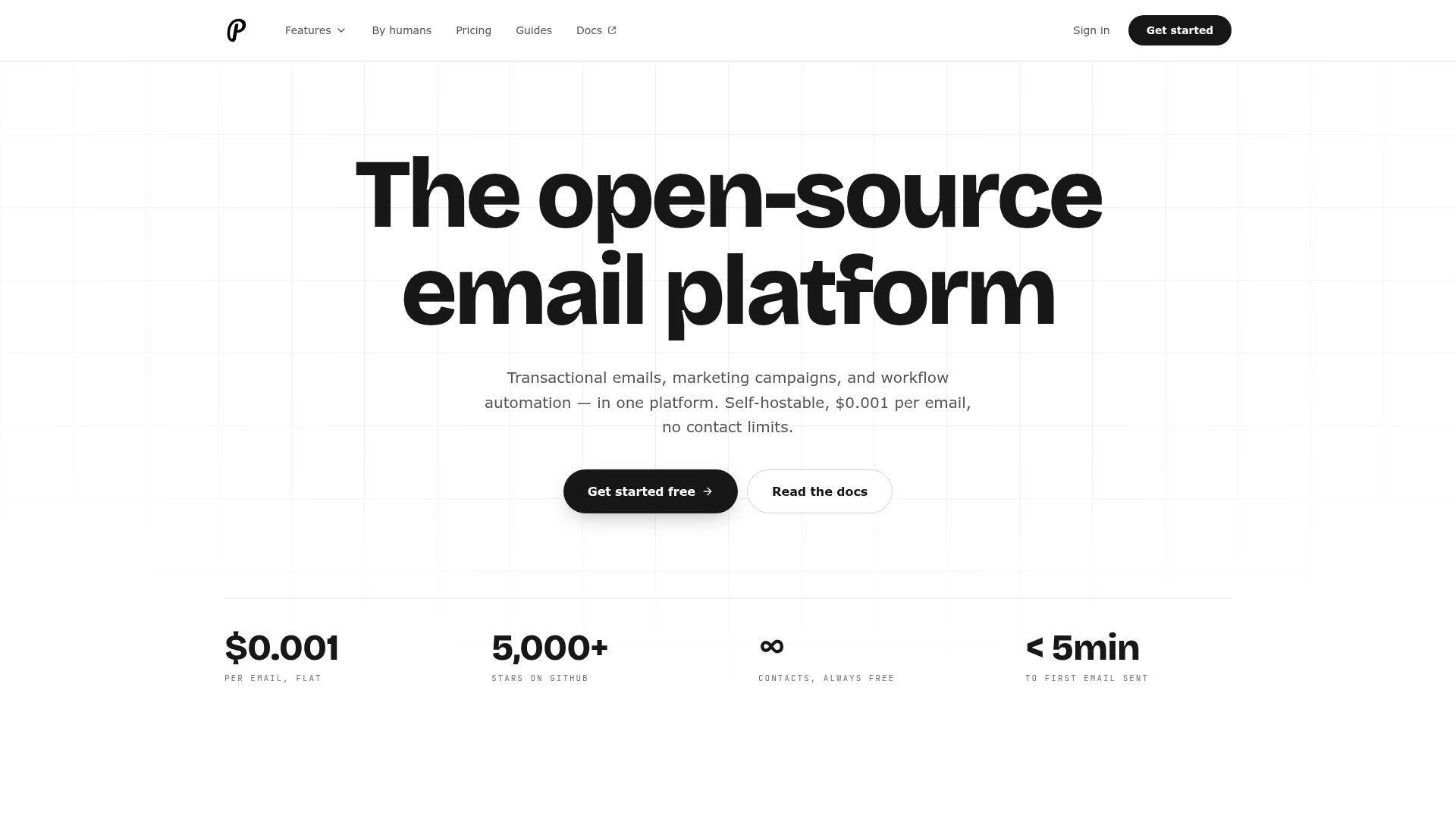
Plunk is the rare email tool that doesn't punish you for having a large, mostly-inactive contact list, since it bills per email sent, not per contact stored.
A strong fit for a developer-led SaaS team that wants one API for password resets and marketing campaigns; a weak fit for anyone who wants a visual builder or enterprise deliverability guarantees.
Makes the most sense once you're comfortable working through an API rather than a drag-and-drop editor, and your contact list includes a large number of low-engagement users you don't want to pay a per-contact fee for.
Who It's For
Who Plunk is for (and who it isn't)
✓ Best for
- +SaaS founders who want one tool for transactional and marketing email. Password resets, receipts, onboarding sequences and feature-announcement campaigns all run through the same API and contact record, avoiding the tool-juggling of pairing a transactional service like Postmark with a separate marketing ESP.
- +Products with a large, low-engagement contact base. Contacts are unlimited and free to store on every tier, so a product with thousands of trial users or dormant accounts doesn't pay a per-contact fee for people who rarely open an email, unlike contact-tier-priced competitors.
- +Technical teams that want self-hosting control. Plunk is open source (AGPL-3.0) with provided Docker Compose files, letting a GDPR-sensitive EU company or a team that wants full data control self-host, at the cost of owning delivery infrastructure themselves.
× Consider something else if
- −You want an established platform for transactional and marketing email. Brevo combines transactional delivery with campaigns and automation in a more established, marketer-accessible platform.Try Brevo →
- −Your marketers need a visual campaign builder. MailerLite gives non-technical marketers templates, drag-and-drop editing and support instead of an API-first workflow.Try MailerLite →
- −You are publishing a newsletter rather than product email. Buttondown's writer-first workflow fits a standalone newsletter better than Plunk's product and API orientation.Try Buttondown →
What You Can Do
What can Plunk do?
Send transactional and marketing email from one contact record
A password-reset email and a feature-announcement campaign both draw from the same contact and event data, so a user's transactional history informs marketing segmentation without exporting data between two separate tools.
Store an unlimited free contact list
A product with a large inactive-user base (free trials that never converted, dormant accounts) keeps all of them in Plunk at zero storage cost, only paying the $0.001-per-email rate for whoever actually gets sent to.
Self-host for full data control
A technical team clones the open-source repo and runs Plunk via the provided Docker Compose setup, pairing it with something like AWS SES for delivery, trading the hosted convenience for full infrastructure ownership, relevant for GDPR-sensitive EU companies.
Migrate from Mailchimp via CSV and API
Contact data imports via CSV or the API, but automations built in Mailchimp must be manually rebuilt in Plunk's own workflow builder; there's no one-click automation migration.
AI, API & MCP
AI, API, MCP and assistant access
Plunk ships an official MCP package with a built-in send-confirmation step, and pairs it with a REST API that explicitly blocks billing, project deletion, and API-key rotation from ever running through an agent.
AI agent workflow
Draft and confirm a send to a segment
An agent drafts a transactional email or a broadcast campaign for an audience segment, and Plunk's MCP server requires an explicit confirmation step before the message actually dispatches.
Approval boundary: Send confirmation is built into the MCP server itself, and Plunk hard-blocks billing, project deletion, and API-key rotation from API or MCP access entirely, so those account-level actions always require a dashboard session regardless of what an agent is asked to do.
MCP
officialOfficial npm package with a built-in send gate
Plunk distributes its MCP server as the @plunk/mcp npm package, run locally with npx and authenticated by a project's secret key. It supports a read-only mode, and any send action requires confirmation before dispatch by design, not by convention.
Plunk MCP feature page →API
officialREST API for contacts, events, and campaigns
Plunk's API authenticates with a project API token and covers contacts with custom fields, triggered events, broadcast campaigns, transactional email, templates, and segments. Billing, project deletion, and key rotation are excluded from the API entirely and require the dashboard.
Plunk API documentation →Pricing
How much does Plunk cost?
The published entry plan starts at Free, then $0.001/email. For this review's professional buyer, the practical starting point is Pay as you grow before users and add-ons. A free plan is available.
| Plan | Monthly |
|---|---|
| Free Forever | $0/mo |
| Pay as You GrowPopular | $0.001/mo |
Two tiers, no feature gating between them: free up to 1,000 emails a month, then pay per email sent with no base fee.
All features are available on both tiers
Plunk doesn't gate automation, API access or contact storage behind a paid tier the way most competitors do. The only variable is volume: 1,000 free emails a month, then $0.001 per email beyond that, with an optional monthly spend cap.
No native ecommerce plugins
Shopify or WooCommerce integration requires custom API or webhook work; there's no pre-built plugin, worth knowing before assuming a drop-in ecommerce connection.
Alternatives
When I'd choose something else
Three different buying priorities, and what I'd pick instead for each one.
For established transactional and marketing email

Brevo
A team that wants transactional delivery, campaigns and automation in an established platform gets a more marketer-accessible operating model from Brevo.
Trade-off: Brevo's contact and plan structure can cost more than Plunk's simple per-email model for a large, lightly engaged user base.
Explore Brevo for this use case →For non-technical marketers who want a visual builder

MailerLite
A marketer who wants templates, drag-and-drop editing and support instead of an API-first tool gets that experience from MailerLite.
Trade-off: MailerLite prices by contact count, which weakens Plunk's advantage for products with many low-engagement contacts.
Explore MailerLite for this use case →For a pure newsletter rather than product email

Buttondown
A solo writer running a standalone newsletter fits Buttondown's writer-first, markdown-based model better than Plunk's product-centric design.
Trade-off: Buttondown does not handle transactional messages such as password resets and receipts the way Plunk does.
Explore Buttondown for this use case →Keep going
- Compare Plunk against the field: 15 Best AI-Native Email Marketing Software (2026)
Downsides
Limitations to consider before subscribing
Newer, less battle-tested platform
No dedicated IPs, no enterprise SLA, and community support runs through Discord and GitHub rather than a dedicated support team, a real consideration for anyone with strict uptime or deliverability requirements.
No native ecommerce plugins
Shopify and WooCommerce need custom API or webhook work rather than a pre-built connection, more setup effort than a plug-and-play ecommerce ESP.
hasZapier field is out of date in Plunk's own listing
Plunk publishes an official Zapier integration, so treat any source describing it as unconfirmed as stale; this is a real, documented integration.
My Recommendation
Shortlist Plunk if you're a developer-led SaaS team tired of contact-tier pricing
You want transactional and marketing email unified under one API, your contact list includes a lot of low-engagement users, and you're comfortable working through an API rather than a visual builder.
You need enterprise deliverability guarantees, a visual builder for non-technical use, or you're running a pure newsletter with no product behind it, in which case Brevo, MailerLite or Buttondown fit better.
What to check during the trial
- –Estimate your real monthly email volume and calculate the $0.001/email cost against what you'd pay a contact-tier competitor for the same list size.
- –Test the self-hosted Docker Compose setup if data control matters, and confirm what delivery infrastructure (like AWS SES) you'll need to pair with it.
- –Confirm the official Zapier integration covers your specific automation triggers before assuming full workflow parity with a no-code competitor.
- –Plan the manual rebuild of any existing Mailchimp automations, since migration doesn't carry workflows over automatically.
FAQ
Frequently asked questions about Plunk
Free for the first 1,000 emails a month, no credit card required. Beyond that, it's $0.001 per email sent with no base fee, no feature tiers, and unlimited free contact storage on both the free and paid tier.
No. A community-built MCP server exists (github.com/ignytehq/plunk-mcp) and was confirmed reachable, but Plunk has not published or endorsed an official MCP server.
Yes. Plunk is open source under AGPL-3.0 with provided Docker Compose files for self-hosting, useful for GDPR-sensitive companies that want full data control, though you'll need to pair it with your own delivery infrastructure.
Sources & References (3)
Spot something out of date?Vendors and readers, send me the correct fact.
Software sites change almost every week, and I want every claim on this page to be factually correct. If you are a vendor or a reader, send me the correct fact and a link to the official page. I will check it and update the page. The opinions and rankings stay mine.