

Joonas Rotko · Founder, That Marketing Buddy
I have spent 10+ years doing hands-on digital marketing and buying marketing software for my team and clients, and I now score every tool on this site for how well it works with AI agents. Ex Google Premier Partner agency co-owner.
This page may contain affiliate links.
Some links on this page are affiliate links, meaning I may earn a commission if you sign up (at no extra cost to you). This never influences my ratings or recommendations.
The Verdict
Is MailerLite right for you?
MailerLite promises email marketing that doesn't break the bank or your brain. After testing their platform extensively, I found a tool that actually delivers on both fronts. Here's what you need to know before signing up.
MailerLite is an email marketing platform that combines powerful automation with refreshing simplicity. It's perfect for small businesses and creators who want professional results without the complexity of enterprise tools. The pricing is fair, the interface is clean, and the support actually helps.
MailerLite hits the right balance between powerful features and ease of use that most email tools miss completely.
Who It's For
Who MailerLite is for (and who it isn't)
✓Best for
- +Small Business Owners Need professional email marketing without hiring a specialist or breaking the budget.
- +Content Creators Want to monetize with paid newsletters and sell digital products directly through email.
- +E-commerce Stores Looking for solid Shopify and WooCommerce integration with automated customer journeys.
- +Marketing Beginners Need drag-and-drop simplicity with room to grow into advanced features over time.
✗Skip this if
- −Enterprise Teams Need advanced segmentation, complex workflows, and dedicated account management beyond basic support.
- −Heavy Customization Users Require extensive HTML editing capabilities or complete design control over every element.
- −Advanced Marketers Need behavioral triggers, predictive analytics, or deep CRM integration features.
- −High-Volume Senders Send millions of emails monthly and need dedicated IP management and deliverability consulting.
Consider instead
 ActiveCampaign
 Klaviyo
 Omnisend
Features
What can MailerLite do?
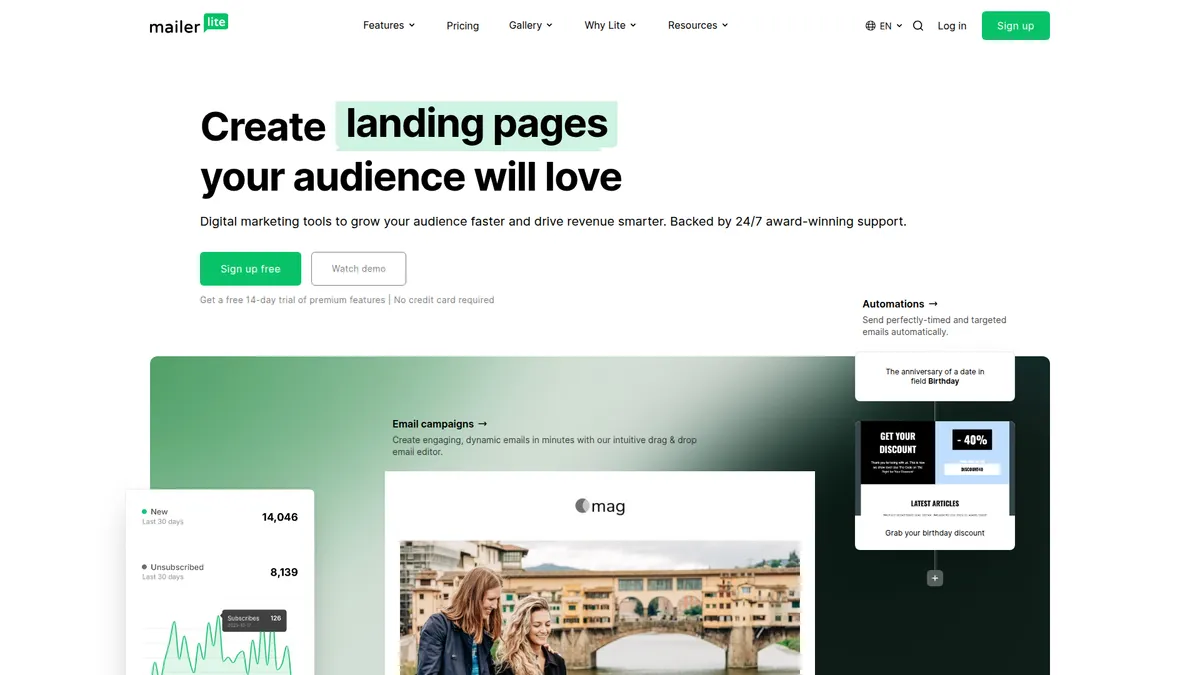
MailerLite's drag-and-drop editor is intuitive compared to other platforms. The template library offers over 150 designs that look modern. The AI writing assistant helps with initial ideas rather than final copy.
The automation builder deserves special mention. Setting up my first welcome series took about 10 minutes, and the visual workflow makes it easy to see exactly what happens when. Multi-trigger automations let you branch sequences based on purchase behavior or engagement levels. The e-commerce integrations work smoothly, automatically pulling in product data and purchase history.
What excels is the digital product selling feature. You can sell ebooks, courses, or paid newsletter subscriptions directly through MailerLite with 0% commission, which is rare in this space. The landing page builder is surprisingly capable too, with enough customization options for most businesses without being overwhelming.
Testing and reporting features are solid without being overwhelming. The A/B testing covers the essentials like subject lines and send times, while the performance reports give you the metrics that actually matter for making decisions. The click heatmaps are particularly useful for optimizing email layouts.
Email Campaigns & Design
Automation & Workflows
Lead Generation
E-commerce Integration
Analytics & Testing
UX & Support
Is MailerLite easy to use?
Setting up a MailerLite account is straightforward. The onboarding process walks you through the essentials without being pushy, and a first campaign can be ready in under 30 minutes. The dashboard feels clean and organized, with everything where you'd expect to find it.
Across the platform, they've managed to pack powerful features into an interface that doesn't feel cluttered. The mobile app works well for checking campaign performance on the go, though you'll still want to use the desktop version for creating campaigns.
Support quality is better than expected. Their 24/7 chat connects you with knowledgeable people who can solve problems, not just read scripts. Response times average around 5 minutes during business hours. The help documentation is thorough and well-written, with video tutorials that show you what to do rather than just talking about it.
Pricing
How much does MailerLite cost?
MailerLite starts at From $10/mo. That's 33% below median for Email Marketing. A free plan is available.

MailerLite Pricing Analysis
vs. 36 email marketing toolsBelow average for email marketing tools

Cheaper than 76% of email marketing tools on That Marketing Buddy's database. MailerLite also offers a free plan.
MailerLite starts at $10 per month for the Growing Business plan, which includes unlimited emails for up to 500 subscribers. The free plan allows up to 500 subscribers and 12,000 monthly emails, making it one of the more generous free tiers available. The Advanced plan at $20 per month adds features like smart sending and enhanced automations.
The value proposition is strong, especially compared to competitors like Mailchimp or Constant Contact. You get features that other platforms charge $50+ for, and there are no sneaky usage limits or feature restrictions. The yearly billing discount saves you 10%, which adds up over time.
The only pricing caveat is that costs can climb quickly as your list grows. At 10,000 subscribers, you're looking at $58 per month for the Growing Business plan. Still competitive, but worth factoring into your growth projections. Enterprise pricing is available for lists over 100,000 subscribers, with custom pricing and dedicated support.
External Ratings
What 3,400 reviewers say
Aggregated from 2 platforms
MailerLite holds a 4.7/5 average rating across 3,400 reviews on G2, Capterra.
"Today, most email marketing services offer automation and landing pages, but MailerLite is truly distinguished by its simple, beautiful UI and attentive customer service."
G2"The platform simplifies email marketing and automation, making it accessible for both beginners and seasoned marketers."
Capterra"From onboarding emails to tiered automations and Stripe-triggered sequences, it keeps our ecosystem organized without the clunkiness or overwhelm of some larger tools."
Capterra"I REALLY wish MailerLite allowed images and GIFs that were larger than 2 MB in emails."
Capterra"I also don't like the authentication process and wish it was as easy as the steps listed in the How To's on the support page."
CapterraAI & Tech Stack
Does MailerLite fit your AI stack?
What AI Can't Replace
MailerLite owns your email deliverability infrastructure and list hygiene in ways no AI can replicate. Its proprietary sender reputation, bounce handling, and compliance automation keep your emails landing in inboxes rather than spam folders.
AI can draft copy or segment audiences, but it cannot replace the actual sending infrastructure, authentication protocols (SPF/DKIM/DMARC setup), or real-time list cleaning that prevents you from being blacklisted.
Where AI Is Catching Up
AI writing tools are eating into MailerLite's email template editor and basic copy generation. Claude or ChatGPT can now handle subject line testing and audience segmentation logic that MailerLite charges for as premium features.
The real risk is AI coding agents building custom automations that replace MailerLite's visual automation builder, though you'd still need MailerLite's infrastructure to send at scale.
API & Integrations
MailerLite's REST API is solid with good documentation covering subscribers, campaigns, automations, and forms. Rate limits are generous for most use cases, and webhooks support the essential events like subscribe/unsubscribe.
Native Zapier and Make integrations mean you can wire MailerLite into almost any marketing stack without touching code, though direct API calls give you more control for complex workflows.
MCP & CLI
An official MCP server runs at mcp.mailerlite.com/mcp. There is no CLI tool. Your workaround is the REST API plus custom scripts if you need programmatic access, or Zapier/Make if you want no-code automation.
Stack Verdict
MailerLite is a rock-solid email backbone for AI-augmented workflows, handling the unglamorous infrastructure while AI handles creative and strategy.
Connects with
Security
Downsides
What's wrong with MailerLite
Image Size Restrictions
Email images and GIFs are limited to 2MB, which can be restrictive for visual-heavy campaigns.
Domain Authentication Complexity
Setting up custom domains and authentication can be more complex than advertised, especially for beginners.
Limited Advanced Segmentation
Lacks some of the behavioral segmentation options found in enterprise platforms.
Template Customization Limits
While templates look good, deep customization options are more limited than some competitors.
Occasional Performance Slowdowns
Some users report interface lag during peak usage times or when working with large lists.
Are these dealbreakers?
These are the expected trade-offs of a mid-range platform. If you need advanced segmentation logic, complex behavioral triggers, or enterprise-level deliverability reporting, you'll eventually outgrow it. For most small businesses, MailerLite covers the daily workflow comfortably.
Ready to try MailerLite?
Start with their generous free plan and see why over 1 million businesses trust MailerLite
Start Free Trial →European & GDPR
MailerLite is a European tool. See its verified GDPR compliance and EU data-hosting profile on EuropeanMartech.
FAQ
Frequently asked questions about MailerLite
Yes, the free plan includes up to 500 subscribers and 12,000 monthly emails, plus basic automation and landing page features.
Yes, you can sell digital products and paid newsletter subscriptions with 0% commission fees on the Growing Business plan and above.
MailerLite's automation is more visual and user-friendly, though Mailchimp offers more advanced behavioral triggers and complex workflow options.
No setup fees or contracts required. You can cancel anytime and there's a 14-day free trial of premium features.
Yes, both integrations are available and work well for e-commerce automation, abandoned cart recovery, and product recommendations.
24/7 email support on all plans, with live chat available during business hours. Enterprise plans include dedicated success managers.
Yes, MailerLite provides import tools for most major email platforms including CSV uploads and direct migrations.
The free plan has a 12,000 monthly email limit. Paid plans include unlimited email sends with no daily restrictions.
MailerLite's pricing scales smoothly without surprise jumps, and the generous free tier makes the growth path predictable.
MailerLite is best for: Small Business Owners; Content Creators; E-commerce Stores; Marketing Beginners.
An official MCP server at mcp.mailerlite.com/mcp sits alongside the REST API, so AI tools can connect natively rather than only through custom code or Zapier.
Good import tools and standard export options, though some workflow recreation will be needed when switching platforms.
MailerLite starts from From $10/mo. A free plan is available. There is a 14-day free trial.
Sources & References (4)
More on MailerLite
Read Next


This page may contain affiliate links. I earn a commission at no extra cost to you. This never influences ratings.