
This page may contain affiliate links.
Some links on this page are affiliate links, meaning I may earn a commission if you sign up (at no extra cost to you). This never influences my ratings or recommendations.
The Verdict
Is Mailchimp right for you?
Mailchimp is an email marketing platform with a free tier for up to 500 contacts, but paid plans start at $13/month and scale steeply from there. After years of price hikes and feature restrictions, better alternatives have emerged at every price point. I analyzed real user reviews and compared it against 5 competitors to see if Mailchimp still deserves your budget.
See how it compares in my best email marketing software roundup, check my Mailchimp pricing breakdown, or explore Mailchimp alternatives.
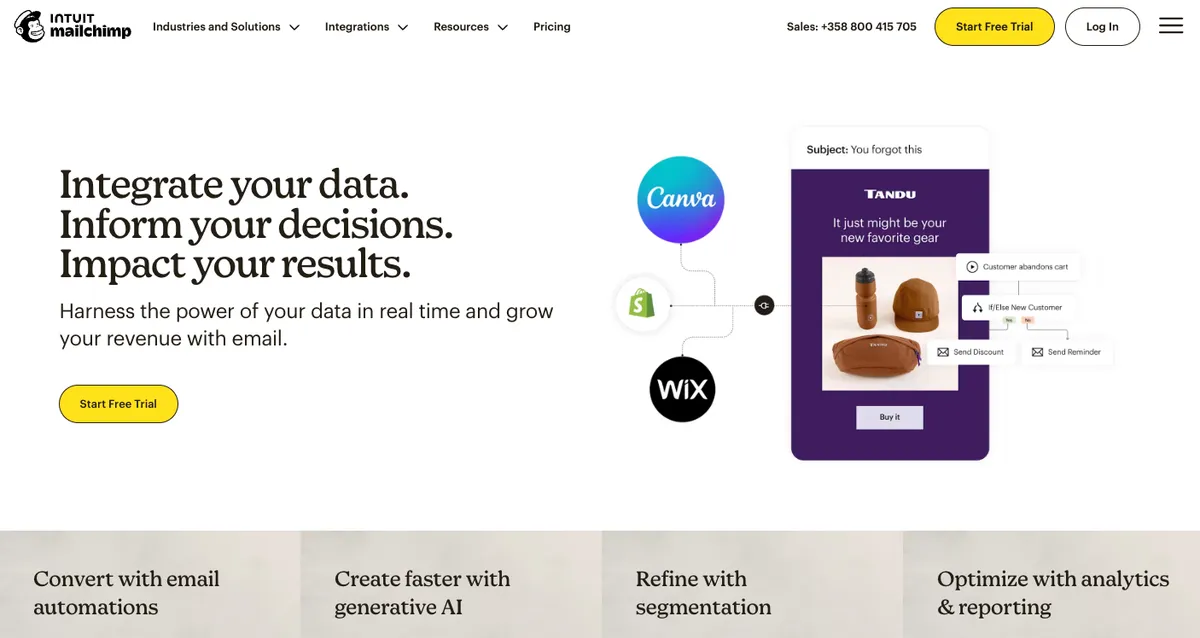
Mailchimp is an email marketing platform owned by Intuit that offers automation, AI tools, and integrations. While it has name recognition and solid deliverability, the pricing has become aggressive and better alternatives exist. Most businesses should consider Brevo instead.
Mailchimp feels like a platform coasting on past reputation while charging premium prices for features you can get elsewhere for less.
Who It's For
Who Mailchimp is for (and who it isn't)
✓Best for
- +Enterprise Teams Large organizations that need unlimited contacts and can afford premium pricing with dedicated support.
- +Intuit Ecosystem Users Businesses already using QuickBooks who want tight integration with their accounting software.
- +Design-Heavy Brands Companies that need extensive template customization and have resources for complex email designs.
- +Multi-Channel Marketers Teams running coordinated email and SMS campaigns with significant marketing budgets.
- +Established e-commerce brands with 50K+ contacts and dedicated marketing teams Premium plan's unlimited contacts and advanced segmentation can handle complex product catalogs and customer journeys, plus the Intuit ecosystem integration helps with financial reporting.
- +Marketing agencies managing multiple client accounts with varying needs Multi-user permissions and client billing features make account management easier, while the brand recognition helps with client confidence.
✗Skip this if
- −Small Businesses Pricing becomes expensive quickly as your list grows, with better value alternatives available.
- −Budget-Conscious Users Monthly costs can easily reach $50-100+ for modest list sizes when competitors offer more for less.
- −New Email Marketers The interface has become more complex over time, making it less beginner-friendly than simpler alternatives.
- −High-Volume Senders Send limits are restrictive compared to other platforms, and overages add up fast.
- −Data-Driven Marketers Analytics and reporting features lag behind more modern email marketing platforms.
- −Solo creators and bloggers building their first email list The 500-send monthly limit on the free plan is restrictive, and the interface complexity is overwhelming for simple newsletter needsTry MailerLite →
- −SaaS startups needing behavioral automation and lifecycle emails Automation capabilities lag behind specialist tools, and the pricing becomes expensive quickly as you scaleTry Drip →
- −Local businesses sending monthly newsletters to under 2,000 customers Paying £9.68/month for features they'll never use when simpler, cheaper alternatives existTry Moosend →
Consider instead
 ActiveCampaign
 MailerLite
 Klaviyo
Features
What can Mailchimp do?
Going through the email builder, Mailchimp offers a solid drag-and-drop interface with plenty of template options. The editor handles basic design needs well, though it can feel dated compared to newer platforms. Custom HTML editing is available for users who need more control over their designs.
The automation features work as expected, with standard workflows like welcome series and abandoned cart emails. Setting up automations is straightforward, but the interface feels cluttered with options that many small businesses don't need. The predictive analytics feature promises to identify your best customers, though in practice it often just highlights obvious patterns.
Integrations are comprehensive, covering major e-commerce platforms, CRMs, and social media tools. The Shopify integration is particularly strong, automatically syncing customer data and purchase history. However, many of these integrations require paid plans, limiting their usefulness for smaller businesses.
Where Mailchimp falls short is in modern features that competitors offer as standard. The analytics dashboard feels basic compared to platforms like ConvertKit or even Brevo, and the mobile app experience lags behind more recent email marketing tools.
Email Campaign Creation
Automation & Workflows
Audience Management
Analytics & Reporting
Integrations & Tools
UX & Support
Is Mailchimp easy to use?
After testing the platform extensively, the user experience feels like it's trying to be too many things at once. The dashboard is packed with features, making it overwhelming for new users who just want to send newsletters. Navigation requires more clicks than it should, and finding specific settings often involves hunting through multiple menus.
The onboarding process includes guided tutorials, but they focus heavily on upselling premium features rather than helping you succeed with your current plan. Setting up your first campaign involves multiple steps that could be streamlined, especially compared to more modern alternatives.
Support quality varies significantly by plan level. Free and lower-tier users are limited to email support with slow response times. Phone support is only available on higher-tier plans, and even then, representatives often seem focused on upselling rather than solving problems. The knowledge base is comprehensive but can be hard to navigate when you need quick answers.
Pricing
How much does Mailchimp cost?
Mailchimp starts at From $13/mo. That's 13% below median for Email Marketing tools. A free plan is available.

Mailchimp Pricing Analysis
vs. 36 email marketing toolsBelow median for email marketing tools

Cheaper than 68% of email marketing tools on That Marketing Buddy's database. Mailchimp also offers a free plan.
Mailchimp starts with a free plan limited to 250 contacts and 500 sends per month. The Essentials plan begins at $13/month for 500 contacts, Standard at $20/month, and Premium at $350/month for 10,000 contacts. These prices increase rapidly as your contact list grows - a 5,000-contact Standard plan costs $75/month.
The pricing structure becomes problematic because essential features like automation and A/B testing require paid plans, and costs escalate quickly with list growth. Many competitors offer similar features for 30-50% less, making Mailchimp's value proposition questionable for most small businesses.
Overage fees add another concern. If you exceed your contact limit or send allocation, additional charges apply automatically. These overages can create unexpected billing surprises, especially for businesses with fluctuating list sizes or seasonal sending patterns.
Price at scale (contacts)
| Plan | 500 | 5K | 10K | 50K | 100K |
|---|---|---|---|---|---|
| Free | $0 | — | — | — | — |
| Essentials | $13 | $75 | $110 | $385 | $385 |
| Standard | $20 | $100 | $135 | $450 | $800 |
| Premium | $350 | $350 | $350 | $815 | $1025 |
External Ratings
What 32,723 reviewers say
Aggregated from 3 platforms
Mailchimp holds a 4.3/5 average rating across 32,723 reviews on G2, Capterra, TrustRadius.
"The pricing has gotten out of hand. We're paying $200/month for features that other platforms offer for $50."
G2"Customer service is terrible unless you're on the premium plan. Took weeks to get basic questions answered."
Capterra"Interface is cluttered and overwhelming. Took our team months to figure out basic automation workflows."
G2"Switched to Brevo and saved $150/month while getting better features. Should have done it sooner."
Reddit"Good deliverability but everything else feels dated. The mobile app is particularly bad."
G2AI & Tech Stack
Does Mailchimp fit your AI stack?
What AI Can't Replace
Mailchimp owns your email deliverability infrastructure, list hygiene, and compliance guardrails that no AI can replicate. The tool handles bounce management, spam scoring, authentication protocols (SPF, DKIM, DMARC), and ISP relationships that directly impact whether your emails land in inboxes or spam folders. AI can write better copy, but it cannot guarantee delivery.
Where AI Is Catching Up
Segment-based automation and basic email content generation are vulnerable. Claude or ChatGPT can now write email sequences, analyze open rates via API, and suggest audience splits better than Mailchimp's built-in intelligence tools.
The real risk is in the editing and optimization layer, where AI agents could eventually bypass Mailchimp's template editor to generate and test variations autonomously using your API access.
API & Integrations
Mailchimp's API is solid and well-documented with good rate limits for most use cases. Native Zapier and Make support means you can connect it to your entire marketing stack without writing code. You can trigger automations from other tools, sync audiences bidirectionally, and pull reporting data, though the API response times occasionally lag during peak sending periods.
MCP & CLI
Mailchimp has an MCP server available (damientilman/mailchimp-mcp-server) which lets you integrate it into Claude Desktop and Cursor for natural language access to lists, campaigns, and automations. There is no official CLI tool, so your workaround is the API directly or the MCP server for AI-assisted workflows.
Stack Verdict
Mailchimp is the email infrastructure bedrock you build everything else around, not the tool you replace with AI, though its automation and content layers are increasingly exposed to competition.
Connects with
Security
Downsides
What's wrong with Mailchimp
Expensive Scaling
Costs increase rapidly with list growth, making it unaffordable for many growing businesses.
Feature Restrictions
Basic features like automation require paid plans, unlike many competitors who include them free.
Complex Interface
Dashboard is cluttered and overwhelming, especially for users who just need basic email marketing.
Poor Support for Lower Tiers
Email-only support with slow response times unless you pay for premium plans.
Send Limits
Monthly send limits are restrictive compared to competitors, with expensive overage fees.
Outdated Mobile Experience
Mobile app and responsive features lag behind more modern email marketing platforms.
Buddy's Take
The combination of rising prices, feature restrictions on lower tiers, and better-value competitors has eroded Mailchimp's position. For existing users, the switching cost might justify staying. For new users, it's a hard sell.
European & GDPR
Want an EU-hosted option instead? Here are the European alternatives to Mailchimp on EuropeanMartech.
FAQ
Frequently asked questions about Mailchimp
Yes, but only for 250 contacts and 500 emails per month. Most businesses outgrow this quickly and need paid plans.
After Intuit's acquisition, pricing has increased significantly. The platform targets larger businesses willing to pay premium prices.
Brevo offers similar features with better pricing and unlimited contacts on paid plans. ConvertKit is great for creators.
Yes, you can export your contacts and import them to other platforms. Most alternatives offer free migration assistance.
Yes, deliverability rates are solid at 95%+. However, other platforms like Brevo achieve similar rates at lower costs.
Generally no. The pricing becomes prohibitive quickly, and better alternatives exist for small business budgets.
You'll be charged overage fees automatically, which can create unexpected billing surprises on your account.
Yes, it has excellent Shopify integration. However, platforms like Brevo also integrate well at lower costs.
The pricing structure is punishing for growing businesses, with massive jumps that don't match the value delivered.
Mailchimp is best for: Established e-commerce brands with 50K+ contacts and dedicated marketing teams; Marketing agencies managing multiple client accounts with varying needs.
MCP server available, making Mailchimp directly accessible from Claude Desktop, Cursor, and other AI coding tools. REST API adds a second automation path for custom AI workflows.
Getting data out is possible but more complicated than it should be, while getting in is reasonably straightforward.
Mailchimp starts from From $13/mo. A free plan is available. There is a 14-day free trial.
Sources & References (5)
Ready to try a better alternative?
Get better features for less than half the price
Try ActiveCampaign →More on Mailchimp
Read Next



Joonas Rotko
Author & founder of That Marketing Buddy
I score marketing software for AI-stack fit (MCP, API, agent-readiness), backed by 10+ years in digital marketing.
This page may contain affiliate links. I earn a commission at no extra cost to you. This never influences ratings.