


Joonas Rotko · Founder, That Marketing Buddy
I assess marketing software through 10+ years of agency work, current product research, buyer needs, competing tools and total cost.
How this review was prepared
I researched SocialPilot's current public product, pricing and technical documentation on 2026-09-15. I have not treated vendor claims as hands-on results, and I have not invented performance from features I have not personally tested.
This page may include affiliate links, meaning I may earn a commission if you sign up (at no extra cost to you).
The Verdict
Is SocialPilot right for you?
SocialPilot fits agencies better than its $20 entry plan suggests.
Essentials covers five social accounts for one user. Standard covers ten accounts and three users at $40/month. Premium is the practical agency tier at $100 because it adds 20 accounts, six users and unlimited client seats.
The fixed allowances make budgeting clear, but a team should map every client network and collaborator before deciding whether Premium or Ultimate is required.
Who It's For
Who SocialPilot is for (and who it isn't)
✓ Best for
- +Small agencies managing client approvals. Premium includes unlimited client seats and enough staff access for a compact delivery team.
- +Teams wanting fixed capacity. Each tier states its accounts, users and AI credits rather than charging separately for every collaborator.
- +Agencies connecting AI-assisted workflows. An authenticated MCP endpoint can connect supported assistant clients.
× Consider something else if
- −Ease and per-channel flexibility matter most. Consider it when a small roster values a cleaner interface, unlimited Team users and granular channel billing.Try Buffer →
- −Developers need API-first publishing. Consider it when social publishing belongs inside a custom application or automation layer.Try Zernio →
- −AI media generation is the bottleneck. Consider it when creating and repurposing content matters more than client reporting and seats.Try Blotato →
What You Can Do
What can SocialPilot do?
Organise accounts across clients
Group social accounts and give staff only the access they need. Count every network connection before selecting the plan.
Draft, approve and schedule
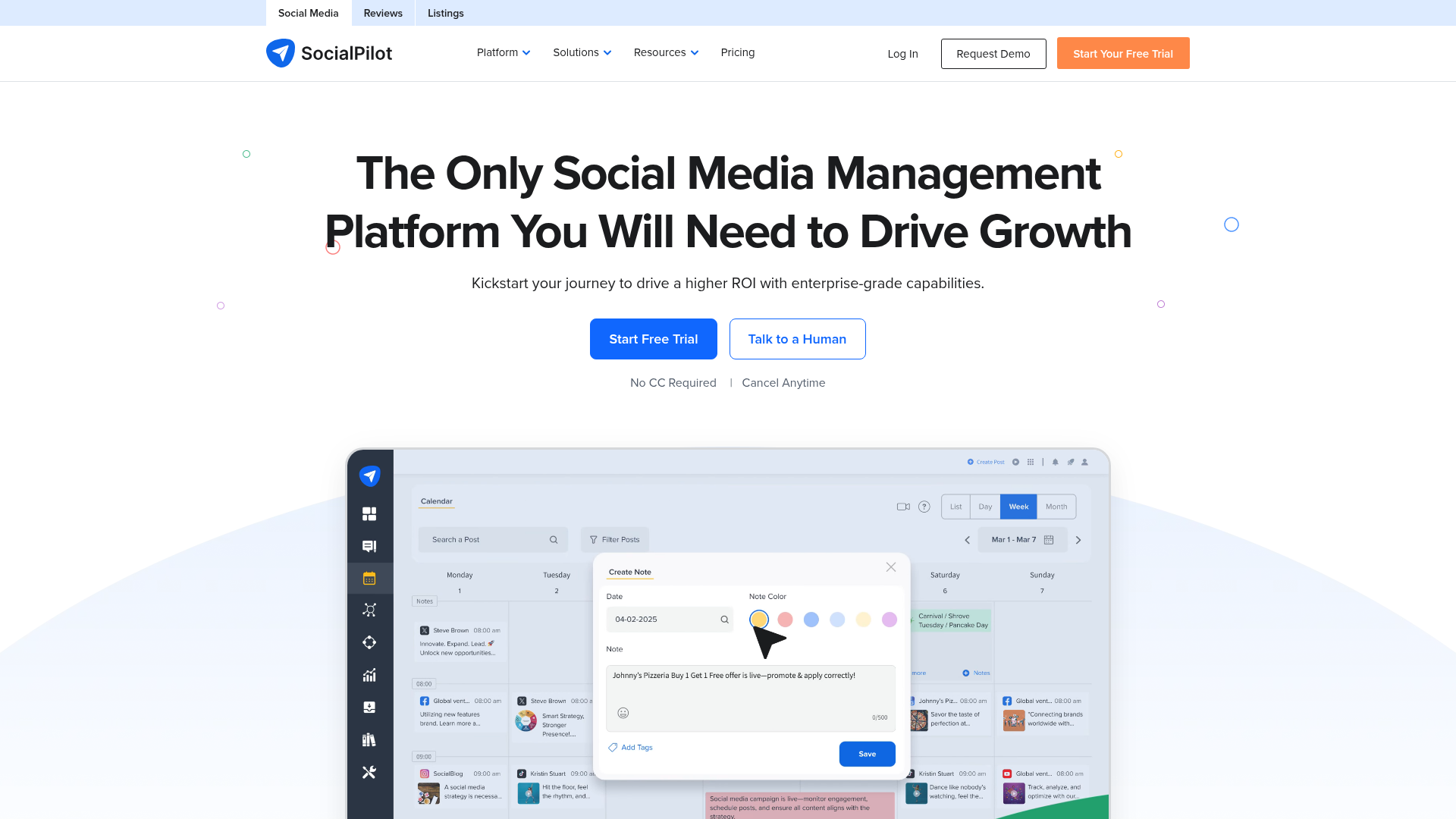
Move content through team and client review before publishing. Test late edits and rejected posts rather than only the happy path.
Report performance to clients
Premium provides client-facing collaboration and historical data. Reports still need an agency recommendation tied to business outcomes.
Use AI and MCP with controls
AI credits can assist creation and MCP can connect supported assistants. Keep publishing and account changes behind approval.
AI, API & MCP
How SocialPilot uses AI and automation
SocialPilot's official MCP server can draft, schedule, and publish social posts across seven platforms, alongside a separate OAuth-authenticated REST API for analytics and account management.
AI agent workflow
Drafting a week of posts from a blog article
An agent turns a blog article into a week of social posts and schedules them as drafts across connected Facebook, X, LinkedIn, Instagram, Pinterest, Threads, and Bluesky accounts, leaving a human to review and approve before anything goes live. The REST API's analytics endpoints can separately feed a scheduled reporting job that pulls post performance and mentions into a client dashboard.
Approval boundary: Because the MCP server can publish directly to public accounts, the safer default is to have the agent create drafts or scheduled-but-unapproved posts and require a human to confirm before anything actually goes live. SocialPilot's own workflow supports both draft-and-review and direct publish, so the mode chosen is the real control point, not a separate gate on top of it.
MCP
officialWrite access to posting across seven networks
SocialPilot's MCP server at mcp.socialpilot.co is available on every Claude plan including the free connector tier, though ChatGPT requires a paid SocialPilot plan. It can schedule and publish posts to Facebook, X, LinkedIn, Instagram, Pinterest, Threads, and Bluesky, or save them as drafts for review, plus read account rosters, client groups, scheduled posts, and delivery status. No published numeric rate limits were found.
SocialPilot MCP Server product update →API
officialOAuth API for groups and analytics
SocialPilot's API uses OAuth 2.0, where an app registered under the account exchanges credentials for a per-user access token, and covers group management and analytics data including insights, posts, and mentions. Rate limits and plan gating aren't published in available sources, and the documentation domain wasn't reachable during this review.
SocialPilot API docs entry point →Pricing
How much does SocialPilot cost?
The published entry plan starts at $20/month. For this review's professional buyer, the practical starting point is $100/month before users and add-ons. No free plan, but there’s a 14-day free trial.
| Plan | Monthly |
|---|---|
| Essentials | $20/mo |
| Standard | $40/mo |
| PremiumPopular | $100/mo |
| Ultimate | $200/mo |
Essentials costs $20/month for five accounts and one user. Standard is $40 for ten accounts and three users. Premium is $100 for 20 accounts, six users and unlimited client seats. Ultimate is $200 for 40 accounts and unlimited users. Annual billing saves 15%.
Premium is the first client tier
Unlimited client seats appear on Premium, making it the realistic agency baseline.
Count networks and staff separately
A five-client agency can exceed 20 social accounts long before it needs more than six internal users.
Extra Standard users cost more
Standard lists additional users at $5/month, so compare the upgrade before stacking seats.
Alternatives
When I'd choose something else
Three different buying priorities, and what I'd pick instead for each one.
Best direct alternative

Buffer
Choose Buffer when a small roster values a cleaner interface, unlimited Team users and granular channel billing.
Trade-off: A broad roster can make per-channel totals harder to predict.
Explore Buffer for this use case →Best for a different workflow

Zernio
Choose Zernio when social publishing belongs inside a custom application or automation layer.
Trade-off: It provides less packaged client collaboration.
Explore Zernio for this use case →Best if the scope is wrong

Blotato
Choose Blotato when creating and repurposing content matters more than client reporting and seats.
Trade-off: Its agency tier is more expensive and output needs stricter review.
Explore Blotato for this use case →Downsides
Limitations to consider before subscribing
Client seats start high in the ladder
Premium is the first practical plan for formal client collaboration.
Account caps can force tier jumps
Each connected network counts toward the allowance.
AI credits do not remove review work
Generated copy still needs brand, claim and channel checks.
My Recommendation
My recommendation for SocialPilot
Shortlist SocialPilot when a small agency needs defined account capacity, client approvals and reporting in one social workflow.
Choose Buffer for a smaller flexible roster, Zernio for custom infrastructure or Blotato for generation-heavy production.
What to check during the trial
- –Map every client network to the account allowance
- –Invite an internal user and a client reviewer
- –Run a rejected post through revision
- –Export a report with real data
- –Connect MCP with publishing approval disabled first
FAQ
Frequently asked questions about SocialPilot
Premium is the practical agency tier because it includes 20 social accounts, six users and unlimited client seats. It costs $100/month or $85/month billed annually.
Yes. SocialPilot advertises a 14-day trial without requiring a credit card.
Yes. Its authenticated MCP endpoint can connect supported clients. Confirm the available actions and keep publishing behind approval.