
This page may contain affiliate links.
Some links on this page are affiliate links, meaning I may earn a commission if you sign up (at no extra cost to you). This never influences my ratings or recommendations.
The Verdict
Is Crush right for you?
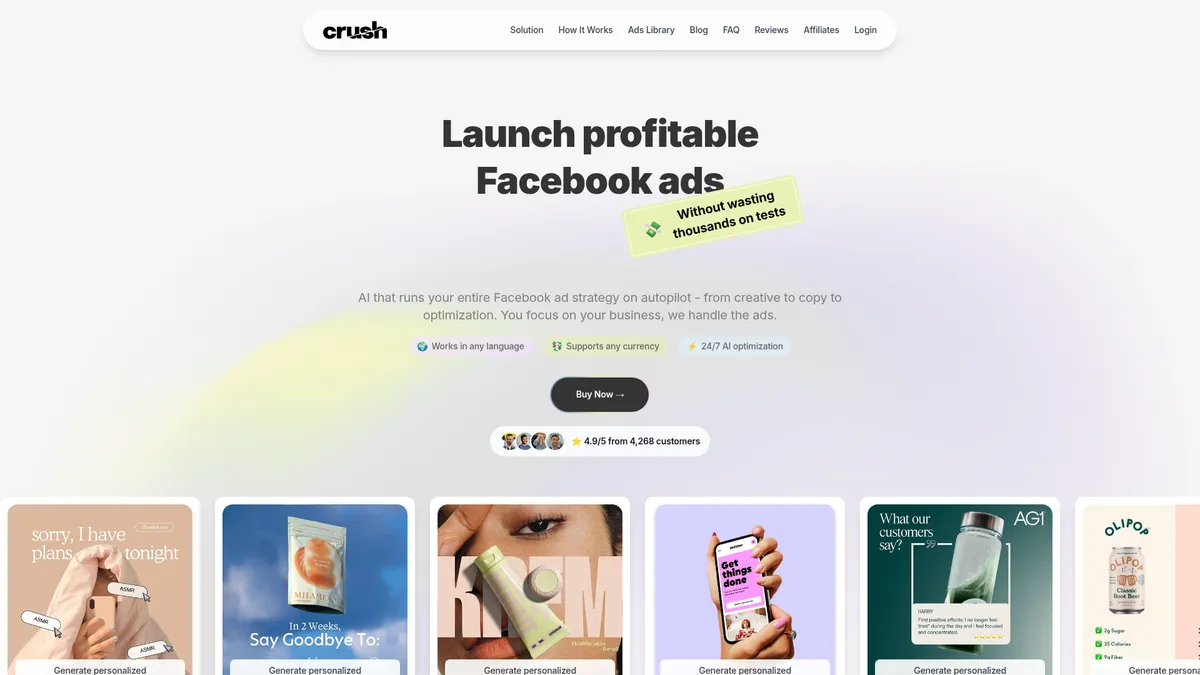
Crush replaces the Meta ads workflow end to end. It finds what your competitors are running, builds the creative from the ads you pick, and manages bidding and budget once the campaign is live. It is a standalone tool rather than something you wire into a stack, and for this job that is the right shape.
Crush is a standalone Meta ads platform. It pulls live competitor ads in your category, generates creative from the ones you choose, then runs the bidding and budget once you connect an ad account. The competitor library is the strongest part and it works before you spend anything.
Plan on real setup time, because the defaults produce weak creative and the good output only comes once you pick your own source ads and fix the brand details. Budget for $79.95/month once the intro period ends.
The competitor library is the reason to buy this. Seeing which ads are live in your category, how long they have run and roughly what reach they pull tells you more about what works than any amount of guessing.
Why I'm covering this
I am covering Crush because it claims full autopilot control over Facebook ad copy, creative, and budget, a rare claim in paid-ads software, though the $29.95 price it advertises renews at $79.95 once the intro term ends.
Who It's For
Who Crush is for (and who it isn't)
✓Best for
- +Solo DTC Founders With No Media Buyer Running first Facebook campaigns without hiring an agency, and comfortable letting AI generate creative, copy, and audience tests automatically.
- +Non-English-Market Sellers Multi-language ad copy generation and multi-currency budget handling matter if you're selling outside the US or UK.
- +Marketers Wanting Competitor Ad Intelligence A built-in library of niche competitor ads updated daily replaces the need for a separate ad-spy subscription.
- +Founders Testing Offer-Market Fit The analysis feature flags pricing, offer, or website issues alongside ad performance, not just campaign metrics.
- +Solo DTC/ecommerce founders spending under $3K/month on Facebook and Instagram ads Crush is priced and positioned as an alternative to hiring an agency, and its autopilot model fits someone who wants to skip manual campaign management entirely.
- +Small business owners who've wasted ad spend testing audiences manually The automated testing of 50+ audience combinations addresses the exact pain point the homepage calls out: burning budget on guesswork.
- +Non-designer marketers who need ad creative without hiring a design team Built-in creative generation in any language removes the need for a dedicated designer or copywriter for Meta ad campaigns.
- +Freelance marketers managing a handful of Meta ad accounts The one-click Facebook connection and 24/7 budget optimization suit someone managing a small number of accounts without a media-buying team.
✗Skip this if
- −Multi-Channel Advertisers Crush is Facebook-focused; nothing in the product materials points to Google, TikTok, or LinkedIn ad management.
- −Agencies Managing Multiple Client Accounts No client dashboards, white-label reporting, or seat-based multi-tenant features are documented.
- −Buyers Expecting the Advertised $29.95 Rate to Stick The checkout fine print bills $79.95/month after the intro period ends, so budget for that number, not the homepage number.
- −Anyone Wanting to Test Free Before Paying No free plan and no free trial; only a 14-day money-back guarantee after you've already paid.
- −Agencies or brands running paid campaigns across Google, TikTok, and LinkedIn in addition to Meta Crush's entire feature set is scoped to Facebook and Instagram Ads, so multi-platform advertisers will need a broader marketing suite.Try GoHighLevel →
- −Marketing teams that need granular manual control over targeting and bidding decisions Crush runs as a closed AI autopilot with no exposed rules or workflow editor, which won't satisfy teams who want to inspect and adjust every targeting decision.Try AIclicks →
- −Enterprise marketing teams needing multi-user permissions and client-level reporting There's no mention of team seats, role permissions, or white-label reporting, so larger teams or agencies managing multiple clients will outgrow it quickly.Try HubSpot →
Features
What can Crush do?
The AI copywriting and creative generation is the entry point: Crush claims it can produce ad copy and visuals in any language, without a designer, based on patterns from the ad spend it says it has managed. Whether that output beats a human copywriter for your specific niche isn't something I can confirm from the product materials alone.
Audience targeting works by testing more than 50 audience combinations automatically, then handing off to the budget optimization layer, which the company says runs 24/7 and adjusts spend in any currency, scaling winners and killing underperforming ad sets. This is the core autopilot loop the product is built around.
The competitor intelligence feature is a differentiator worth calling out separately: a daily-updated feed of active ads from brands in your niche, tagged as trending with reach and engagement estimates attached. It's the kind of feature usually sold as its own tool, bundled here into the dashboard.
The conversion diagnostics piece goes further than most ad automation tools by flagging pricing, offer, or website issues that might be capping conversion rate, not just tuning the campaign around a broken funnel. If your landing page is the actual problem, a look at the sales funnel and landing page guide might matter more than any ad tool.
The Product I Ran Through Crush: Swappie
Everything below comes from one product. Swappie is a Finnish company that sells refurbished iPhones with a 12-month warranty and 14-day returns, and it is a good stress test for this kind of tool: a real ecommerce catalogue, a brand with actual colours and a wordmark, and a category crowded with competitors already advertising hard on Meta.
I pointed Crush at Swappie's English site and one product page, then let it pull the brand details itself: name, colours, product description, warranty terms, competitors and category keywords. Every screenshot from here on is that account, and every ad below is Crush generating for Swappie's refurbished iPhones.
My First Ad Was Bad, and That Was My Fault
I did what most people will do on day one. I let Crush pick a source ad for me, left the extracted brand details as they came out of the scan, and hit generate. The result was the kind of image you scroll past without registering: a stock-looking cropped torso holding a generic handset, with a FREE WARRANTY badge in the corner that Swappie has never offered.
Nothing in that ad is Swappie's. No logo, no product photo, no brand colour doing any work. The one fact it got right, the 12-month warranty, it wrapped in a claim the brand never makes. If I had approved that, it would have been my mistake, not the tool's.
The Second Attempt Is a Different Product
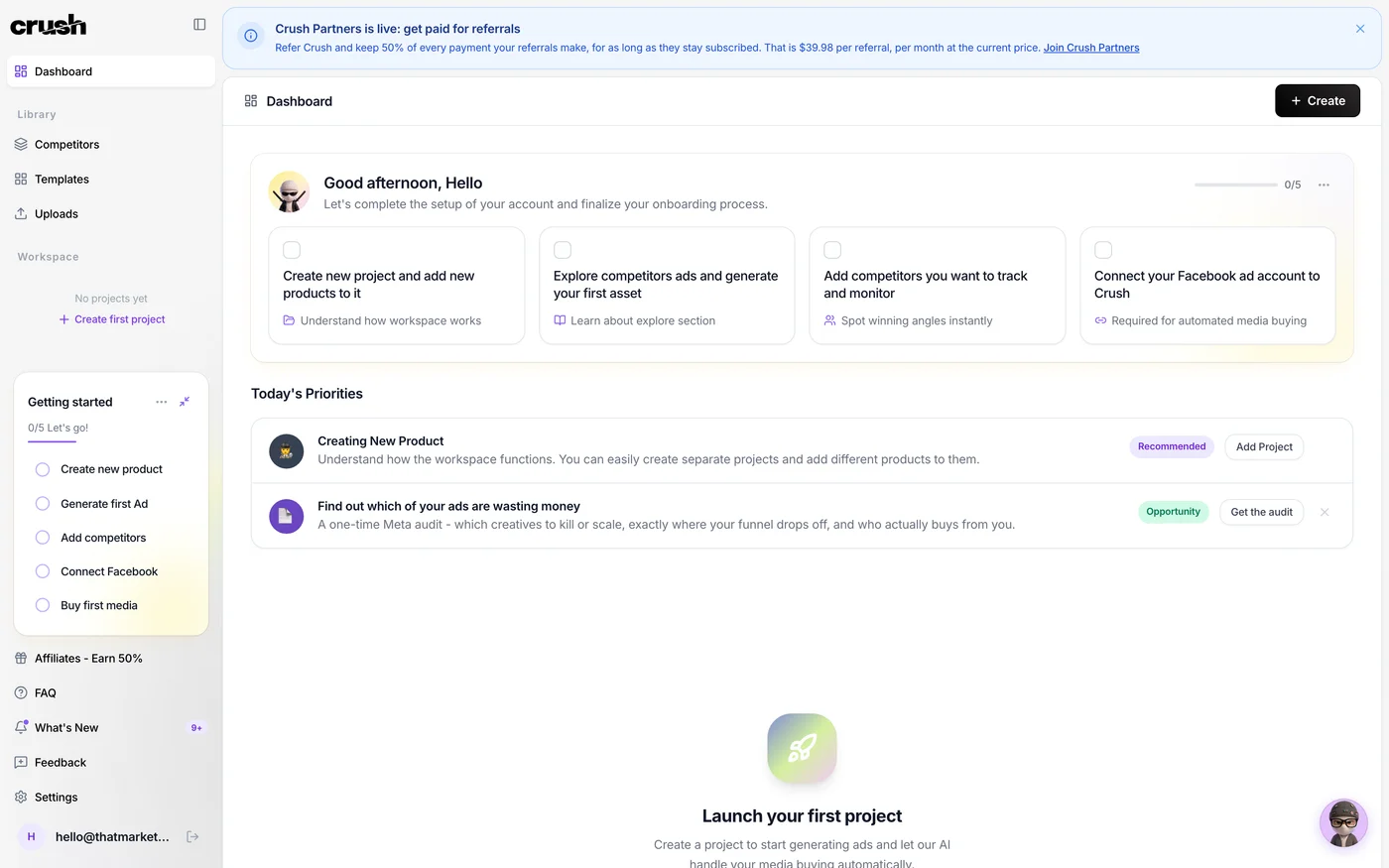
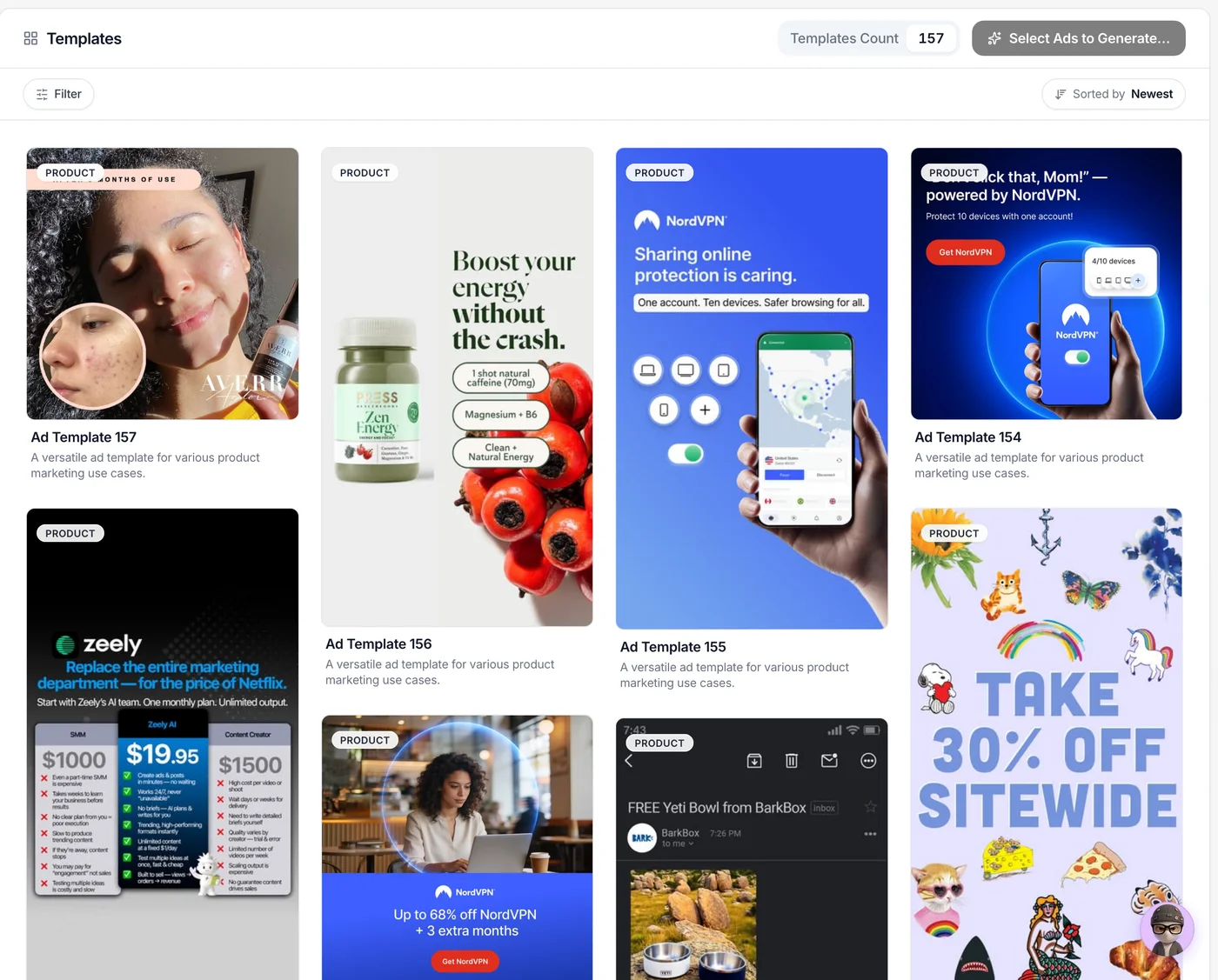
So I changed the approach. Instead of accepting a suggested source, I went into the gallery and picked an ad I actually liked the look of, a clean Apple-style lineup shot with three phones on white. Then I filled in the brand details properly rather than leaving the scan's first guess in place.
Same tool, same product, sixty seconds. This is what came back.
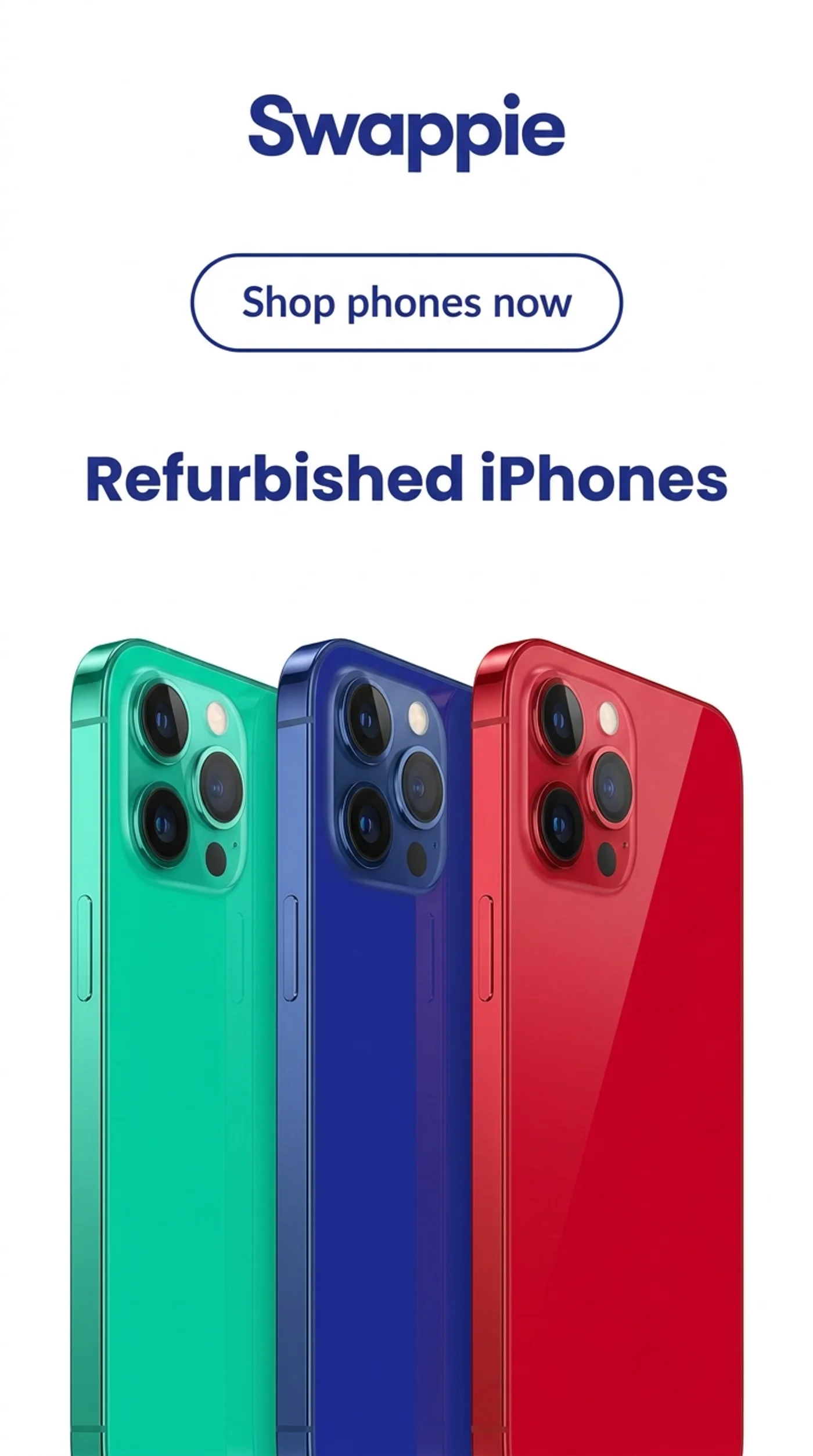
That is a usable ad. The wordmark is right, the blue is Swappie's, the call to action makes sense, and the phones read as the product instead of a stock prop. The gap between the two images is not the AI getting better. It is the difference between accepting defaults and doing fifteen minutes of setup.
What to Get Right Before You Generate
Pick the logo yourself and check it lands on a background that suits it. Upload your own product photography if you have any, because the generated phones here are still rendered rather than real, and your own shots will always beat them. Set the brand colours and fonts rather than trusting the extraction, which filled Swappie's Core Offer field with a generic product line instead of an actual offer.
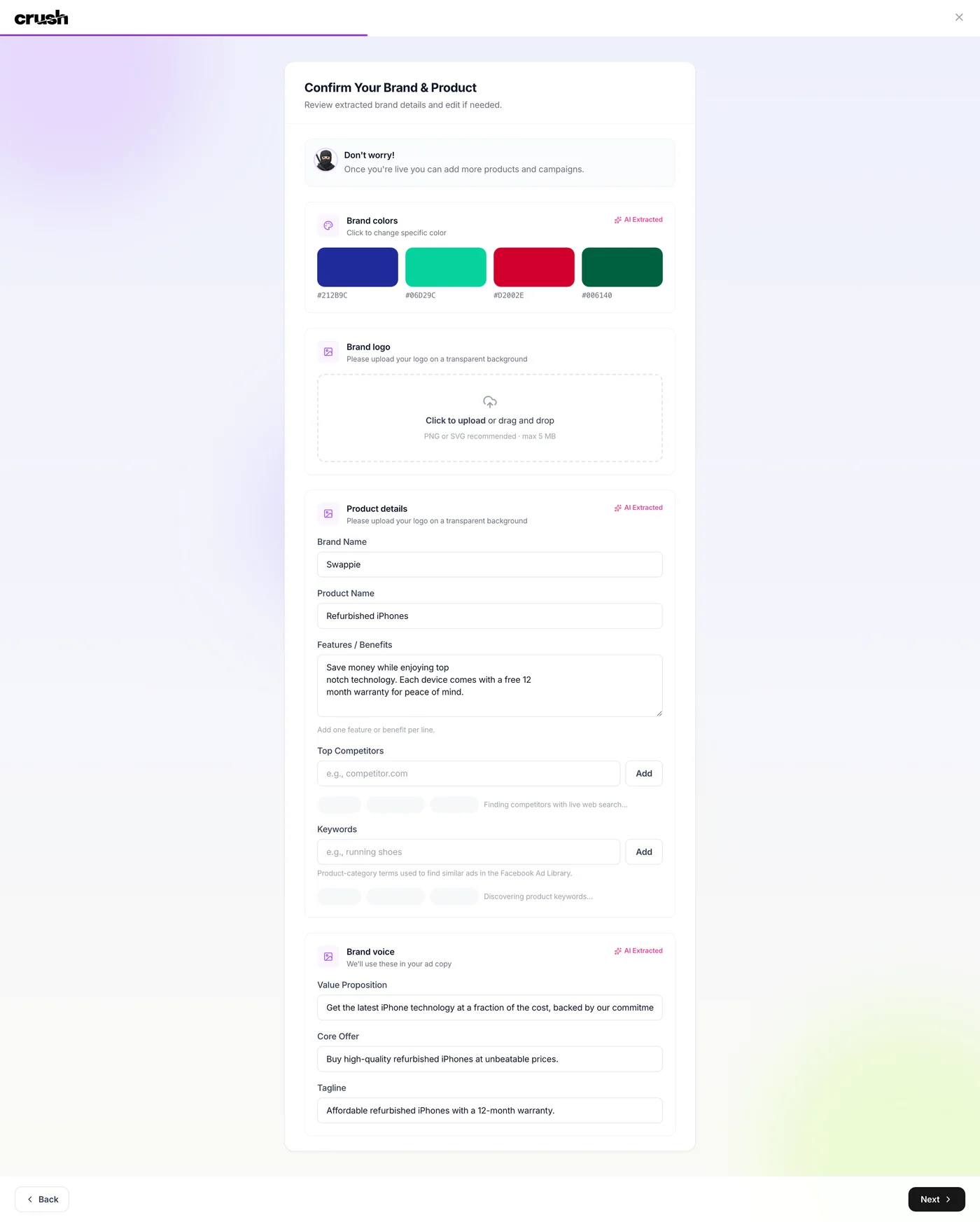
Check the competitors too. Crush suggested a sensible list on its own and pulled 248 live ads for the refurbished phone category, including 26 from Back Market and 52 from Apple. Sensible is not the same as right. The suggestions are a starting point, and you should add the brands you are genuinely losing customers to and drop the ones that are not really competing with you.
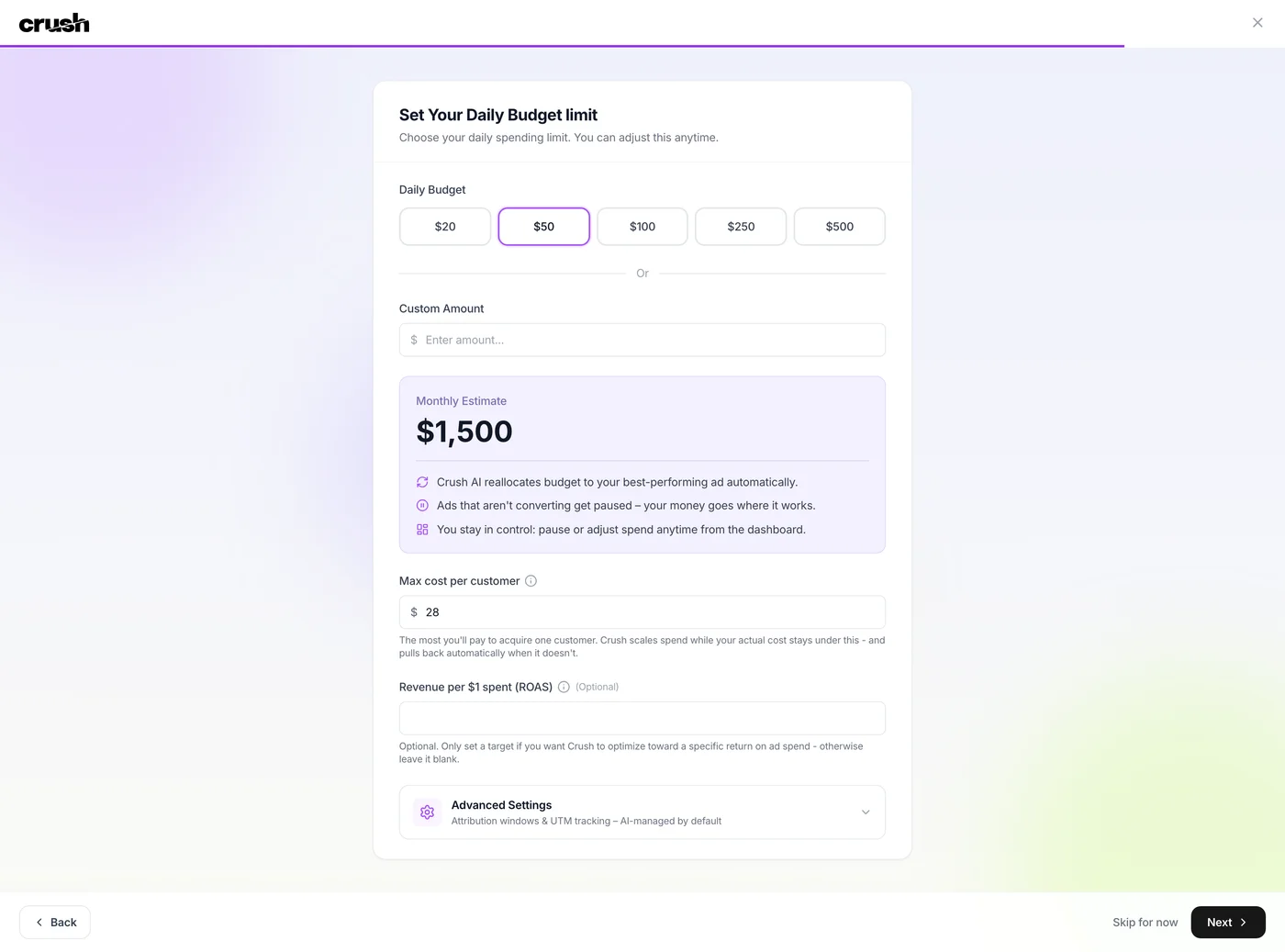
Then pick the ads you like from the gallery, generate against those, and the tool does what it promises. After that it is the ordinary campaign setup: connect the Meta ad account, set the budget, choose the goal, set targeting, and you are ready to run.
The Competitor Library Is the Best Part
If I had to keep one feature, it would be the spying. Crush pulls live ads in your category and shows you what is running, how long it has been up, and roughly what reach it is getting. That tells you which angles are working before you spend anything, and it works without connecting an ad account. The obvious use is copying what already converts. The better use is reading the pattern across a category and then making something none of them have thought of yet.
AI Ad Creation
Audience & Targeting
Budget Optimization
Competitor Intelligence
Conversion Diagnostics
UX & Support
Is Crush easy to use?
Based on Crush's own product walkthrough, onboarding runs through a five-minute quiz covering goals, pricing, and product details, followed by a two-click Facebook Ads connection, with the company stating campaigns can go live in under an hour.
Support channels and typical response times aren't detailed in the materials I reviewed, so I'd verify support quality directly with the vendor before committing to a multi-week plan. The main ongoing touchpoint appears to be notifications when the AI identifies a winning ad set, rather than a manual campaign-builder interface you'd need to learn.
Pricing
How much does Crush cost?
Crush starts at $79.95/mo. That's at category median for Paid Ads & Ad Creation tools.
Crush's pricing page displays $29.95 per month, but that figure is an intro rate, not an ongoing one. The three published options are a 2-Week Trial at $19.95, a 4-Week Plan at $29.95 (marked Most Popular), and an 8-Week Plan at $49.95. Each is a one-off charge covering that term. When the term ends, every one of them rolls onto the same $79.95/month recurring rate.
There's no free plan and no free trial in the usual sense; you pay from the first charge, with a 14-day money-back guarantee as the only safety net. The 50% affiliate commission Crush pays out, $39.98 per referral, is calculated against the $79.95 rate rather than the advertised $29.95, which is a good tell for what the company actually expects customers to pay long-term.
$79.95/month recurring is not unreasonable for a tool that generates creative and manages bidding on its own. The issue is presentation: the headline number is the one you see everywhere, and the renewal rate appears only in the fine print under the checkout button. Read that line before you enter a card, because it is the number you will pay from week five onward.
| Plan | Monthly |
|---|---|
| 2-Week Trial | $19.95/mo |
| 4-Week Plan (Recommended) | $29.95/mo |
| 8-Week Plan | $49.95/mo |
Downsides
What's wrong with Crush
The Headline Price Is an Intro Rate
The homepage advertises $29.95/month. That buys four weeks. After the intro term, every plan renews at $79.95/month, roughly 2.7x the advertised figure. Crush does disclose this in the fine print under the checkout button, but anyone budgeting from the headline alone will be surprised by the second charge.
Facebook-Only
Everything in the product materials points to Facebook Ads specifically; there's no mention of Google, TikTok, or other ad channels, so multi-channel advertisers will need a separate tool for the rest of their spend.
No Free Plan or Free Trial
You pay from the first charge; the only protection is a 14-day money-back guarantee, a shorter window than many advertisers would want for judging whether an autopilot tool finds a profitable audience for their product.
Young Company, Short Track Record
The example ad case studies on Crush's own homepage are dated from July 2025 onward, meaning the platform has a limited operating history to judge long-term reliability against.
No Documented API or MCP Server
Nothing in Crush's public materials points to an API or MCP server, so there's no way to connect it to a broader automation stack; it's designed to run as a standalone dashboard.
No Agency or Multi-Client Features Documented
There's no mention of white-label reporting, multi-seat access, or client-switching tools, which matters if you manage ad accounts for more than one business.
Generated Ads Mix Real Facts With Invented Ones
Crush builds creatives from data it scrapes off your site, and it does not distinguish what it extracted from what it wrote. In my runs it got a warranty term and brand colours exactly right, then added an offer framing the brand never made and used a stock product photo instead of the real product. Nothing in the interface flags which claims are sourced, so every generated ad needs a line-by-line check against your own site before launch.
The Defaults Produce Weak Ads
Left to its own choices, Crush generated a creative with no logo, a stock photo, and an offer the brand never made. Everything good I got out of it came after I picked the source ad myself and corrected the brand details. Budget setup time before you judge the output, and treat the first generation as a draft rather than a preview of what the tool can do.
Buddy's Take
None of these rule Crush out for a founder running a first Facebook campaign. But the pricing mismatch alone is reason enough to read the checkout page twice before entering a card number.
FAQ
Frequently asked questions about Crush
The homepage lists $29.95/month, but that's an intro rate for the 4-Week Plan. After the intro period, Crush bills $79.95/month regardless of which of the three plans (2-Week, 4-Week, or 8-Week) you started on. Check the checkout fine print, not just the pricing page headline.
No. There's no free plan and no free trial; you pay starting with your first plan (as low as $19.95 for the 2-Week option), and your only protection is a 14-day money-back guarantee.
Based on the product materials, no. Crush is built specifically around Facebook Ads, and there's no mention of other ad platforms.
Crush's own pitch positions it as a replacement for an agency retainer, handling copy, creative, audience testing, and budget optimization without a human media buyer. Whether it performs at that level for your specific product and market isn't something I can verify beyond the vendor's own claimed 3X average ROAS.
Crush states it works in any language and supports any currency for ad copy generation and budget optimization, which matters if you're advertising outside English-speaking, USD markets.
Yes, Crush offers a 14-day money-back guarantee, which is a shorter window than some competing ad tools, so you'll want to judge campaign performance quickly.
No API or MCP server is documented for Crush. It's built to run as a self-contained dashboard rather than something you connect to other AI or automation tools.
Predictable once you know the real number. Crush is a flat $79.95/month with no seats, no usage metering and no overage, so the software line on your card does not move. What costs it points is the step up from the intro rate, which is easy to miss, and the fact that Crush moves your ad budget on its own once campaigns are live.
Crush is best for: Solo DTC/ecommerce founders spending under $3K/month on Facebook and Instagram ads; Small business owners who've wasted ad spend testing audiences manually; Non-designer marketers who need ad creative without hiring a design team; Freelance marketers managing a handful of Meta ad accounts.
AI is the whole product here, and none of it is exposed through an API, MCP, or webhooks. Read that as the shape of the tool rather than a missing feature. Crush is built to replace the Meta ads workflow on its own, not to act as a component in someone else's stack. If you want something your agents can call, this is the wrong product. If you want the ads handled without you building anything, that is exactly what it is for.
Lower lock-in than it first appears. The campaigns run inside your own Meta ad account, so spend history, audiences and pixel data are yours and stay yours if you cancel. Generated creatives download as ordinary image files. What you would lose is the competitor library and the generation workflow, not your advertising.
Crush starts from $79.95/mo.
Ready to try Crush?
See the actual checkout price before you commit to a plan.
 See Crush Pricing →
Joonas Rotko
Author & founder of That Marketing Buddy
I score marketing software for AI-stack fit (MCP, API, agent-readiness), backed by 10+ years in digital marketing.
This page may contain affiliate links. I earn a commission at no extra cost to you. This never influences ratings.