

Joonas Rotko · Founder, That Marketing Buddy
I have spent 10+ years doing hands-on digital marketing and buying marketing software for my team and clients, and I now score every tool on this site for how well it works with AI agents. Ex Google Premier Partner agency co-owner.
This page may contain affiliate links.
Some links on this page are affiliate links, meaning I may earn a commission if you sign up (at no extra cost to you). This never influences my ratings or recommendations.
The Verdict
Is Campaign Monitor right for you?
Campaign Monitor promises beautiful email marketing without the headaches. After testing their drag-and-drop builder and automation features, I found a platform that delivers on ease of use but comes with a premium price tag.
Campaign Monitor is an email marketing platform that prioritizes design and user experience over complexity. It's perfect for businesses that want professional-looking campaigns without technical hassles. The pricing is steep, but the quality justifies it for most users.
Campaign Monitor trades affordability for polish, and that trade-off works brilliantly if you value time and design quality over saving a few dollars.
Who It's For
Who Campaign Monitor is for (and who it isn't)
✓Best for
- +Design-Focused Businesses Companies that need their emails to look stunning and match their brand perfectly without hiring a designer.
- +Marketing Teams Teams that need collaboration features, template locking, and user permissions to maintain brand consistency.
- +Growing E-commerce Stores Online retailers who want automation for abandoned cart recovery and customer segmentation.
- +Content Publishers Newsletters and media companies that need reliable delivery and detailed engagement analytics.
✗Skip this if
- −Bootstrapped Startups Early-stage companies watching every dollar will find Campaign Monitor's pricing hard to justify.
- −Simple Newsletter Senders If you just need basic email blasts, you're paying for features you won't use.
- −Advanced Marketers Power users who need deep behavioral tracking and complex automation workflows might hit limitations.
- −High-Volume Senders Large lists make Campaign Monitor extremely expensive compared to volume-friendly alternatives.
Consider instead
 ActiveCampaign
 MailerLite
 Klaviyo
Features
What can Campaign Monitor do?
Campaign Monitor's drag-and-drop editor excels in precision and flexibility. Going through the template customization process, you can adjust every element without touching code. The template locking feature is particularly valuable for teams, letting designers control which sections teammates can edit while protecting brand elements.
The automation capabilities strike a nice balance between power and simplicity. The visual journey builder makes it easy to create welcome series, abandoned cart recovery, and re-engagement campaigns. The pre-built journey templates save significant setup time, though advanced marketers might want more complex triggering options.
Campaign Monitor's new AI features add genuine value without feeling gimmicky. The AI Writer helps overcome blank page syndrome, while the AI Email Booster analyzes your campaigns for optimization opportunities. The AI Segment Mapper automatically creates audience segments based on behavior patterns, which saves considerable manual work.
The analytics through Marketing Monitor provide clear, actionable insights without overwhelming detail. The real-time reporting updates as campaigns send, and the engagement scoring helps identify your most valuable subscribers for targeted follow-up campaigns.
Email Design & Templates
Marketing Automation
AI-Powered Features
Analytics & Reporting
List Management
UX & Support
Is Campaign Monitor easy to use?
Setting up Campaign Monitor feels refreshingly straightforward compared to more complex platforms. The onboarding process walks you through creating your first campaign without overwhelming you with options. The interface prioritizes the most common tasks while keeping advanced features accessible when needed.
The template editor deserves special mention for its intuitive design. Dragging elements into place feels natural, and the real-time preview shows exactly how your email will look across devices. The image editor built into the platform eliminates the need for external tools for basic graphic adjustments.
Support quality varies by plan level, with Essentials and Premier users getting priority assistance. The help documentation is comprehensive and includes video tutorials that actually solve common problems. Phone support availability gives peace of mind for urgent issues, though email support typically responds within a few hours during business days.
Pricing
How much does Campaign Monitor cost?
Campaign Monitor starts at From $13/mo. That's 13% below median for Email Marketing. No free plan, but there’s a 30-day free trial.

Campaign Monitor Pricing Analysis
vs. 36 email marketing toolsBelow median for email marketing tools

Cheaper than 68% of email marketing tools on That Marketing Buddy's database.
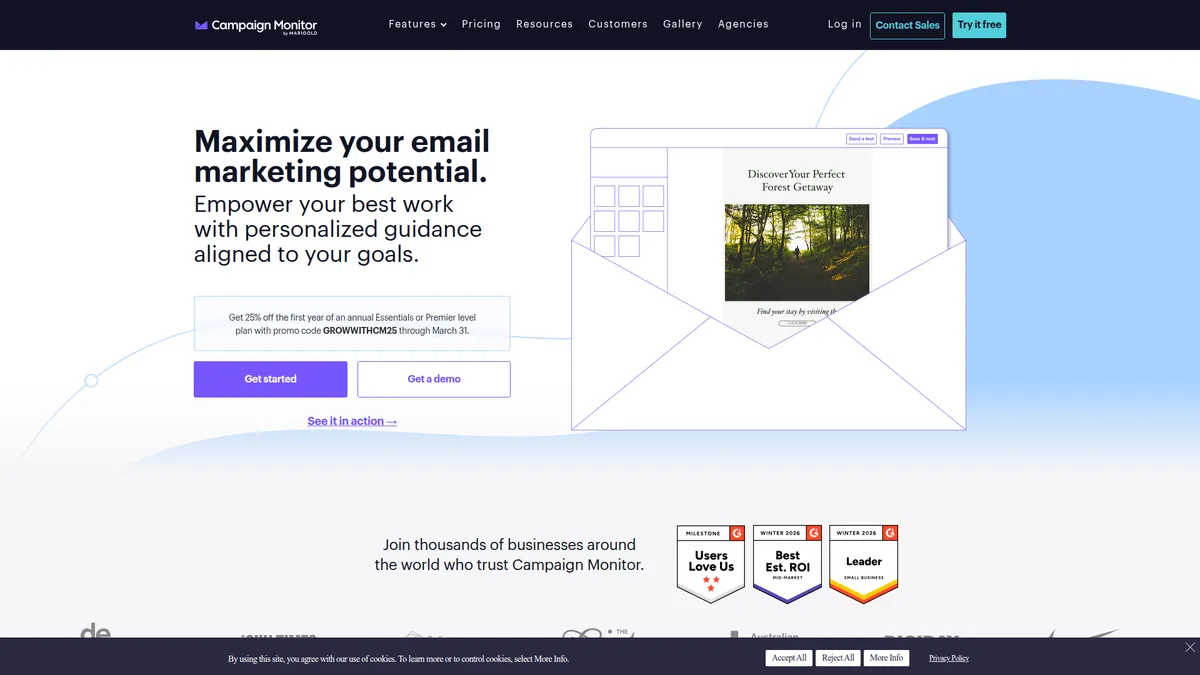
Campaign Monitor starts at $13/month for the Lite plan with 2,500 monthly sends, jumping to $31/month annually for the Essentials plan with unlimited sends. The Premier plan costs $170/month annually and includes advanced features like engagement segments and countdown timers. Currently, new customers get 25% off the first year of Essentials or Premier plans with code GROWWITHCM25 through March 31, 2026.
The pricing structure is straightforward but expensive compared to alternatives. The value comes from the time saved on design and setup, plus the reliability of delivery. For businesses that send frequently, the unlimited sends on Essentials plans provide good value, but growing lists can make Campaign Monitor cost-prohibitive.
The 30-day free trial gives adequate time to test all features, and the free plan allows basic testing though it's quite limited. The pricing transparency is refreshing, with no hidden fees or surprise charges as your list grows.
Price at scale (contacts)
| Plan | 500 | 5K | 10K | 25K | 50K |
|---|---|---|---|---|---|
| Lite | $13 | $75 | $117 | $241 | $397 |
| Essentials | $31 | $117 | $182 | $429 | $644 |
| Premier | $171 | $203 | $300 | $547 | $1074 |
External Ratings
What 966 reviewers say
Aggregated from 2 platforms
Campaign Monitor holds a 4.3/5 average rating across 966 reviews on G2, Capterra.
"Campaign Monitor helped transform us from a small idea to a real company thanks to their user-friendly tools — I honestly could not recommend them enough."
Company website"It made deploying campaign emails and some automations so much easier than when we were with Blackbaud."
Capterra"Despite the company's reputation for providing an efficient and reliable service, I and some of my colleagues have argued that it is a bit pricey for what we actually needed."
Capterra"Good and reasonable tool to monitor traffic. When you get used to it, it is hard to live without it."
Capterra"The reporting interface is also very helpful for tracking email performance."
CapterraAI & Tech Stack
Does Campaign Monitor fit your AI stack?
What AI Can't Replace
Campaign Monitor's real strength is its email deliverability infrastructure and template rendering engine. AI tools can write email copy, but they cannot manage bounce rates, authentication protocols (SPF, DKIM, DMARC), list hygiene automation, or the actual sending infrastructure that keeps your messages out of spam folders.
This is pure infrastructure moat that requires years of ISP relationships and technical debt.
Where AI Is Catching Up
AI is creeping into email template design and copy iteration, so Campaign Monitor's built-in editor and A/B testing analysis could see pressure from Claude or specialized AI copywriting tools handling those functions.
However, the actual campaign orchestration, segmentation logic, and deliverability monitoring require connected data that AI agents would need API access to replicate effectively, which limits the threat for now.
API & Integrations
Campaign Monitor has a solid REST API with good webhook support for campaign events and subscriber actions. Zapier and Make both have native integrations, making it easy to trigger workflows from other tools or send data back into your stack. Documentation is clear, though rate limits are moderate rather than generous, so high-volume integrations need some planning.
MCP & CLI
There is no official MCP server and no CLI tool. A community one exists at github.com/pauliowest/cmon-mcp, written in TypeScript, but it is one person's project with a single star, so treat it as a starting point rather than an integration you would build a client workflow on. The dependable path is the REST API plus Zapier or Make, which covers most stack integration needs without custom code.
Stack Verdict
Campaign Monitor fits as your dedicated email infrastructure layer , not your AI co-pilot. Use it for what it does well (sending, deliverability, list management) and let Claude or ChatGPT handle the copy creation upstream.
Connects with
Security
Downsides
What's wrong with Campaign Monitor
Premium Pricing
Significantly more expensive than alternatives, especially as contact lists grow beyond 10,000 subscribers.
Limited Advanced Automation
Power users may find the automation capabilities more limited than dedicated marketing automation platforms.
Fewer Integrations
Integration library is smaller compared to platforms like Mailchimp or ActiveCampaign.
Restricted Free Plan
The free plan is quite limited, requiring paid plans for most useful features.
Learning Curve for Advanced Features
While basic features are intuitive, advanced automation and segmentation require time to master.
Are these dealbreakers?
The higher price point and simpler automation are real trade-offs. If complex workflows are your priority, ActiveCampaign or GetResponse offer more at similar prices. Campaign Monitor's value lives in design quality and send-time reliability, not automation depth.
Ready to try Campaign Monitor?
Get 25% off your first year with beautiful email marketing that actually works.
Start Free Trial →FAQ
Frequently asked questions about Campaign Monitor
Yes, Campaign Monitor offers a free plan with basic features, though it's quite limited compared to paid options.
Yes, Campaign Monitor supports importing contact lists via CSV upload or through integrations with other platforms.
Very good. Campaign Monitor maintains strong sender reputation and provides tools to help maintain high delivery rates.
Yes, it includes automation features for abandoned cart recovery and customer segmentation that work well for online stores.
Yes, all paid plans support unlimited users with role-based permissions to control access levels.
The AI Writer helps generate email content based on your prompts and brand guidelines, saving time on content creation.
Phone support is available for Premier plan subscribers, while other plans receive email and chat support.
Yes, you can cancel anytime though annual plans are paid upfront without refunds for unused time.
The pricing structure is mostly transparent with clear tier breakdowns, but some advanced features require additional add-on purchases that aren't clearly communicated upfront.
Campaign Monitor is best for: Design-Focused Businesses; Marketing Teams; Growing E-commerce Stores; Content Publishers.
No official MCP server, though a community one exists, and the REST API means AI tools can interact with Campaign Monitor through custom code or platforms like Zapier AI.
Standard migration capabilities with API access and common import/export features, but nothing particularly standout for switching to or away from the platform.
Campaign Monitor starts from From $13/mo. There is a 30-day free trial.
Sources & References (4)
More on Campaign Monitor
Read Next


This page may contain affiliate links. I earn a commission at no extra cost to you. This never influences ratings.