


SEO & GEO professional · Hands-on review · Updated 2026-10-26
How this review was prepared
I set up BabyLoveGrowth on one of my portfolio sites and used the content calendar, the drafted articles, the Reddit and Quora drafts, site health and AI visibility. I did not connect auto-publishing, because that site runs its own content system. Screenshots are from my account, with site details blurred. Prices and feature details come from BabyLoveGrowth's pricing page and documentation, checked on 26 October 2026, in USD.
Affiliate links on this page may earn me a commission, at no extra cost to you. They don't change what I recommend.
The Verdict
Is BabyLoveGrowth right for you?
BabyLoveGrowth plans your content, writes the articles, publishes them to your CMS, finds Reddit and Quora threads to answer, checks site health and trades backlinks with other member sites. It gives you a good process. It does not give you a shortcut.
Grow costs $99 a month per site, or $49 a month billed yearly, for 30 articles, 10 tracked AI prompts and the backlink exchange. The drafts get better when you give feedback, but you still have to read every one: they write experience and claims in your voice, and only you can tell whether each one is true and said the way you would say it.
Buy it if you run a WordPress or similar site and will read each page until you trust the system. Skip it if you want to switch on full auto-publish and walk away, or if you want to drive the writing from your own AI.
My rating
4.0 / 5
- Features and depth4.0
I got articles, CMS publishing, Reddit and Quora drafts, social posts, site health, AI prompt tracking and a backlink exchange in one subscription, but the social side is only partly automated.
- Value for a small business4.0
Grow gives one site 30 articles, 10 AI prompts and the backlink exchange for $49 a month billed yearly, which is more than I could read and fix each month.
- Ease of use4.0
Onboarding took me from my address to a full content plan and detected my platform on the first screen, but every draft still needs a careful read before it goes live.
- AI search features3.0
I can track AI prompts and check llms.txt, but the API and MCP server only read data, so I can't write or steer articles from my own AI assistant.
- Trial and billing3.0
The free trial lasts only 3 days, and the help center says there are no refunds after it, though the terms add a conditional 90-day guarantee.
I rate only tools I have used myself, on criteria from 1 to 5, and leave out any I couldn't measure. The overall score is my own judgement, not an average. Rated 2026-11-05.
Who It's For
Who BabyLoveGrowth is for (and who it isn't)
✓ Best for
- +A small business owner on WordPress or a similar CMS. Onboarding takes you from your address to a full content plan, and publishing connects to WordPress, Shopify, Webflow, Wix, Ghost, Framer and more.
- +Someone who wants more than articles. The same subscription drafts Reddit and Quora answers, turns articles into Instagram and Facebook posts, tracks AI prompts and checks site health.
- +A site that needs links as well as content. The backlink exchange places in-article links between niche-matched member sites. It's useful, as long as you check where your links land.
× Consider something else if
- −You want to automate everything from day one. Auto-approving drafts is the fastest way to publish claims you never made. Quality first, quantity second.
- −You want to run it from your own AI. The API and MCP server only read data. You can't create or steer articles from Claude, ChatGPT or your own scripts. Koala AI's API and MCP can write articles.Try Koala AI →
- −You want to write each article yourself. BabyLoveGrowth is built to produce a steady stream. If you want a writing assistant for one article at a time, an editor-led tool fits better.Try Surfer →
What You Can Do
What can BabyLoveGrowth do?
Onboarding
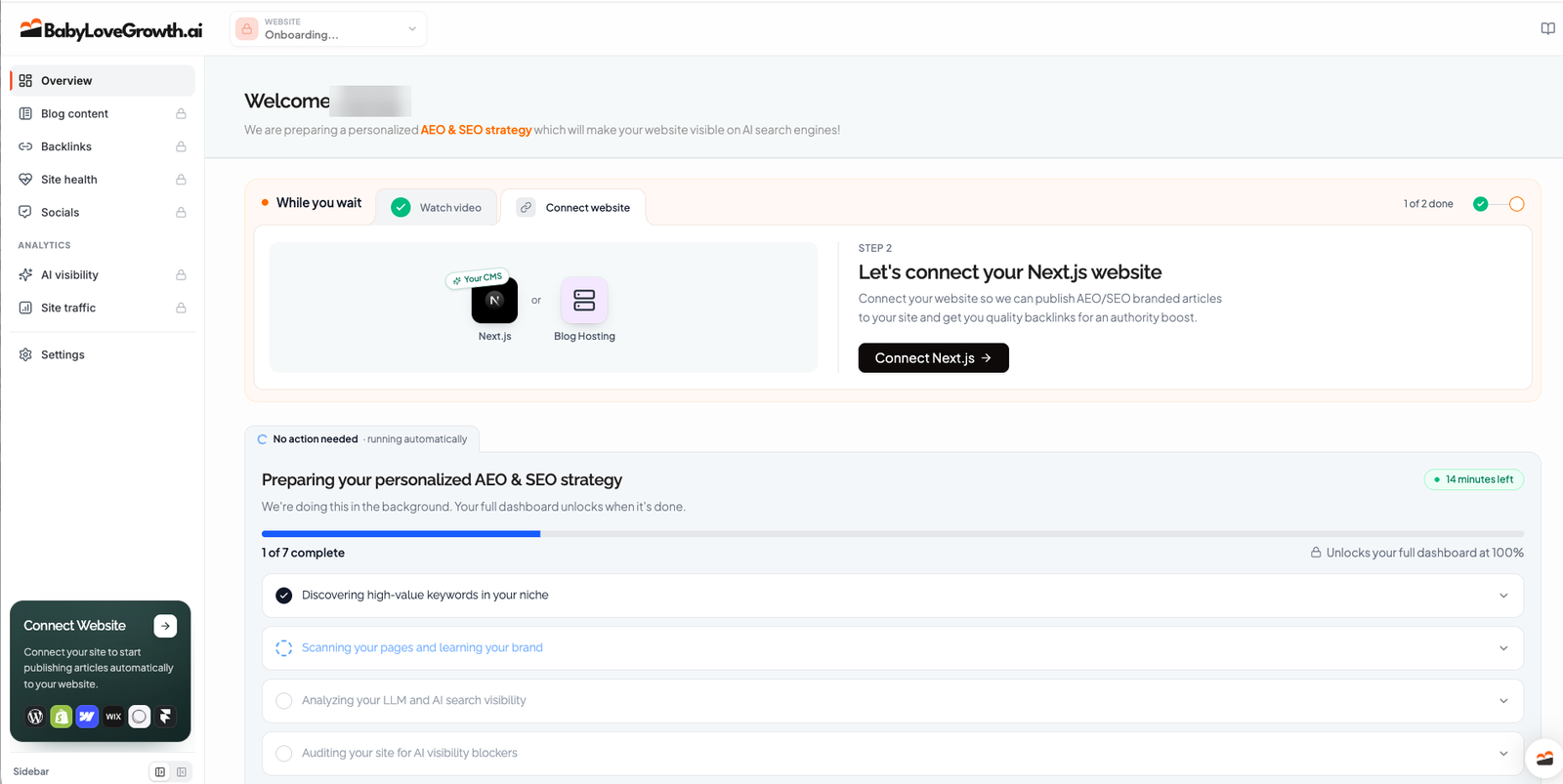
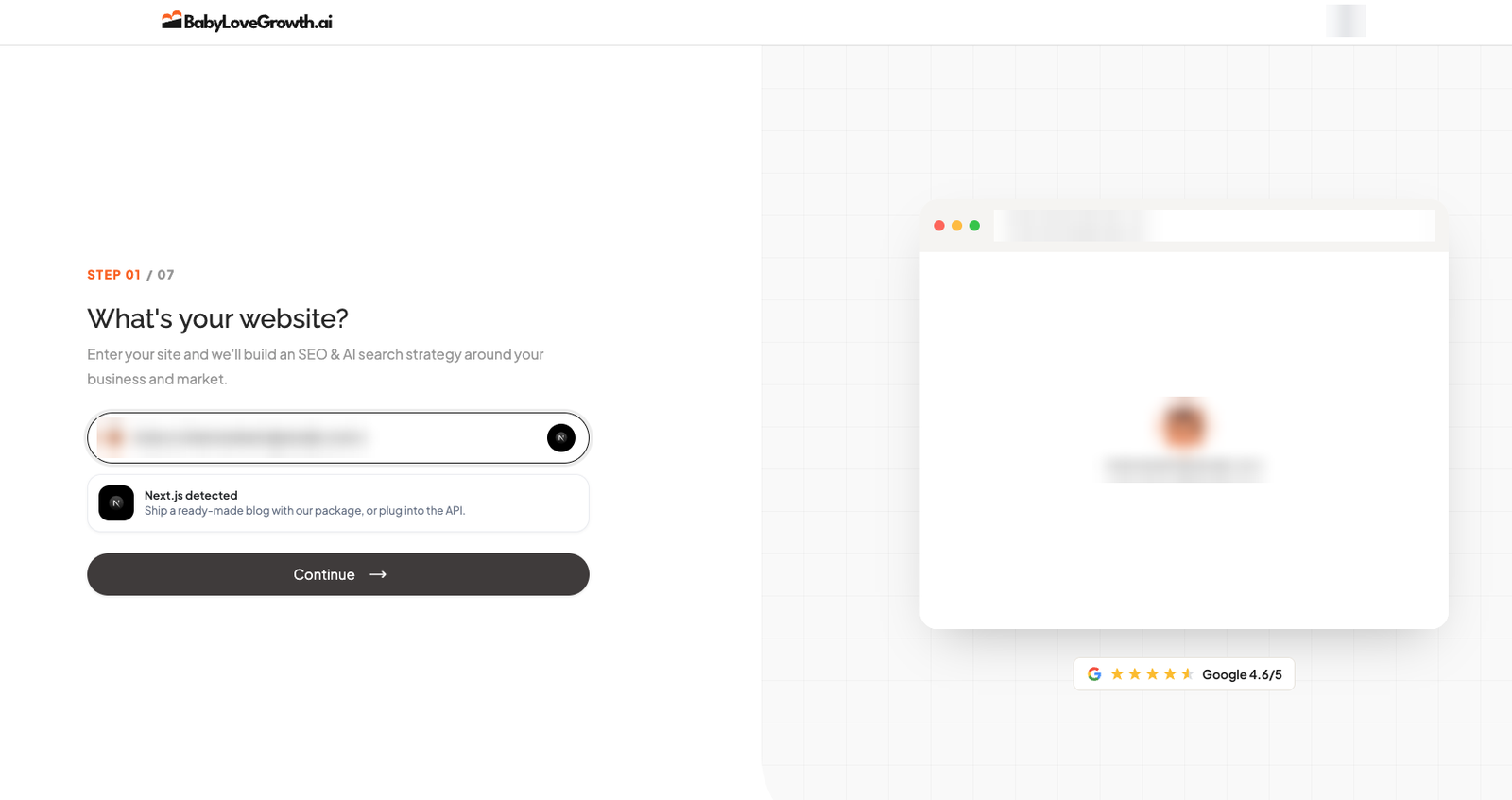
Seven steps: your website, target market and language, then a strategy BabyLoveGrowth builds in the background, from keywords to an AI visibility check and a site audit. It detected my platform on the first screen and suggested how to publish. The dashboard unlocks once the strategy is done.
Approve the content plan
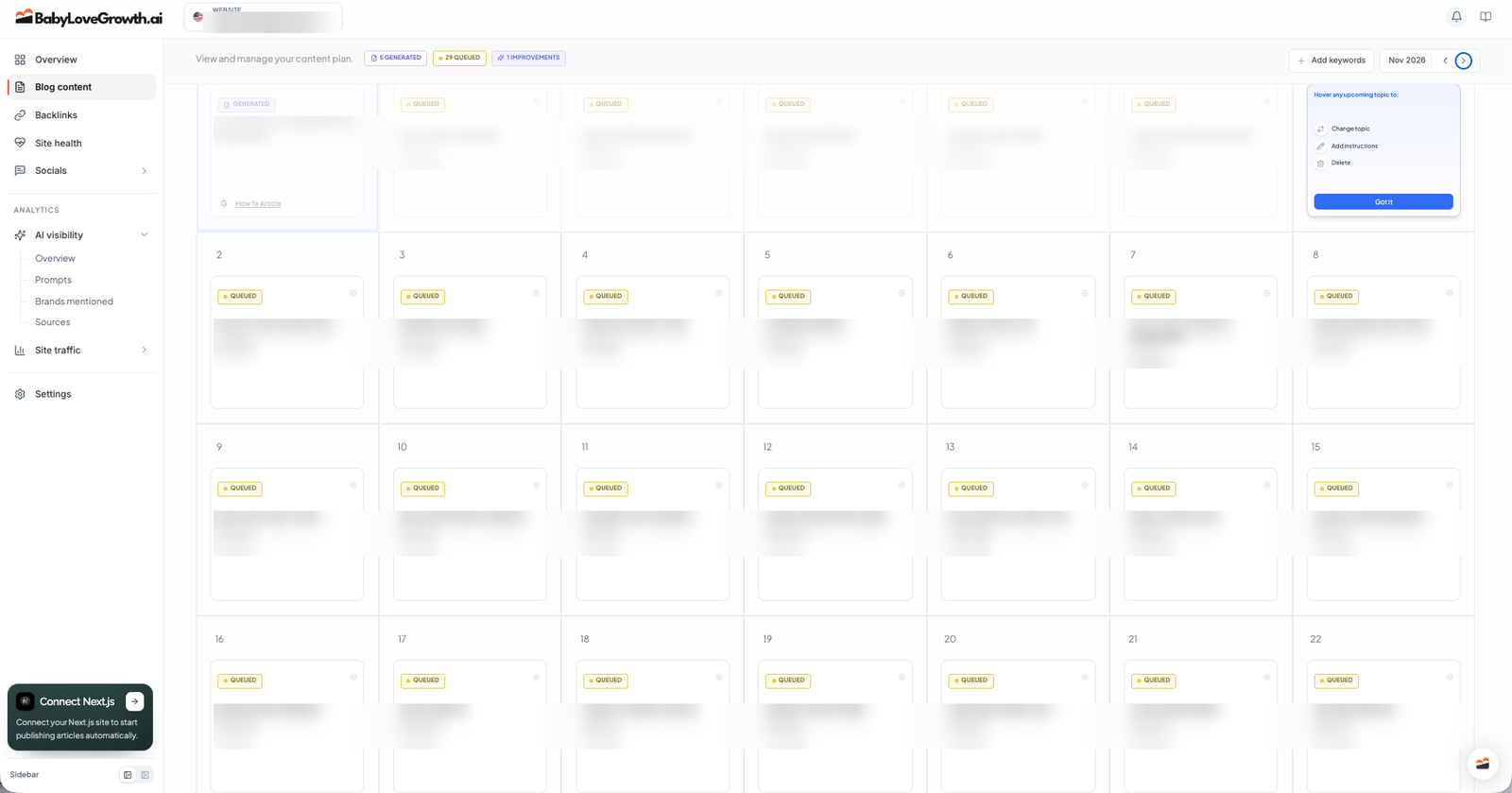
The calendar puts one topic on each day, with difficulty and search volume. Hover a topic to change it, add instructions or delete it. This is where your feedback starts: a topic you never wanted becomes an article you have to fix later.
Read every draft before it goes live
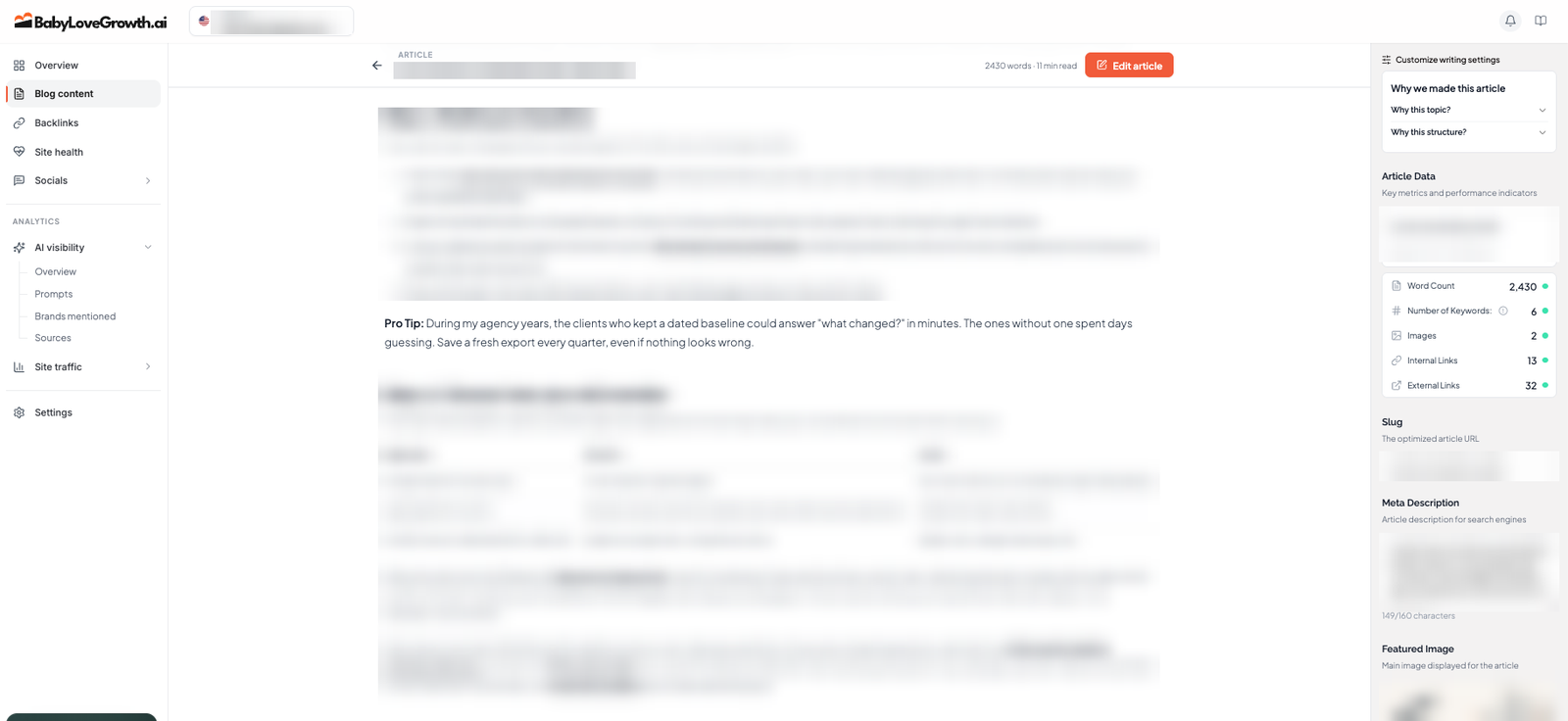
The drafts are structured well, with steps, tables and sources. They also reuse what's on your own site: BabyLoveGrowth scans your pages to learn your brand, and one of my drafts turned my agency background into a first-person pro tip that began 'During my agency years'. The experience is real, but the tip built around it was written poorly. Read every claim, rewrite anything in your voice that isn't how you would say it, and don't let it put quotes or ideas in your mouth. The articles improve as you give feedback, but there is no setting that replaces reading them.
Publish to your CMS
BabyLoveGrowth publishes to WordPress, WordPress.com, Shopify, Webflow, Wix, Ghost, Framer, GoHighLevel, Duda, BigCommerce and Next.js, or through webhooks, its API or a hosted blog. I didn't connect it on my site because that site has its own content system, so I can't speak to auto-publishing from use.
Reddit and Quora drafts
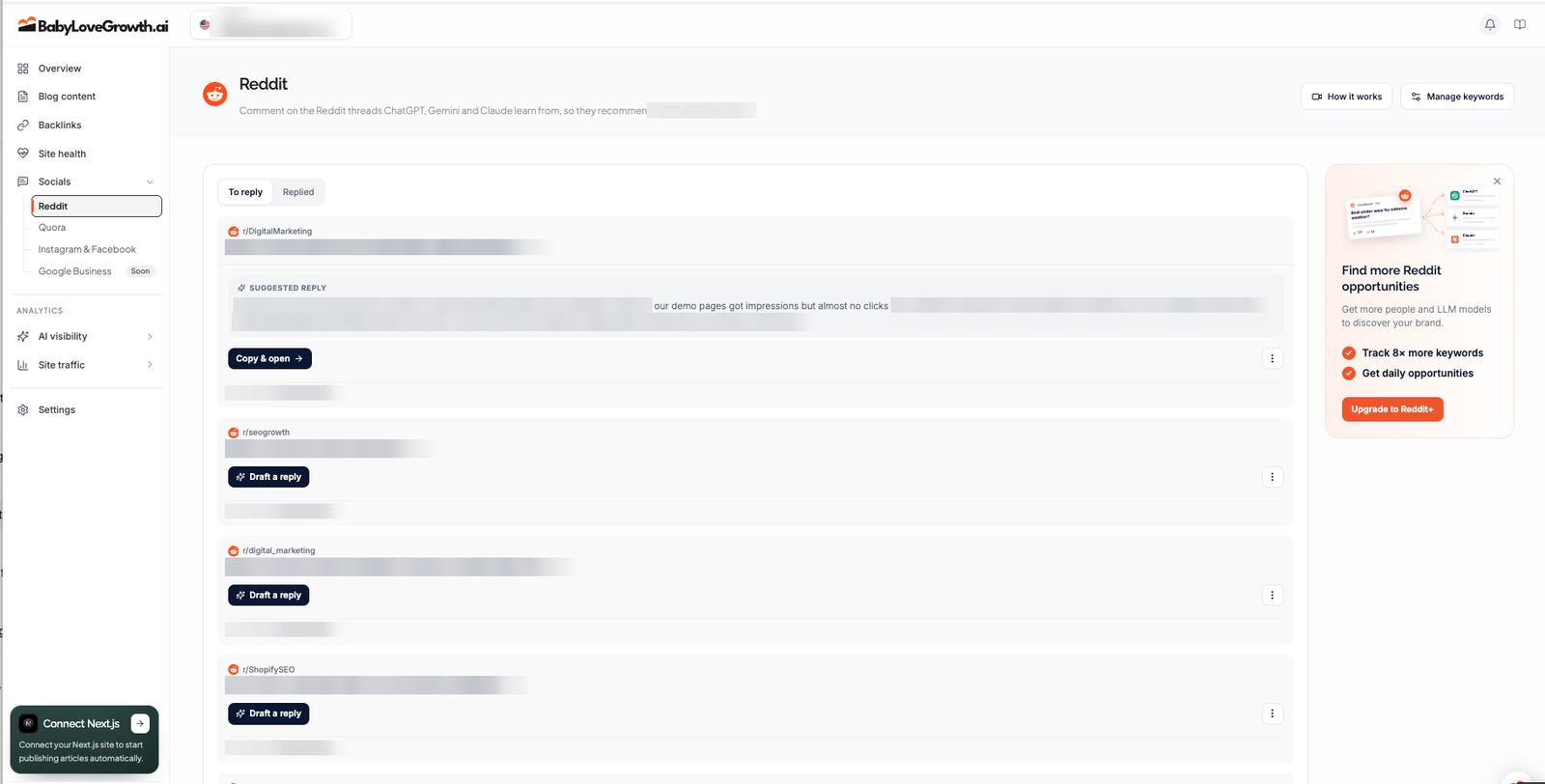
It finds threads and questions where your topic comes up and drafts a reply. Quora answers are drafts you post yourself. Reddit can schedule comments only for eligible accounts, within a daily limit. The drafts need the same check as articles: mine talked about 'our' results as fact.
Instagram and Facebook posts
Each article can become a carousel posted on a schedule, with an approval setting. Grow posts weekly and Scale daily. More social platforms are in progress.
Backlink exchange
Member sites trade in-article, dofollow links, matched by niche and domain rating, through a credit system: you earn credits for links you give and spend them on links you receive. First links take 15 to 20 days. It's a useful feature, but treat it carefully: look at the sites, the anchors and the context before you let it run.
Site health and AI visibility
Site health watches the sitemap, robots.txt and llms.txt and scores pages for speed, technical SEO and how readable they are for AI. AI visibility tracks a set of prompts (10 on Grow, 50 on Scale) and lists the brands and sources AI names. Both are a good extra check, not a replacement for Search Console.
Works With
Which website platforms does BabyLoveGrowth work with?
BabyLoveGrowth publishes straight to:
 WordPress
 Shopify
 Webflow
 Wix
 Ghost
 Framer
 WooCommerce
 WordPress.com
 BigCommerce
 Duda
 GoHighLevel
 Next.js
 API
 Webhook
Not on this list? Any site can receive articles through a webhook or the REST API, or use BabyLoveGrowth's hosted blog.
How each connection works (14)›
- WordPress
Official plugin · Official plugin adds a publish endpoint; posts go live or as drafts. Source
- Shopify
Publishes to site · Publishes to the store blog via a custom app, live or draft. Source
- Webflow
Publishes to site · Publishes articles to the Webflow CMS, live or draft. Source
- Wix
Publishes to site · Publishes to the Wix blog with Site ID and API key. Source
- Ghost
Publishes to site · Publishes articles to a Ghost blog. Source
- Framer
Official plugin · Official Framer plugin imports articles; no auto-publish. Source
- WooCommerce
Official connection · Syncs product catalog data; separate from blog publishing. Source
- WordPress.com
Publishes to site · Publishes articles automatically to WordPress.com sites. Source
- BigCommerce
Publishes to site · Publishes to the BigCommerce store blog, live or draft. Source
- Duda
Publishes to site · Duda pulls new articles from a feed once connected. Source
- GoHighLevel
Publishes to site · Publishes to a GoHighLevel blog, live or draft. Source
- Next.js
Official connection · npm package renders published articles as a blog on your Next.js site. Source
- API
Publishes to site · REST API to pull articles into a custom site. Source
- Webhook
Publishes to site · Sends each article as a POST request to your endpoint. Source
Checked against BabyLoveGrowth's own docs and official app stores on 22 October 2026.
AI, API & MCP
Does BabyLoveGrowth Have an API or MCP Server?
Yes, but both only read. For a technical user who wants to run content from their own AI, that's the main gap.
AI agent workflow
What you can and can't do
You can fetch finished articles into your own site with the API, and ask an AI assistant about your Search Console and GA4 data through the MCP server. You can't ask your AI to write, change or publish an article in BabyLoveGrowth.
Approval boundary: Approvals stay inside BabyLoveGrowth's own dashboard, which is also where you should keep them.
MCP
officialOfficial MCP server, read-only analytics
The MCP server reads your own Search Console and GA4 data (quick wins, AI referral traffic, decaying pages, cannibalisation) and can produce an AEO strategy report. It can't create or publish content.
BabyLoveGrowth MCP →API
officialRead-only article API
A REST API with an API key returns your articles as HTML, Markdown and JSON-LD, so a custom site can pull them in. It doesn't write or edit content.
BabyLoveGrowth API docs →Pricing
How much does BabyLoveGrowth cost?
BabyLoveGrowth starts at $99 a month per site, or $49 a month billed yearly, with a 3-day free trial.
| Plan | USD per site |
|---|---|
| GrowPopular | $99/mo |
| Scale | $399/mo |
BabyLoveGrowth prices per site in USD. Grow costs $99 monthly or $49 a month billed yearly; Scale costs $399 monthly or $199 a month billed yearly. The page opens on yearly billing, and some visitors see $59 a month for yearly Grow as a price test. The crossed-out $247 and $599 are anchor prices, not what you pay. There's a 3-day free trial; the help center says there are no refunds after it, and the terms add a 90-day guarantee with conditions.
Which plan for one small business
Grow. 30 articles a month is already more than you should publish unread, so the limit is your reading time, not the plan.
When Scale makes sense
When you publish in several languages or a team shares the work. The jump from $99 to $399 a month (or $49 to $199 billed yearly) only pays off if someone has time to review 120 articles.
If price per article decides it
A cheaper way to test the same idea is GrandRanker, which lists 30 articles a month from $24 a month on annual billing. Before paying, read its Trustpilot ratings and complaints, because the low-star reviews cluster around cancelling and support.
Several sites or clients
Each site is a separate subscription. Volume discounts run from 10% for 2 to 4 sites up to 20% for 15 or more, and white label costs $99 per site a month with free setup.
Alternatives
When I'd choose something else
Three different buying priorities, and what I'd pick instead for each one.
If you want a simpler article autopilot

BlogSEO
BlogSEO publishes 30 articles a month with internal links, images and up to 15 backlinks, for $97 a month per website.
Trade-off: Billed yearly it's $889 (about $74 a month), more than Grow's $49, and the drafts need the same careful read.
Explore BlogSEO for this use case →If you want to write each article yourself

Surfer
Surfer guides a writer through optimising one page at a time.
Trade-off: Nothing is written or published for you.
Explore Surfer for this use case →If you want an autopilot with agent access

RankYak
RankYak publishes API and MCP access and draft approval controls.
Trade-off: A smaller AI-visibility and social feature set.
Explore RankYak for this use case →Keep going
- Compare BabyLoveGrowth against the field: Best AI SEO Autopilots for a Small Business
Downsides
Limitations to consider before subscribing
You still have to read everything
The drafts write first-person experience and claims in your voice. Auto-approving them puts words in your mouth.
Better content takes your feedback
The process improves when you correct topics and drafts. If you don't put the time in, the output stays generic.
Backlinks need checking
The exchange trades links between member sites. Look at where your links go and where theirs come from before you rely on it.
No way to drive it from your own AI
The API and MCP only read. Writing and publishing happen in BabyLoveGrowth's dashboard.
Social automation is partial
Quora answers are drafts you post yourself, and Reddit scheduling depends on account eligibility.
A short trial
Three days is little time to judge article quality, and the help center says there are no refunds after the trial.
My Recommendation
Should You Choose BabyLoveGrowth?
Shortlist it if you have a WordPress or similar site, want a guided plan and steady articles, and will read every page until you trust the system.
Choose something else if you want to drive content from your own AI, or you'd rather write each article yourself.
What to check during the trial
- –Go through the content calendar and change or delete topics that don't fit your business.
- –Read the first three drafts in full and mark every first-person claim. Keep the true ones, cut the rest.
- –Give the drafts feedback and see whether the next ones follow it.
- –Look at the backlink exchange: which sites, which anchors, which context.
- –Keep publishing on manual approval until several drafts in a row need no fixing.
FAQ
Frequently asked questions about BabyLoveGrowth
Grow costs $99 a month per site, or $49 a month billed yearly. Scale costs $399 a month, or $199 a month billed yearly. Some visitors see $59 for yearly Grow as a price test.
Yes, 3 days. The help center says there are no refunds after the trial; the terms add a 90-day guarantee that only applies under conditions.
You can, but I wouldn't start that way. Read every draft until several in a row need no changes, because the drafts write first-person claims in your voice.
WordPress, WordPress.com, Shopify, Webflow, Wix, Ghost, Framer, GoHighLevel, Duda, BigCommerce and Next.js, plus webhooks, an API and a hosted blog.
Both exist, and both only read: the API fetches your articles, and the MCP server reads Search Console and GA4 data. Neither lets your own AI write or publish content.
They're in-article links traded between niche-matched member sites. Treat them carefully: check the sites and anchors before you rely on them.
Joonas Rotko
SEO & GEO professional, founder of That Marketing Buddy
I'm a Finnish SEO and GEO professional with 11+ years in digital marketing, including years as a co-owner of a digital marketing agency. On That Marketing Buddy I test and compare SEO and AI-visibility software for entrepreneurs, marketing professionals and agencies.
Sources & References (4)
Spot something out of date?Vendors and readers, send me the correct fact.
Software sites change almost every week, and I want every claim on this page to be factually correct. If you are a vendor or a reader, send me the correct fact and a link to the official page. I will check it and update the page. The opinions and rankings stay mine.