
This page may contain affiliate links.
Some links on this page are affiliate links, meaning I may earn a commission if you sign up (at no extra cost to you). This never influences my ratings or recommendations.
The Verdict
Is Instapage right for you?
Building landing pages shouldn't take a developer and two weeks. Instapage promises to let anyone create professional, converting landing pages in minutes with their drag-and-drop builder. After testing their platform, here's the complete breakdown of what actually works and what doesn't.
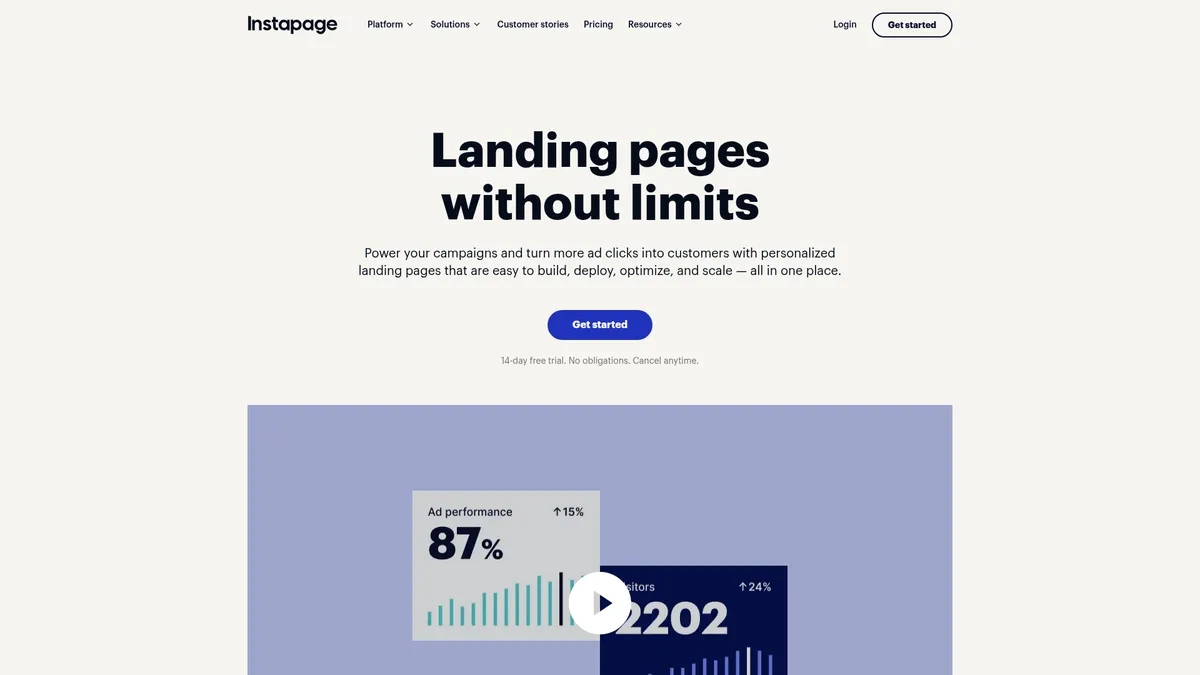
Instapage is a powerful landing page builder that excels at helping marketers create professional pages quickly without coding skills. The drag-and-drop interface is intuitive, and features like A/B testing and personalization can significantly boost conversions.
However, the pricing starts at $99/month, making it a serious investment that's best suited for businesses running substantial ad campaigns.
If you're running significant ad spend and need landing pages that convert, Instapage delivers excellent results despite the premium pricing. For smaller budgets, the cost might outweigh the benefits.
Who It's For
Who Instapage is for (and who it isn't)
✓Best for
- +Digital Marketing Teams Teams running multiple ad campaigns who need to create relevant landing pages quickly and test different variations for optimal conversion rates.
- +PPC Agencies Agencies managing client campaigns who need to deploy, test, and optimize high-converting landing pages at scale for maximum ROI.
- +E-commerce Brands Online retailers running product-specific ads who need personalized landing pages that align with their ad messaging and brand identity.
- +SaaS Companies Software companies testing different value propositions and need professional landing pages with advanced analytics and conversion tracking.
- +Lead Generation Businesses Companies focused on capturing leads who need optimized forms, multi-step processes, and detailed conversion analytics.
- +PPC managers running Google Ads or Facebook campaigns with $10K+ monthly ad spend AdMap connects every ad to its landing page, while A/B testing and personalization maximize conversion rates from expensive paid traffic
- +Digital marketing agencies managing landing pages for multiple clients Global blocks let you update hundreds of pages instantly, while visual collaboration streamlines client approval processes
- +E-commerce brands running seasonal product campaigns Collections feature creates multiple personalized landing pages from one template, perfect for product launches or holiday promotions
- +B2B SaaS companies optimizing demo request and trial signup pages Heatmaps show exactly where prospects drop off, while server-side A/B testing optimizes without affecting page load speed
✗Skip this if
- −Small Budget Marketers Startups or small businesses with limited marketing budgets who can't justify $99.79/month when free or cheaper alternatives exist.
- −One-Time Users Businesses needing just a single landing page occasionally rather than ongoing campaign optimization and testing capabilities.
- −WordPress-First Teams Teams already invested in WordPress ecosystem who might find dedicated page builders like Elementor more cost-effective and integrated.
- −Complex Website Builders Businesses needing full website functionality beyond landing pages, as Instapage focuses specifically on conversion-optimized single pages.
- −Technical Minimalists Users who prefer simple, lightweight solutions and don't need advanced features like heatmaps, AI content, or detailed A/B testing.
- −Small businesses with under $2K monthly marketing budget At $79/month minimum, Instapage costs more than many small businesses' entire marketing stackTry Leadpages →
- −Content marketers focused on SEO and organic traffic landing pages Instapage optimizes for paid traffic conversions, not SEO rankings or content marketing workflowsTry Unbounce →
- −Solopreneurs who need landing pages plus email marketing automation Instapage only handles landing pages; you'll need separate tools for email sequences and CRMTry Systeme.io →
Consider instead
 Semrush
 SurferSEO
 ActiveCampaign
Features
What can Instapage do?
Going through Instapage's editor, the drag-and-drop functionality feels intuitive. You can create professional-looking pages by simply dragging elements where you want them, with pixel-precise control that rivals dedicated design tools. The template library offers over 200 conversion-optimized designs that you can customize to match your brand, and the Instablocks feature lets you save and reuse custom sections across multiple pages.
The A/B testing capabilities go beyond basic split testing. You can run traditional A/B tests or use their AI experiments that automatically direct traffic to better-performing variations without manual oversight. The built-in heatmaps show exactly where visitors click, scroll, and spend time, giving you data-driven insights for optimization rather than just guessing what might work better.
Instapage's AdMap feature is particularly clever for campaign management. It visualizes your entire ad campaign structure, showing how ads connect to specific landing pages, making it easy to maintain message consistency and deploy updates across multiple campaigns simultaneously. The platform also includes AI content generation that can create headlines, copy, and CTAs based on minimal inputs, speeding up the page creation process significantly.
The collaboration tools work well for teams, with real-time editing, feedback systems that work like Slack conversations directly on the page, and approval workflows that speed up the review process. For lead generation, the multi-step forms help reduce friction by breaking complex forms into digestible steps, while the direct lead bypass feature sends data straight to your CRM without touching Instapage's servers.
Page Building & Design
Conversion Optimization
Personalization & Targeting
Collaboration & Workflow
Forms & Lead Management
UX & Support
Is Instapage easy to use?
Setting up a first landing page in Instapage is straightforward. The onboarding process walks you through the key features without being overwhelming, and the interface feels clean and organized. The drag-and-drop editor responds quickly, and elements snap into place predictably, which makes the design process feel smooth rather than frustrating.
Across the dashboard, everything is logically organized with clear sections for pages, analytics, and campaign management. The Thor Render Engine ensures pages load fast, which is crucial for conversion rates. The real-time collaboration features are particularly well-designed, with comment threads that stay attached to specific page elements and notifications that keep team members in sync.
Support quality varies depending on your plan level. Higher-tier plans get dedicated customer success managers and professional services, while entry-level users rely on standard support channels. Based on user feedback, response times can be slow for basic plans, and some users report that technical issues don't always get resolved quickly. The knowledge base is thorough, but complex issues often require direct support interaction.
Pricing
How much does Instapage cost?
Instapage starts at $99/mo. That's 68% above median for Sales Funnel tools. No free plan, but there’s a 14-day free trial.

Instapage Pricing Analysis
vs. 9 sales funnel toolsAbove average for sales funnel tools

More expensive than 67% of sales funnel tools on That Marketing Buddy's database.
Instapage starts at $99/month for the Create plan when billed annually, which includes 15,000 monthly visitors and core features like the drag-and-drop builder, templates, and basic collaboration tools. The Optimize plan costs $199.59/month for 30,000 visitors and adds A/B testing, multi-step forms, and dynamic text replacement. The top-tier Convert plan requires custom pricing and includes enterprise features like heatmaps, ad personalization, and dedicated customer success management.
The pricing reflects Instapage's positioning as a premium tool for serious marketers rather than a budget-friendly option for occasional use. When you consider that businesses typically use this for campaigns with significant ad spend, the cost can be justified by improved conversion rates. However, for smaller businesses or those just starting with landing pages, the investment might be harder to rationalize compared to lower-cost alternatives.
Value-wise, if you're running substantial ad campaigns where a 1-2% improvement in conversion rate translates to meaningful revenue, Instapage can easily pay for itself. The 14-day free trial lets you test the platform with campaigns before committing, which is essential given the price point. Annual billing provides up to 20% savings, making the yearly commitment more palatable for businesses that plan to use it long-term.
| Plan | Monthly |
|---|---|
| $99/mo | |
| $199/mo |
External Ratings
What 837 reviewers say
Aggregated from 2 platforms
Instapage holds a 4.4/5 average rating across 837 reviews on G2, Capterra.
"It's straightforward to build basic landing pages quickly that help convert leads with A/B split testing."
G2"Easy to use and has an intuitive design, allowing them to create professional landing pages quickly without technical skills."
G2"The abundance of templates makes it particularly convenient for new marketers or those lacking experience in web design and development."
Capterra"The AdMap feature is a big plus which help you see a clear view of your ad topics, ad campaigns etc."
Capterra"At times, the editor can be somewhat slow and prone to bugs. Additionally, the range of editing functionalities and tools available is quite limited."
G2AI & Tech Stack
Does Instapage fit your AI stack?
What AI Can't Replace
Instapage's real moat is its visual page builder married to server-side personalization and conversion intelligence. AI tools can write copy, but they can't orchestrate the full workflow of building, targeting, personalizing, and analyzing landing pages at scale without rebuilding the entire infrastructure.
The proprietary conversion tracking and A/B testing engine that connects visitor behavior to page variants is something ChatGPT or Claude can't replicate without access to your data pipeline.
Where AI Is Catching Up
AI coding agents could eventually build custom landing page templates or automate repetitive page structure decisions, which would undercut some of Instapage's template value. More immediately, AI content generation tools are closing the gap on copy writing and headlines that Instapage charges for as part of its editing suite.
However, AI can't replace the actual page delivery infrastructure, personalization engine, or the analytics layer that ties conversions back to individual page variants.
API & Integrations
Instapage runs a REST API at devdocs.instapage.com, authenticated with a Bearer API key generated in the dashboard. It is broader than most landing page tools: endpoints cover pages (create, publish, unpublish, delete), workspaces, team members, groups and collections, form submissions and analytics, image assets, domains, A/B experiments, and personalizations.
Rate limits sit at 200 requests per minute plus a plan-based daily quota, with a Retry-After header on 429s. Zapier and Make handle the no-code path, and most teams reach for those rather than the raw API.
MCP & CLI
Instapage has no official MCP server and no CLI tool, confirmed against its developer docs and the official MCP registry as of June 2026. My best workaround is the REST API with custom code, or routing Instapage data through Zapier or Make to the rest of your stack like your CRM or analytics platform.
Stack Verdict
Instapage is a specialized conversion tool that AI complements but doesn't replace, best suited for teams running high-volume, personalized campaigns where the page builder and analytics moat justify the cost.
Connects with
Security
Downsides
What's wrong with Instapage
High Price Point
Starting at $99.79/month makes it expensive for small businesses or those with limited ad budgets who can't justify the cost.
Limited Design Flexibility
While the editor is user-friendly, some users find the customization options restrictive compared to more technical solutions.
Editor Performance Issues
Some users report the editor can be slow or buggy at times, particularly during peak usage or with complex pages.
Visitor Limits
Monthly visitor caps can be restrictive for growing businesses, requiring expensive plan upgrades as traffic increases.
Support Quality Varies
Basic plan users often experience slow support response times and limited access to customer success resources.
Learning Curve for Advanced Features
While basic page building is easy, mastering advanced features like personalization and complex A/B testing requires time investment.
Buddy's Take
The $99/month starting price puts this out of reach for casual users, and that's by design. Instapage is a conversion tool for active advertisers. If you're running enough ad spend for a 1-2% conversion improvement to pay for the tool multiple times over, the limitations barely matter.
FAQ
Frequently asked questions about Instapage
Yes, Instapage provides a 14-day free trial with no credit card required. You can test all features during the trial period to see if it fits your needs before committing to a paid plan.
Yes, you can publish landing pages on your custom domain. Higher-tier plans also support root domain publishing (like yoursite.com) instead of subdomains.
Each plan includes a specific number of monthly unique visitors (15K for Create, 30K for Optimize). If you exceed the limit, you'll need to upgrade to a higher plan or pay overage fees.
Yes, Instapage integrates with popular tools like HubSpot, Salesforce, Google Analytics, Facebook Ads, and many others. They also offer Zapier integration for connecting additional tools.
Absolutely. Instapage includes real-time collaboration features with comment systems, approval workflows, and team permissions to streamline the design and review process.
A/B testing lets you manually split traffic between page variations, while AI experiments automatically direct more traffic to better-performing versions using machine learning algorithms.
Yes, all landing pages are automatically mobile-responsive and optimized for fast loading on any device thanks to their Thor Render Engine technology.
Yes, you can cancel anytime, though annual plans are billed upfront. There's no long-term contract requirement, and you'll retain access until the end of your billing period.
Instapage's pricing jumps are steep and the visitor-based model creates unpredictable costs as your campaigns grow.
Instapage is best for: PPC managers running Google Ads or Facebook campaigns with $10K+ monthly ad spend; Digital marketing agencies managing landing pages for multiple clients; E-commerce brands running seasonal product campaigns; B2B SaaS companies optimizing demo request and trial signup pages.
No MCP server and no CLI, so AI agents cannot talk to Instapage natively. The REST API is the bridge: agents reach pages, forms, analytics, and experiments through custom code or a platform like Zapier AI.
Standard data export capabilities but you'll lose proprietary features like Instablocks and visual collaboration history.
Instapage starts from $99/mo. There is a 14-day free trial.
Sources & References (4)
Ready to try Instapage?
Start your 14-day free trial and see if Instapage can boost your landing page conversions
Start Free Trial →More on Instapage
Read Next


LanderLab vs Instapage: $69 Performance Builder vs $99 Enterprise Pages

Instapage vs Perspective Funnels: Traditional Pages vs Mobile Funnels
Connect Your Landing Page to Email Marketing: Complete Integration Guide
Landing Page vs Website: When You Need Each (and Why It Matters)

Joonas Rotko
Author & founder of That Marketing Buddy
I score marketing software for AI-stack fit (MCP, API, agent-readiness), backed by 10+ years in digital marketing.
This page may contain affiliate links. I earn a commission at no extra cost to you. This never influences ratings.