
This page may contain affiliate links.
Some links on this page are affiliate links, meaning I may earn a commission if you sign up (at no extra cost to you). This never influences my ratings or recommendations.
The Verdict
Is Unbounce right for you?
Unbounce is the landing page builder that's helped thousands of marketers turn more clicks into customers. With its drag-and-drop editor, built-in A/B testing, and AI optimization features, it's designed to make landing page creation simple for non-techies. But at $29+ per month, it's a serious investment.
Unbounce is a premium landing page builder that excels at conversion optimization through its no-code editor, unlimited A/B testing, and Smart Traffic AI features. It's built for marketers who need professional landing pages fast, without developer help. The pricing is steep for small businesses, but the results justify the cost for serious marketers.
If you're running paid campaigns and need landing pages that convert, Unbounce delivers results that can easily pay for itself through higher conversion rates.
Who It's For
Who Unbounce is for (and who it isn't)
✓Best for
- +PPC Campaign Managers Need custom landing pages for each campaign to maximize ad spend ROI
- +SaaS Marketing Teams Require lead gen pages with A/B testing to optimize trial signups
- +Digital Marketing Agencies Need to create multiple client landing pages quickly with professional results
- +Ecommerce Brands Want dedicated product launch pages that convert better than product pages
- +Conversion Rate Optimizers Need advanced testing capabilities and AI-powered traffic routing
- +PPC specialists running Google and Facebook ad campaigns Dynamic Text Replacement matches ad keywords to landing page content, while Smart Traffic AI automatically optimizes where each visitor lands for maximum conversion rates
- +B2B SaaS marketers testing signup flows and trial conversions Unlimited A/B testing with confidence intervals helps optimize trial signup rates, plus industry benchmarking shows how your pages compare to other SaaS companies
- +E-commerce stores driving traffic to product launches or sales High-converting templates with form builders capture leads, while Smart Traffic ensures each visitor sees the page variant most likely to convert them
- +Marketing agencies managing campaigns for multiple clients Agency plans with unlimited collaborations, 20+ domains, and implementation services let you scale across client accounts without per-client pricing
✗Skip this if
- −Budget-Conscious Startups The $99+ monthly cost is too high for early-stage businesses
- −One-Page Website Builders Overkill if you just need a simple business website, not landing pages
- −Content Marketers Better suited for campaign-specific pages than long-form content sites
- −WordPress Power Users May prefer more control with WordPress page builders at lower cost
- −Bloggers or content creators building simple lead magnets $74/month is overkill for basic email collection - you don't need Smart Traffic AI for a simple PDF downloadTry Leadpages →
- −Small local businesses with under 5,000 monthly website visitors Traffic limits and pricing target higher-volume campaigns - you'll never use the AI optimization features with low trafficTry Landingi →
- −Startups bootstrapping their first marketing campaigns Starting at $74/month with 20k visitor limits is expensive when you're still proving product-market fitTry Systeme.io →
Consider instead
 ActiveCampaign
 Perspective Funnels
 Leadpages
Features
What can Unbounce do?
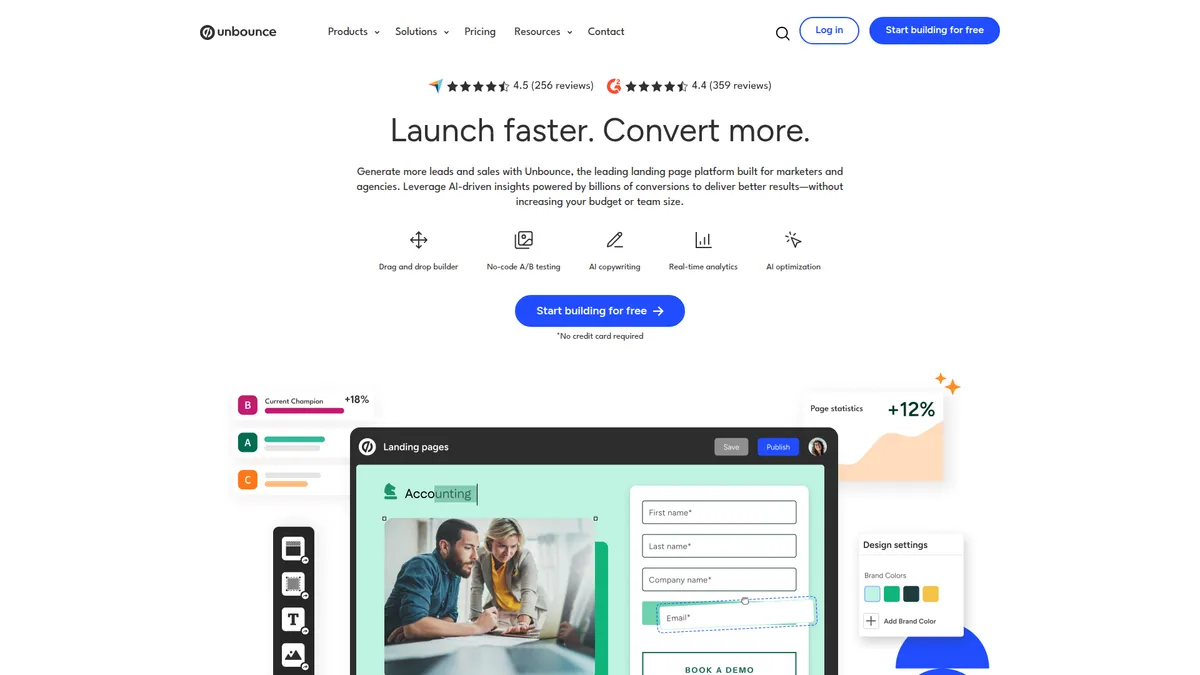
The drag-and-drop page builder is where Unbounce shines. Going through the editor, you'll find it strikes the right balance between simplicity and control. The interface is clean and intuitive, letting you add elements like headlines, images, forms, and buttons with simple clicks. The templates are well-designed and conversion-focused, not just pretty designs that don't work.
The A/B testing capabilities are probably Unbounce's biggest strength. Setting up tests is remarkably simple - you can duplicate a page, make changes, and launch a test with just a few clicks. The platform handles traffic splitting, tracks statistical significance, and shows clear winner declarations. Smart Traffic takes this further by using AI to automatically route visitors to their best-converting page variant.
Form building is another standout feature. You can create multi-step forms, add conditional logic, and connect directly to your CRM without Zapier. The platform also includes popups and sticky bars that can be triggered by user behavior, adding extra conversion opportunities beyond the main landing page.
Integrations are comprehensive with over 1000 apps supported. Direct connections to major platforms like HubSpot, Salesforce, and Mailchimp work smoothly, and webhook support handles custom integrations. The real-time analytics give you immediate feedback on page performance, visitor behavior, and conversion rates.
Page Building
A/B Testing & Optimization
Lead Generation
Analytics & Reporting
Integrations
UX & Support
Is Unbounce easy to use?
Going through the onboarding process, Unbounce does a solid job getting you up and running quickly. The initial setup includes helpful tutorials and template recommendations based on your industry and goals. The learning curve is manageable - you can build your first page within an hour of signing up.
The dashboard is well-organized with clear navigation between pages, tests, and reports. One nice touch is the conversion benchmark data that shows how your pages perform compared to others in your industry. This gives useful context for whether your 3% conversion rate is actually good or needs work.
Customer support is helpful, available through phone, email, and live chat. Response times are typically quick, and the support team understands marketing challenges beyond just technical issues. The knowledge base is comprehensive with step-by-step guides, video tutorials, and best practice articles. For higher-tier plans, you get access to conversion specialists who can review your pages and suggest improvements.
Pricing
How much does Unbounce cost?
Unbounce starts at $29/mo. That's 51% below median for Sales Funnel tools. No free plan, but there’s a 14-day free trial.

Unbounce Pricing Analysis
vs. 9 sales funnel toolsBelow average for sales funnel tools

Cheaper than 78% of sales funnel tools on That Marketing Buddy's database.
Unbounce starts at $29 per month for the Build plan, or $74 monthly when paid annually. The Experiment plan costs $149 monthly ($112 annually) and includes unlimited A/B testing. The Optimize plan is $249 monthly ($187 annually) and adds Smart Traffic AI optimization. Agency pricing starts at custom rates for larger teams.
The pricing is definitely on the higher end compared to general website builders, but it's competitive within the specialized landing page platform space. When you consider that a 1% improvement in conversion rate can easily pay for the tool on a decent ad spend, the ROI calculation often works out favorably for active campaigns.
The 14-day free trial lets you test all features without a credit card, which is generous. The annual discount of 25% makes the pricing more palatable if you're committed to the platform long-term.
| Plan | Monthly |
|---|---|
| $29/mo | |
| $99/mo | |
| $149/mo | |
| $249/mo |
External Ratings
What 610 reviewers say
Aggregated from 2 platforms
Unbounce holds a 4.4/5 average rating across 610 reviews on G2, Capterra.
"Our conversion rate through paid channels is now higher than organic for the first time ever. This was a massive win for our company"
Unbounce Case Study"Overall Unbounce is a complete landing page builder and works great for testing new marketing campaigns."
Capterra"Most reviewers indicate landing pages are quickly built, highly customizable, and require minimal technical expertise for effective campaigns."
Capterra"Most reviewers describe A/B testing as simple to set up, helping refine landing pages and boost conversion rates."
Capterra"Most reviewers find user interface intuitive, enabling easy design control and efficient page management without coding."
CapterraAI & Tech Stack
Does Unbounce fit your AI stack?
What AI Can't Replace
Unbounce's real moat is its landing page builder paired with conversion intelligence that tracks visitor behavior across the entire funnel, not just form submissions. AI tools can write copy, but they can't replace Unbounce's A/B testing infrastructure, heat mapping, and session recordings that show you exactly why visitors convert or bounce.
This is proprietary data collection and analysis at scale that requires years of funnel optimization data to get right.
Where AI Is Catching Up
AI content generators are already good enough to handle copywriting tasks that Unbounce charges for, and AI-powered A/B testing frameworks (Claude analyzing conversion data, ChatGPT running multivariate analysis) are narrowing the gap on optimization recommendations.
The real risk is that as AI agents improve, marketers may use Claude or ChatGPT to interpret Unbounce's conversion data and generate test hypotheses without needing Unbounce's built-in AI assistant. The builder itself and conversion tracking remain hard to replace because they require tight infrastructure integration.
API & Integrations
Unbounce runs an official REST API at api.unbounce.com (version 0.4), documented at developer.unbounce.com. Auth is either an API key over HTTP Basic Auth (admin-level, single account) or OAuth 2.0 with bearer tokens when you need a user's private data.
It covers accounts, sub-accounts, domains, page groups, pages, leads, and users, so you can pull conversion and lead data and manage pages programmatically. Rate limit sits at 500 requests per minute per account and IP. Zapier and Make handle the no-code path into most marketing stacks without friction.
MCP & CLI
Unbounce has no official MCP server and no CLI. The Unbounce-branded MCP listings you'll find (Zapier, viaSocket, CData, SyncHub) are third-party wrappers, not anything Unbounce ships or maintains. My honest read: if you want an agent talking to Unbounce, you go through the REST API directly, or you let Zapier or Make broker the connection.
Custom Python scripts pulling conversion and lead data into your AI workflow work fine too.
Stack Verdict
Unbounce fits best as your conversion layer in an AI stack, paired with Claude or ChatGPT for copywriting and hypothesis generation, but the infrastructure you can't replace is the funnel tracking and testing engine.
Connects with
Security
Downsides
What's wrong with Unbounce
High pricing barrier
Starting at $99/month puts it out of reach for many small businesses and startups
Limited to landing pages
Not suitable for building full websites or blogs, only campaign-specific pages
Template customization limits
While templates look good, deep customization requires CSS knowledge
Smart Traffic requires volume
AI optimization needs significant traffic to be effective, limiting value for low-traffic campaigns
Learning curve for advanced features
Features like dynamic text replacement and advanced targeting take time to master
Buddy's Take
At Unbounce's price point, these gaps are worth noting. You're paying premium rates, so the expectation for polish and flexibility is higher than with budget alternatives.
European & GDPR
Not sure Unbounce fits EU data rules? See GDPR-compliant Unbounce alternatives built in Europe on EuropeanMartech.
FAQ
Frequently asked questions about Unbounce
Yes, if you're running paid campaigns with decent budgets. The conversion improvements often pay for the tool quickly. Skip it if you're just testing the waters with digital marketing.
No, Unbounce is designed for landing pages, not full websites. You'll want WordPress or a website builder for your main site.
Most users can create their first page in 1-2 hours using templates. Custom designs take longer but still much faster than hiring a developer.
No coding required for basic pages. Advanced customization benefits from CSS knowledge, but the drag-and-drop editor handles most needs.
It automatically routes visitors to their best-converting page variant based on their characteristics. Needs about 50 conversions per variant to be effective.
Yes, all plans are month-to-month with no long-term contracts. Annual plans offer 25% savings but still allow cancellation.
Over 1000 integrations including HubSpot, Salesforce, Mailchimp, Google Analytics, and most major marketing tools.
No free plan, but there's a generous 14-day free trial with no credit card required to test all features.
Traffic limits create unpredictable jumps, but the monthly pricing is transparent with good annual savings.
Unbounce is best for: PPC specialists running Google and Facebook ad campaigns; B2B SaaS marketers testing signup flows and trial conversions; E-commerce stores driving traffic to product launches or sales; Marketing agencies managing campaigns for multiple clients.
No official MCP server, and the Unbounce MCP listings out there are third-party wrappers. The official REST API (API key or OAuth 2.0) is the real agent path, so AI tools reach Unbounce through custom code or platforms like Zapier AI.
Getting data out is possible but you'll lose the AI optimization insights and conversion history that make Unbounce valuable.
Unbounce starts from $29/mo. There is a 14-day free trial.
Sources & References (4)
Ready to try Unbounce?
Start your 14-day free trial and see how much your conversion rates can improve
Start Free Trial →More on Unbounce
Read Next



Joonas Rotko
Author & founder of That Marketing Buddy
I score marketing software for AI-stack fit (MCP, API, agent-readiness), backed by 10+ years in digital marketing.
This page may contain affiliate links. I earn a commission at no extra cost to you. This never influences ratings.